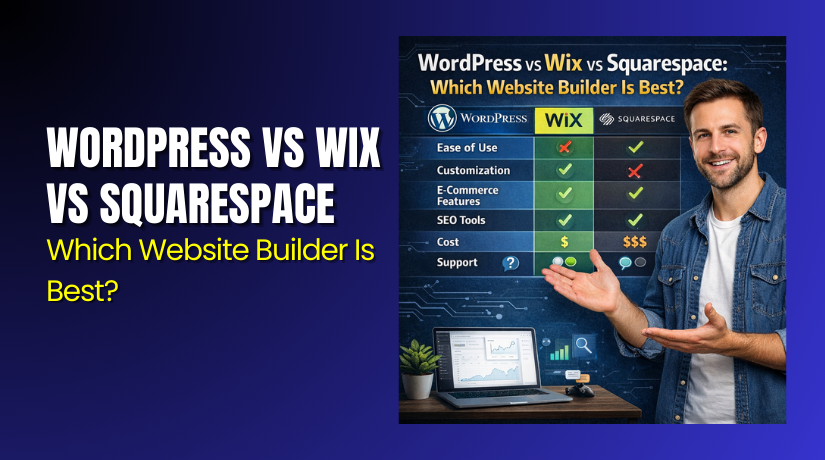
WordPress vs Wix vs Squarespace: Which Website Builder Is Best?
Table of Contents
- Introduction: What “Best Website Builder” Really Means
- Quick Verdict Snapshot: Pick the Right One Fast
- What People Usually Care About Before Choosing
- Platform Basics: What You’re Really Getting
- Core Comparison — Experience, Design, Flexibility, and Blogging
- Blogging and Content Publishing
- SEO Control and Marketing Tools
- Security, Backups, and Maintenance
- Pricing and Hidden Costs
- Conclusion
Introduction: What “Best Website Builder” Really Means
Picking a website builder can feel confusing and stressful. Each platform promises speed, ease, and strong results. But “best” depends on your goal and comfort level. Some people want quick setup and simple edits. Others want full control and long-term growth options. This guide compares WordPress vs Wix vs Squarespace clearly. You will see strengths, limits, and best use cases.
A builder is more than a design tool today. It affects speed, SEO, and future changes. It also shapes blogging, selling, and scaling later. So this comparison stays practical and easy to follow. You get a quick verdict first, then deeper details. That helps you choose faster with fewer regrets.
Quick Verdict Snapshot: Pick the Right One Fast
All three can build a clean, modern website. The best website builder depends on control and simplicity. Use this quick verdict to decide faster.
Choose WordPress for flexibility, growth, and full control.
WordPress works best when you want long-term options. You can change design, add features, and scale content. It supports blogs, business sites, and online stores.
WordPress fits best if you want:
- Full control over design and site structure
- Many plugins for features and integrations
- Strong SEO settings with the right setup
- Better freedom to move hosts later
Choose Wix for the fastest setup and easiest editing.
Wix is built for quick launches and simple updates. You build pages with drag-and-drop tools. It fits basic business sites and simple portfolios.
Wix fits best if you want:
- Quick setup with minimal technical effort
- Simple page edits inside one dashboard
- Built-in hosting and guided setup steps
- A site that stays simple and small
Choose Squarespace for polished design and clean layouts.
Squarespace focuses on style and brand consistency. Its templates look modern and well balanced. It suits portfolios, service brands, and creator sites.
Squarespace fits best if you want:
- Premium templates with strong visual style
- Clean layouts that look good on mobile
- Simple tools for pages and basic content
- A low-effort build with a refined look
What People Usually Care About Before Choosing
The best website builder is the one that matches your needs. Many people pick fast and regret it later. A good choice comes from clear priorities. Use these points before comparing WordPress vs Wix vs Squarespace.
1) Real cost over time, not just the starting price
Monthly plans look cheap at first. But extra tools can raise costs later. You may pay for apps, templates, or ecommerce features. WordPress can start low, but hosting and plugins may add cost. Wix and Squarespace bundle more, but upgrades cost more too.
2) Ecommerce needs and selling features
If you plan to sell, check store tools early. You need product pages, payments, and checkout control. You may need taxes, coupons, and shipping rules. A store also needs strong speed and a smooth cart flow. This is where a platform choice matters a lot.
3) SEO control for long-term traffic growth
If you want search traffic, SEO tools must be solid. You need clean URLs, page titles, and meta descriptions. You also need redirects when you change pages. Content growth should stay easy over time. WordPress often gives deeper control with the right setup. Wix and Squarespace are simpler but can feel limited.
4) Speed and mobile performance expectations
A slow site loses leads and sales quickly. Site speed depends on code, images, and hosting quality. Wix and Squarespace handle hosting for you. WordPress speed depends on hosting and setup choices. With the right tools, WordPress can be very fast.
5) Ownership and portability for future moves
Plans change and websites grow with time. You may want new features or a new design. You may also want to move to another platform later. WordPress offers the most freedom here. Hosted builders can feel like lock-in for some users.
6) Maintenance and support expectations
Every website needs updates and fixes sometimes. Wix and Squarespace manage many system tasks for you. WordPress needs updates for themes and plugins. This is not hard, but it is a responsibility. If you want less work, hosted builders feel easier.
Platform Basics: What You’re Really Getting
Before a full comparison, understand what each option is. This helps you judge them fairly. The biggest difference is hosted builder vs self-managed platform.
WordPress in Simple Terms
WordPress is not a single hosted website builder. It is a powerful platform you run on hosting. You choose a theme for design and add plugins for features. This is why WordPress can fit almost any project size. It can power a small blog or a large store.
WordPress is a strong choice when you want:
- Full control over layout, structure, and design
- Advanced features using plugins and custom tools
- Better freedom for SEO settings and site structure
- More control over speed through hosting choices
This is why many call it a top WordPress website builder option. It is also a strong website builder for SEO when set up well.
Wix in Simple Terms
Wix is a hosted builder with a visual editor. You build pages with drag-and-drop tools. Hosting, security, and basic updates are handled for you. You also get built-in tools for pages and simple marketing tasks.
Wix works best when you want:
- Fast setup with simple guided steps
- Easy page edits without technical skills
- An all-in-one dashboard for site management
- A good option for basic sites and small brands
If you want quick building, Wix can feel like the easiest option. It is often picked by people comparing Wix vs WordPress for simplicity.
Squarespace in Simple Terms
Squarespace is also a hosted platform. It focuses on clean templates and design polish. It offers structured editing tools with fewer distractions. You get hosting, security, and core features in one place.
Squarespace works best when you want:
- Premium template design with clean spacing
- A simple editor that stays consistent
- Strong visuals for portfolios and service brands
- Less setup time and fewer moving parts
This is why many compare Squarespace vs WordPress for design control. Squarespace is simpler, but WordPress can be more flexible.
Core Comparison — Experience, Design, Flexibility, and Blogging
Ease of Use and Setup Speed
Ease of use is the first real difference you feel. It shapes how fast you can launch. It also affects how confident you feel while editing pages. In WordPress vs Wix vs Squarespace, Wix is usually the quickest start. Squarespace is also simple, but more structured. WordPress takes longer at the start, but rewards you later.
WordPress setup experience
WordPress needs hosting, a theme, and key settings first. You also pick plugins for forms, SEO, and performance. This takes extra steps but adds real power. Once set, daily editing is smooth and flexible. Many users treat it like the most scalable website builder choice.
WordPress is easier when you do these early steps:
- Choose fast hosting and install WordPress in one click
- Pick a clean theme with simple page templates
- Add only needed plugins to avoid slowdowns
- Set permalinks and basic SEO settings once
Wix setup experience
Wix is built for quick setup and quick editing. You can publish a site fast. The editor is visual and beginner friendly. You do not manage hosting or updates yourself. That is why Wix often feels like the fastest option.
Wix feels easiest if you want:
- Drag-and-drop building with instant visual changes
- All tools inside one dashboard
- No plugin decisions to make at the start
- A simple site with a few core pages
Squarespace setup experience
Squarespace is also beginner friendly, but less freeform. It uses sections and blocks with clean structure. This helps keep pages looking polished. You can launch quickly with fewer decisions. Many creators enjoy the simple flow and stable designs.
Squarespace works well if you want:
- A guided layout system that stays consistent
- Quick page builds using ready sections
- Less time spent on design choices
- A refined site without extra setup work
Design and Templates
Design matters because first impressions decide trust quickly. Templates help you start faster and look professional. But template freedom also matters as you grow. In WordPress vs Wix vs Squarespace, WordPress gives the widest design range. Wix gives flexible editing with some limits. Squarespace gives polished templates with strong consistency.
WordPress templates and design control
WordPress offers thousands of themes, both free and paid. Many themes support page builders too. You can fully control layouts, menus, and page templates. You can also custom style almost anything. This makes WordPress strong for brand growth.
WordPress design wins when you need:
- Unique layouts and custom page sections
- Full control over headers, footers, and templates
- Easy theme switching with planning and backups
- Advanced design tools through builder plugins
Wix templates and design control
Wix templates look modern and work for many industries. The editor gives strong visual freedom. You can place items where you want on a page. But some template choices can affect site structure later. Wix can also be harder to redesign without rebuilding pages.
Wix design works best when you want:
- Quick styling with a visual editor
- Simple layout changes without code
- Ready templates for common business types
- A clean site with limited custom requirements
Squarespace templates and design control
Squarespace is known for premium looking templates. Spacing, typography, and layout balance feel polished. The editor keeps things aligned and clean. But it offers fewer layout “free moves” than Wix. The tradeoff is a more consistent look.
Squarespace design fits best when you want:
- High-quality templates that look finished fast
- Strong mobile layout consistency
- A brand-first look with clean pages
- Less time spent fixing design mistakes
Flexibility and Custom Features
Flexibility decides what your site can become later. You may start with a simple site today. But you may want bookings, memberships, or advanced forms later. This is where WordPress usually leads. Wix and Squarespace offer apps and built-in tools. But their feature depth depends on their platform limits.
WordPress flexibility and growth options
WordPress works like a toolbox you can expand. Plugins add features like forms, SEO tools, caching, and ecommerce. You can connect many services and build custom workflows. That is why WordPress often wins for scaling and control. It is also popular for anyone wanting a strong website builder for SEO.
WordPress is best if you want:
- Deep feature options through plugins
- Custom integrations and advanced workflows
- Control over site structure and performance tools
- Long-term scaling without hitting platform limits
Wix flexibility and apps
Wix offers an app market for extra features. You can add bookings, email tools, and ecommerce upgrades. This works well for many simple business needs. But advanced custom control can feel limited. Some features also require higher plans.


Wix is flexible enough when you need:
- Basic integrations and common features
- Simple store tools and service bookings
- Easy add-ons without setup complexity
- A “good enough” feature set for small sites
Squarespace flexibility and built-in tools
Squarespace focuses on built-in tools and clean workflows. It supports basic ecommerce, forms, and marketing tools. Many users like the simple and stable setup. But deep customization can be limited compared to WordPress. It works best when you value simplicity over endless options.
Squarespace flexibility fits if you want:
- Built-in tools without heavy setup
- Simple ecommerce and service site features
- A stable system with fewer moving parts
- Clean design with moderate customization
Blogging and Content Publishing
Blogging is still a strong traffic driver when done right. A good blog needs structure, easy editing, and strong SEO support. In WordPress vs Wix vs Squarespace, WordPress is usually the strongest for blogging. Wix has improved a lot, but still feels simpler. Squarespace is clean and easy, but more limited for large content sites.
WordPress for blogging
WordPress was built for publishing at its core. It supports categories, tags, custom post layouts, and content planning. You can scale to hundreds or thousands of posts. You can also control URLs, internal links, and site structure. This makes WordPress a top pick for content growth.
WordPress blogging is best when you need:
- Strong content organization and easy navigation
- Advanced editor tools and custom layouts
- Better control for SEO growth over time
- Plugins for editorial workflow and performance
Wix for blogging
Wix blogging works well for small blogs and basic updates. The editor is simple and visual. You can publish posts, add images, and organize content. But large-scale content planning can feel limited. For many small brands, Wix blogging is still enough.
Wix blogging fits if you want:
- Easy posting with simple formatting
- Quick publishing without extra setup
- A small content section to support your pages
- A clean blog without advanced structure needs
Squarespace for blogging
Squarespace blogging feels clean and design-focused. Posts look polished with strong typography. Editing is smooth and simple. But deep blog structure options are fewer. It is best for brands that publish occasionally and want style.
Squarespace blogging fits if you want:
- Beautiful post layouts with clean design
- Simple editor without too many options
- A blog that supports a portfolio or services
- A content section that stays easy to manage
Ecommerce and Online Selling
If you plan to sell online, check ecommerce features first. Selling needs more than product pages and prices. You need a smooth checkout, flexible payments, and easy order tools. In WordPress vs Wix vs Squarespace, WordPress gives the deepest store control. Wix and Squarespace offer simpler store systems with limits.
WordPress ecommerce options
WordPress becomes a full store using WooCommerce and related plugins. You can control product types, shipping rules, and checkout fields. You can also add subscriptions, bookings, and memberships if needed. This makes WordPress strong for serious online stores and growth.
WordPress is best for ecommerce when you need:
- Full checkout control and conversion-focused cart flows
- Many payment gateway options and advanced settings
- Strong shipping rules, tax tools, and product variations
- Ability to add features using WooCommerce extensions
Wix ecommerce options
Wix offers built-in ecommerce features on store plans. You can add products, collect payments, and manage orders easily. It works well for smaller catalogs and simple selling needs. But deeper checkout customization can feel limited. Advanced store features may require apps and higher plans.
Wix is best for ecommerce when you want:
- A quick store setup with simple product management
- Easy payments with minimal setup work
- Basic coupons, shipping, and tax options
- A smaller store with straightforward needs
Squarespace ecommerce options
Squarespace ecommerce feels clean and design-driven. Product pages look polished and consistent. It supports basic selling, inventory, and discounts. But the feature depth is not as wide as WordPress. It works best for curated products and creator brands.
Squarespace is best for ecommerce when you want:
- Beautiful product pages with a premium look
- Simple store tools without too many settings
- A small to medium product catalog
- Strong brand visuals and clean checkout flow
SEO Control and Marketing Tools
SEO decides how easily people find your site in Google. Good SEO needs strong basics and good content tools. You need clean URLs, titles, and page structure. You also need easy internal linking and content scaling. In WordPress vs Wix vs Squarespace, WordPress usually offers the most SEO control. Wix and Squarespace keep SEO simpler and more guided.
WordPress SEO control
WordPress gives high SEO flexibility when set correctly. You can manage URLs, redirects, metadata, and site structure. You can also add SEO plugins for deeper control and checks. This is why WordPress is often seen as the best website builder for SEO. It also supports large content sites better over time.
WordPress helps SEO when you need:
- Full control of permalinks and content structure
- Easy setup for redirects when URLs change
- Better blog organization with categories and tags
- SEO plugins for on-page checks and schema support
Wix SEO control
Wix has improved its SEO tools over the years. It supports basic titles, descriptions, and clean publishing tools. It also offers guided SEO steps for beginners. But advanced control can feel limited compared to WordPress. For small sites, Wix SEO is often enough.
Wix SEO works well when you want:
- Simple on-page SEO fields in one dashboard
- Guided steps for basic optimization
- A smaller site with fewer pages and posts
- Less time spent on technical settings
Squarespace SEO control
Squarespace keeps SEO simple and structured. You can edit titles, descriptions, and page settings. The platform also maintains clean design and mobile layouts. But deep technical SEO control is limited compared to WordPress. It works best for smaller sites focused on brand presence.
Squarespace SEO fits when you want:
- Easy edits for page titles and meta descriptions
- Clean site structure without many moving parts
- Simple marketing pages with strong visuals
- A smaller content plan with steady updates
Performance and Site Speed
Speed impacts user trust, bounce rate, and sales. A slow site can lose visitors fast. But speed depends on the platform and your setup choices. In WordPress vs Wix vs Squarespace, hosted builders manage hosting for you. WordPress gives more speed control but needs good setup.
WordPress performance reality
WordPress speed depends on hosting, theme quality, and plugins. A heavy theme or too many plugins can slow it down. But with good hosting and smart setup, WordPress can be very fast. You can use caching, image compression, and performance plugins. This control is useful for growing sites and stores.
WordPress site speed improves when you:
- Use fast hosting and a lightweight theme
- Limit plugins to only what you truly need
- Enable caching and optimize images properly
- Clean unused scripts and reduce heavy page builders
Wix performance reality
Wix handles hosting and many performance tasks for you. That reduces the setup work for beginners. But you have less control over deeper performance tuning. Wix sites can still load well with good content habits. Keep pages light and avoid too many heavy elements.
Wix speed stays better when you:
- Compress images before uploading
- Limit animations and heavy backgrounds
- Keep page sections clean and focused
- Avoid adding too many extra apps
Squarespace performance reality
Squarespace performance is usually stable and consistent. Templates are clean and structured, which helps loading. Like Wix, you have less technical control. But you can still improve speed with smart content choices. Clean visuals help, but heavy images can slow pages.
Squarespace speed improves when you:
- Use web-ready images and avoid oversized uploads
- Keep pages simple with fewer large sections
- Limit video backgrounds and heavy sliders
- Use clean typography and light design elements
Security, Backups, and Maintenance
Security is not optional for any modern website. A hacked site can lose traffic and trust fast. Maintenance also affects site health and long-term results. In WordPress vs Wix vs Squarespace, hosted builders handle many safety tasks. WordPress gives control, but you manage more pieces.
WordPress security and maintenance
WordPress security depends on your hosting and your setup choices. You must keep WordPress, themes, and plugins updated. You also need strong passwords and safe admin access. Backups are critical, especially for ecommerce sites.
WordPress stays safer when you follow these basics:
- Update WordPress core, plugins, and themes on schedule
- Use trusted plugins and remove unused ones
- Enable backups and store them off-site
- Use a security plugin and limit login attempts
- Choose secure hosting with firewall protection
Wix security and maintenance
Wix handles hosting security, core updates, and many platform tasks. You do not manage plugin updates like WordPress. This reduces your workload and risk from outdated parts. You still must protect your account with strong login steps.
Wix stays safer when you:
- Use strong passwords and two-step login
- Limit team access to only what is needed
- Avoid adding too many unknown third-party apps
- Keep forms clean to reduce spam entries
Squarespace security and maintenance
Squarespace also manages hosting, updates, and core security. The platform is closed and controlled, which reduces risk. You still need to manage account access and safe content habits. Backups are simpler because fewer moving parts exist.
Squarespace stays safer when you:
- Use strong passwords and secure admin access
- Keep content and forms clean from spam
- Review connected services and remove unused ones
- Export key content as a safety habit
Pricing and Hidden Costs
Price is not just a monthly plan number. The real cost includes add-ons, upgrades, and growth needs. In WordPress vs Wix vs Squarespace, each platform has different cost patterns. WordPress can be cheaper or more expensive, based on choices. Wix and Squarespace offer bundles but charge for upgrades.
WordPress pricing reality
WordPress itself is free to use, but hosting is not free. You may also pay for a premium theme or plugins. Ecommerce needs WooCommerce add-ons in many cases. The cost depends on how advanced your site becomes.
Common WordPress cost areas include:
- Hosting plan and domain name
- Premium theme or page builder plugin
- SEO, caching, and security plugins
- Ecommerce add-ons for advanced store features
- Developer help for custom changes and fixes
Wix pricing reality
Wix charges monthly based on your plan level. Ecommerce features require a store plan. You may also pay for apps to add features. Some apps charge monthly fees too. This can raise the total cost over time.
Common Wix cost areas include:
- Website plan upgrades for needed features
- App subscriptions for bookings, forms, or marketing
- Ecommerce plan upgrades for store tools
- Extra storage or premium design features
Squarespace pricing reality
Squarespace plans include hosting and core features. Ecommerce needs a commerce plan level. Many features are built in, which reduces app costs. But higher plans can still increase the monthly spend. It is often predictable, but not always the cheapest.
Common Squarespace cost areas include:
- Plan upgrades for ecommerce features
- Paid extensions for marketing or special tools
- Premium templates or design add-ons in some cases
- Email campaigns and extra marketing features
Conclusion
Choosing the best website builder depends on your goals and growth plan. WordPress is best for control, flexibility, and long-term scaling. Wix is best for quick setup and simple site management. Squarespace is best for clean design and polished brand pages. Need help picking, building, or improving your site? Contact WooHelpDesk for setup support, speed tuning, SEO fixes, and store optimization.
