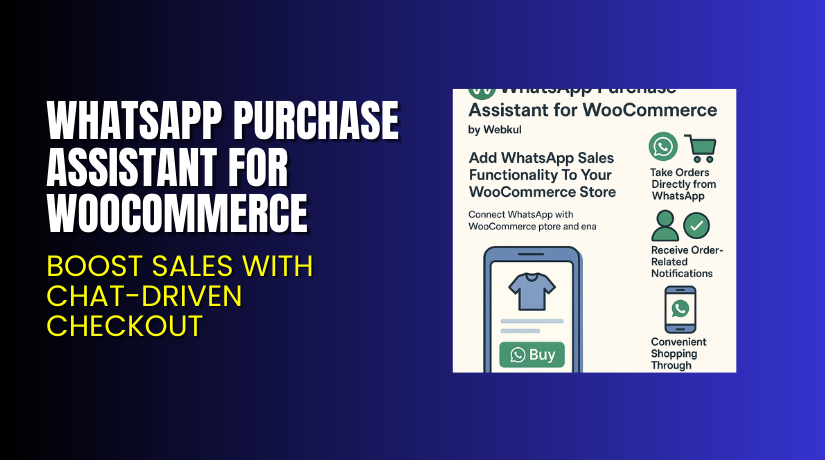
WhatsApp Purchase Assistant for WooCommerce – Boost Sales with Chat-Driven Checkout
Table of Contents
- Introduction
- What is WhatsApp Purchase Assistant for WooCommerce?
- Key Features of WhatsApp Purchase Assistant
- How to Install and Configure WhatsApp Purchase Assistant?
- Pricing & Plans
- My Experience with WhatsApp Purchase Assistant
- Who Should Use This Plugin?
- Final Verdict
- FAQ
Introduction
WooCommerce store owners are constantly searching for ways to increase sales and reduce cart abandonment. Most shoppers prefer convenience. They don’t want to fill long checkout forms or face page load delays. Messaging apps like WhatsApp have changed how customers interact with businesses.
Still, many online stores don’t offer direct purchase options via WhatsApp. That’s a missed opportunity.
The WhatsApp Purchase Assistant for WooCommerce helps solve this problem. It allows store owners to enable product ordering and notifications via WhatsApp. This gives users a smoother, faster way to buy products.
In this article, we’ll explore what this plugin does, how it works, its pricing, features, and setup. You’ll also find pros and cons and our honest verdict.
Need help installing or configuring the plugin? Try our WooCommerce WhatsApp Assistant Installation & Troubleshooting Services.
What is WhatsApp Purchase Assistant for WooCommerce?
The WhatsApp Purchase Assistant is a plugin by Webkul that integrates your WooCommerce store with WhatsApp. It helps your customers place orders directly through WhatsApp.
This plugin places a WhatsApp purchase button on product pages, cart, and checkout pages. Shoppers can click the button and complete their purchase using WhatsApp chat.
It also enables the store admin to send custom WhatsApp notifications to buyers. These include messages for order placement, shipment updates, and cancellations.
What makes this plugin unique is its use of Twilio API for WhatsApp messaging. This means reliable delivery and real-time updates for customers.
The plugin supports both registered and guest users. Guest users can also buy products after filling a short form.
Official Plugin Page: Webkul Plugin Store
Support Page: Webkul Support Desk
Documentation: View Official Docs
Contact Developer: Contact Webkul
Key Features of WhatsApp Purchase Assistant
| Feature | Description | Why It Matters |
| WhatsApp Order Button | Adds buy via WhatsApp on product and cart pages | Makes shopping simple and fast |
| Guest Checkout Support | Allows guest users to buy via WhatsApp | No account needed to complete purchases |
| Twilio Integration | Sends WhatsApp messages using Twilio | Reliable delivery of notifications |
| Real-Time Notifications | Auto-send messages on order placed, shipped, or canceled | Keeps customers updated |
| Broadcast Messaging | Send WhatsApp messages to all users | Useful for promotions and offers |
| Custom Labeling | Change button text, widget labels, and messages | Matches your brand tone |
| Widget on Product Pages | Adds WhatsApp widget across product listings | Easy access for users anytime |
How to Install and Configure WhatsApp Purchase Assistant?
To install and set up the plugin, follow these simple steps:
- Visit Webkul’s Plugin Page.
- Purchase the plugin with a one-time payment.
- Download the plugin ZIP file after checkout.
- In your WordPress dashboard, go to Plugins → Add New.
- Upload the ZIP file and click Install Now.
- Activate the plugin after installation.
- Go to WooCommerce → Settings → WhatsApp Purchase Assistant.
- Enter your Twilio SID and Auth Token for integration.
- Customize the button labels, notification messages, and user form.
- Test the setup by placing a test order.
For expert support, try our WooCommerce Plugin Installation Services.
Pricing & Plans
The plugin is available as a one-time purchase. There are no monthly or annual fees.
| Plan | Price | Includes |
| Standard | $99.00 | Lifetime license, full features, and customization options |
- No hidden charges
- Single-site license
- Supports latest WordPress and WooCommerce versions
Buy it directly from Webkul’s Official Store.
Buy WhatsApp Purchase Assistant for WooCommerce Now
This plugin is a smart investment for store owners who want to boost conversions. It’s priced at just $99.00 with a one-time fee. No subscription, no recurring costs.
Purchase now via this trusted link: Buy WhatsApp Assistant Plugin Now
Your purchase supports plugin development and helps us create more tutorials like this.
My Experience with WhatsApp Purchase Assistant
We tested this plugin on a real WooCommerce store for over a week. Here’s what we found:


Pros:
- Easy to install and integrate
- Real-time notifications keep buyers informed
- Smooth ordering for both registered and guest users
- Works on product, cart, and checkout pages
- Broadcast feature is useful for flash sales
Cons:
- Requires Twilio setup, which may need technical help
- Limited to offline payment options in WhatsApp
- No option for customers to cancel orders via WhatsApp
Overall, it delivers great value for store owners targeting mobile-savvy buyers.
Who Should Use This Plugin?
The WhatsApp Purchase Assistant is ideal for:
- Small to mid-size WooCommerce store owners
- Businesses targeting mobile-first shoppers
- Retailers running promotional campaigns
- Agencies setting up stores for local clients
- Anyone wanting faster checkout and improved engagement
If you rely on WhatsApp for business, this plugin is a must-have.
Useful Resources
Here are all important links to help you explore, install, and get support:
- Official Plugin Page
- Plugin Documentation
- Customer Support Desk
- Webkul Contact Page
- WooHelpDesk Installation & Troubleshooting
Use these resources to resolve issues or learn how to make the most of the plugin.
Final Verdict
The WhatsApp Purchase Assistant for WooCommerce offers a unique way to connect with your customers. It simplifies the buying process and lets you manage orders through a popular app like WhatsApp.
Customers don’t need to fill long forms. They can just click a button, enter their info, and place an order. You also get the power to send custom messages, run promotions, and manage orders more efficiently.
With one-time pricing at $99, it offers strong ROI. You’ll also save time and recover potentially lost sales by reducing friction in the checkout process.
Ready to upgrade your WooCommerce store?
Buy WhatsApp Assistant Plugin
Need help setting it up? Use our Installation Service
FAQ
Q1. Does the plugin support online payment methods?
No. WhatsApp orders are processed using offline methods only.
Q2. Can the admin customize WhatsApp messages sent to customers?
Yes. All notification messages can be customized from the backend.
Q3. What product types does it support?
It supports simple, variable, downloadable, and bundled products.
Q4. Can guest users buy through WhatsApp?
Yes. Guest users can complete their order by filling a popup form.
Q5. Can customers cancel orders via WhatsApp?
No. Customers cannot cancel from WhatsApp. But they will be notified if admin cancels the order.



