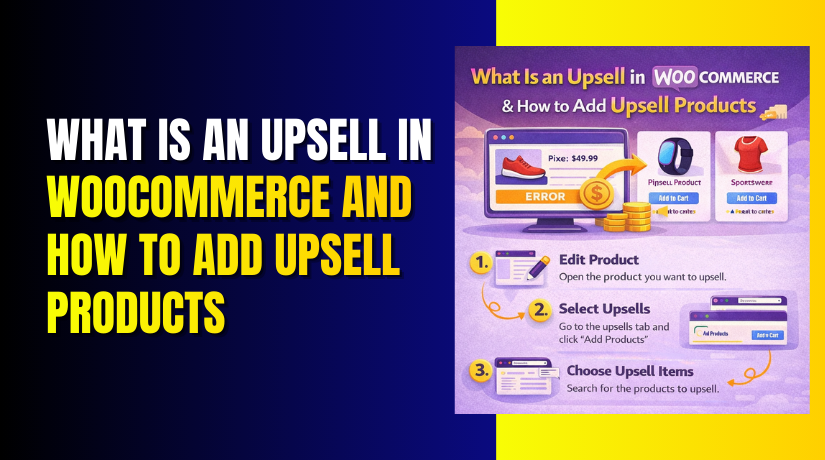
What Is an Upsell in WooCommerce and How to Add Upsell Products?
Table of Contents
- Introduction
- What is an Upsell in WooCommerce?
- What are the Key Features of Upselling Products in WooCommerce?
- What are the Benefits of Upselling Products in WooCommerce?
- What are the Reasons to Upsell Products in WooCommerce?
- How to Add Upsell Products in WooCommerce Step by Step?
- What are the Best Practices for Adding Upsell Products in WooCommerce?
- What are the Top 3 Best Plugins to Upsell Products in WooCommerce Easily?
- Final Verdict
Introduction
Upselling is one of the most effective strategies to increase your store’s revenue without needing more traffic. In WooCommerce, upselling is the practice of recommending higher-end or complementary products to customers during their shopping journey.
This tactic helps customers discover more relevant products they may be interested in, while boosting your average order value. Whether you want to offer a premium version of the product or suggest a product that complements their purchase, upselling is a simple yet powerful way to maximize sales.
In this article, we’ll explore WooCommerce upsell strategies, features, and the best ways to add upsell products in WooCommerce to boost your WooCommerce sales.
What is an Upsell in WooCommerce?
An upsell in WooCommerce is a sales strategy that encourages customers to purchase a higher-priced version of the product they’re already considering. Upselling typically happens when a customer is about to check out, and the goal is to offer them a product that has a higher value or provides additional features.
For example, if a customer is purchasing a basic model of a smartphone, you could upsell them to a more expensive version with additional storage or better features.
Upsell vs. Cross-sell: What’s the difference?
- Upselling: Suggesting a higher-end version of the product being viewed or purchased.
- Cross-selling: Suggesting complementary products that go well with the original purchase.
Both tactics help increase the average cart value but target customers differently. WooCommerce product upsells focus on upgrading the current selection, while cross-sells introduce related products that enhance the customer’s overall purchase experience.
Why is Upselling Important in WooCommerce?
- Boosts average order value (AOV).
- Enhances customer experience by providing relevant suggestions.
- Increases profits without the need to attract more visitors.
- Drives customer satisfaction by recommending items that meet their needs.
What are the Key Features of Upselling Products in WooCommerce?
WooCommerce provides a few built-in features and options to make WooCommerce upsell easily. You can select products to upsell directly from the product editing page, and these will be displayed on the product detail pages, typically under “Related Products” or “You may also like” sections. Let’s break down the key features that make upselling in WooCommerce effective:
1. Easy Upsell Product Selection
- From the product settings page, you can simply add products to the upsell section.
- You can select any product to upsell, whether it’s a higher-end version, a more expensive model, or an item with additional features.
- You can also target upsells based on customer behavior (such as browsing history or order details).
2. Customizable Upsell Display
- WooCommerce gives you control over the placement and style of upsell products.
- Upsell products can be shown as part of the product’s details page or in a dedicated section (like “Recommended for you”).
- You can style the upsell area using your theme’s settings or CSS to fit your store’s design.
3. Product Visibility Control
- Only display upsells on specific products or categories.
- Use the visibility settings to control when upsell products are shown based on certain conditions, like customer cart value or category type.
- This allows you to focus on upsell efforts where they are most likely to convert.
4. Cross-sell Integration
- Although cross-sells are distinct from upsells, WooCommerce allows you to integrate both strategies within the same product pages.
- Cross-sells typically appear in the cart, while upsells show on the product pages.
- This dual approach can significantly increase overall sales without overwhelming the customer.
What are the Benefits of Upselling Products in WooCommerce?
Upselling isn’t just beneficial for store owners; it also provides value for customers by helping them discover better or more fitting products. Let’s take a look at the WooCommerce sales boost with upsell.
1. Increased Average Order Value (AOV)
- Upselling directly impacts the AOV, which is one of the most critical metrics for an eCommerce store.
- By suggesting higher-end versions of products or related upgrades, you encourage customers to spend more per order.
- For example, if a customer is about to buy a basic smartphone, suggesting a higher storage version or a premium model will naturally increase the total sale amount.
- This helps you increase your store’s revenue without having to attract more traffic, making upselling a cost-effective strategy to increase your bottom line.
2. Improved Customer Satisfaction
- Upselling also enhances the shopping experience by offering products that are more suitable for the customer’s needs.
- For example, suggesting a better product that suits their specific requirements (such as a more powerful version or a premium quality model) shows that you care about their needs and satisfaction.
- When customers feel they are receiving more value for their money, it boosts their confidence in the store. This makes them more likely to return for future purchases, fostering customer loyalty.
- Providing value-driven upsell recommendations shows that you have a thoughtful approach to shopping, leading to happier, more satisfied customers.
3. Maximizing Revenue Without Increasing Traffic
- One of the key advantages of upselling in WooCommerce is that it allows you to maximize sales from the traffic you already have.
- Instead of investing heavily in attracting new visitors, upselling helps you boost sales from existing customers by offering them better or complementary products.
- Upselling makes use of your current customer base and leverages their interest in the products they’re already considering, increasing the likelihood of higher spend without needing additional marketing efforts.
4. Better Inventory Management
- Upselling can be an effective way to manage stock levels in your store.
- By promoting products that have higher margins or are slower to sell, you can move inventory more effectively.
- Upselling helps in clearing out stock that may not sell quickly, giving customers a reason to buy higher-margin products. For example, you can upsell premium versions of a product to ensure the fast-moving inventory remains healthy, while promoting slower-moving stock for clearance.
- This strategy ensures a balanced inventory, where popular products don’t go out of stock too quickly, and slower-moving inventory can still be sold.
5. Encourages Higher Spending with No Additional Advertising Costs
- Upselling eliminates the need for additional advertising costs, which can quickly eat into profit margins.
- Rather than spending money on paid advertising to bring in new customers, upselling capitalizes on the customers already visiting your site.
- By guiding customers to spend more based on what they are already considering, you boost the sale value without additional marketing expenses.
- This helps stores grow their revenue while keeping their marketing budget in check.
What are the Reasons to Upsell Products in WooCommerce?
Understanding the core reasons behind upselling in WooCommerce is key to creating a strategy that aligns with your store’s goals. Upselling is not just about promoting more expensive items—it’s about offering value to your customers while enhancing your store’s profitability. Let’s explore the main reasons to upsell products in WooCommerce.
1. Maximize Profit Margins
- Upselling helps increase profit margins by promoting products with higher price points or added features.
- When you encourage customers to spend more, you’re not just increasing the total sale, but also boosting your profit margins by offering higher-value products.
- For example, if you sell a low-end and high-end version of the same product, selling the higher-end version gives you a bigger margin without any additional effort beyond recommendation.
2. Improve Customer Experience with Tailored Recommendations
- Upselling allows you to make personalized recommendations based on customers’ needs and browsing history.
- By offering products that are tailored to their interests, you help customers discover better options. This can improve their shopping experience by providing them with better-suited products.
- For instance, if a customer is purchasing a laptop, you can upsell them a higher-quality version or additional accessories like a laptop bag, which enhances their overall shopping journey.
3. Increase the Lifetime Value of Customers
- Upselling leads to higher customer lifetime value (CLV).
- By introducing customers to products that better fit their needs or desires, you increase the likelihood of repeat purchases.
- Upselling encourages customers to return to your store for similar high-quality products, making them loyal customers in the long run.
- This increases their overall spending across multiple visits, ensuring higher long-term profitability.
4. Improve Sales and Conversion Rates
- By offering upsell products at the right time in the customer journey, you increase your conversion rates.
- When you upsell complementary items or higher-end versions of the product being viewed, customers are more likely to add these to their cart, especially if the value is clear.
- This results in a higher conversion rate by boosting the order value, while customers feel like they are getting more for their money.
5. Improve Product Visibility and Exposure
- Upselling exposes products that may not otherwise get attention.
- For example, high-margin or slow-selling products can be upsold to customers who may not have considered them initially.
- This gives products better visibility on your site, helping move inventory that may have otherwise been neglected.
- It also ensures that your best-performing products get more attention, creating a more dynamic store experience.
How to Add Upsell Products in WooCommerce Step by Step?
Adding upsell products in WooCommerce is a straightforward process that can significantly increase your average order value (AOV) and boost your sales. Below is a step-by-step guide on how to add upsell products in WooCommerce, so you can start seeing the benefits right away.
Step 1: Access Your Product Page
- Login to WordPress and navigate to the WooCommerce product settings.
- Go to Products → All Products in your WordPress dashboard.
- Find the product you want to add upsell products to and click Edit.
- This takes you to the product edit page where you manage all product-related settings.
Step 2: Scroll Down to the Product Data Section
- Inside the product editing page, scroll down to the Product Data section.
- Here, you’ll see various tabs for product information such as General, Inventory, Shipping, etc.
- You’ll find the Linked Products tab where upsells and cross-sells are managed.
Step 3: Go to the Linked Products Tab
- Click on the Linked Products tab inside the Product Data section.
- This is where you can configure upsell and cross-sell products for your current product.
- Upsells are products that you recommend customers to purchase in place of the current product, often a more expensive or upgraded version.
- Cross-sells are related products that complement the current item (e.g., accessories or add-ons).
Step 4: Select the Upsell Products
- In the Upsells field, start typing the name of the product you want to recommend.
- You can add multiple upsell products here.
- For example, if you’re selling a basic laptop, you might upsell a laptop with more features or higher specs.
Step 5: Save the Changes
- Once you’ve selected the upsell products, click the Update button on the right-hand side of the screen.
- This saves your changes and links the selected upsell products to the current product.
- Important: The upsell products will now appear on the product page under a section like “You may also like” or “Related Products” depending on your theme.
Step 6: Test the Upsell Display on the Frontend
- Go to your product page and refresh the page to see the upsell section in action.
- Check if the upsell products are showing correctly below the product details.
- Ensure that the upsell products are relevant and appealing to your customers, making them more likely to click and purchase.
What are the Best Practices for Adding Upsell Products in WooCommerce?
While adding upsells is simple, optimizing them for the best results requires some best practices. Here are a few strategies to ensure that your upsell products will drive more conversions:
1. Choose Relevant Upsell Products
- Upsell products should be complementary and add more value to the original product.
- Don’t recommend an upsell that is completely different from the product being purchased.
- For example, if someone is buying a camera, upselling a lens or tripod makes more sense than recommending a smartphone.
2. Highlight Upsells in a Non-Intrusive Way
- Ensure upsell products are highlighted clearly but subtly on the product page.
- Avoid being too pushy; the goal is to inform and encourage, not to overwhelm the customer with choices.
3. Test Different Upsell Strategies
- A/B test your upsell offers to see what works best for your audience.
- Try offering discounts, bundles, or limited-time offers on upsell products to increase conversions.
What are the Top 3 Best Plugins to Upsell Products in WooCommerce Easily?
1. WooCommerce One Click Upsell Funnel
Key Features
- One-click upsell sequences
- Allows you to chain multiple upsell offers after the original purchase.
- Provides an opportunity to upsell more products during the checkout journey.
- Offer triggers based on cart behavior or purchase value
- Triggers upsell offers based on the customer’s shopping cart value or behaviors.
- Offers are shown at the right time to maximize conversion rates.
- Custom upsell pages with strong calls-to-action
- Design your own upsell product pages with attention-grabbing CTAs.
- Customize the upsell offers to match the flow of your store and branding.
- Analytics and tracking to measure upsell performance
- Track the performance of upsell offers to see which ones convert best.
- Use data-driven insights to optimize your upsell strategy.
Pros
- Strong post-purchase upsell experience
- Converts well by targeting customers right after their purchase decision has been made.
- Increases AOV by suggesting higher-end products when the customer is most receptive.
- No extra form filling for customers
- One-click upsell process removes the need for customers to re-enter payment details.
- Reduces friction and increases upsell conversion rates.
- Built specifically for WooCommerce
- Seamlessly integrates with WooCommerce, making it ideal for WooCommerce-based stores.
- Easy to set up and configure within the WooCommerce environment.
Cons


- More advanced setup than basic linked product upsells
- Requires a more detailed configuration than simply adding linked products to the product page.
- Some level of expertise may be needed to set up the upsell funnels correctly.
- Some features require premium add-ons
- Certain advanced upsell features may be locked behind a paywall.
- The free version might have limited customization and funnel-building options.
Download Link: One Click Upsell Funnel for WooCommerce
2. CartFlows
Key Features
- Funnel templates designed for upsells, offers, and checkout optimization
- Provides pre-designed funnels that are ready to use and customizable.
- Helps you create entire sales journeys that include upsells, down sells, and order bumps.
- Fully integrated with WooCommerce for easy setup.
- Order bump support to add frontline upsell suggestions
- Includes order bumps, which allow you to suggest additional products on the checkout page.
- This adds a simple and effective upsell strategy right before customers make the final payment.
- 1‑Click upsell offers after purchase or on thank you pages
- Present upsell offers immediately after the customer completes a purchase.
- The 1-Click upsell feature reduces friction by allowing customers to accept offers with a single click.
- Conversion tracking and funnel analytics
- Track the performance of your funnels and upsell offers with built-in analytics.
- Helps you optimize sales funnels based on conversion rates and performance data.
Pros
- Combines upsells with optimized checkouts and sales funnels
- CartFlows integrates upsells directly into the checkout process, optimizing every step of the purchase journey.
- The system doesn’t just show upsells; it’s part of a complete sales funnel strategy that guides the customer through multiple stages.
- Great for strategic upsells, not just product page links
- CartFlows allows you to upsell products throughout the entire sales process, including the checkout and thank-you page.
- You can control when and where customers see upsells, increasing their likelihood of accepting offers.
- Works with most WooCommerce themes and page builders
- Compatible with popular page builders like Elementor, Divi, and Gutenberg.
- Easily integrates into most WooCommerce stores without compatibility issues.
Cons
- More features than many stores need if you only want basic upsells
- CartFlows is a powerful sales funnel tool, which might be overwhelming if you only need simple WooCommerce upsell features.
- The complexity of funnel building may not be necessary for stores looking for a basic solution.
- Slight learning curve for full funnel setup
- Although the plugin is user-friendly, creating full sales funnels (including upsells and down sells) requires some setup knowledge.
- It’s recommended to dedicate time to learning the full functionality to maximize its potential.
Download Link: CartFlows – Checkout & Funnel Builder for WooCommerce
3. Upsell Order Bump Offer for WooCommerce
Key Features
- Order bump display on checkout with clear buy options
- Adds an upsell offer directly on the checkout page.
- Provides a clear and simple option for customers to add additional products while completing their purchase.
- Keeps the offer highly visible, reducing friction and making it easy for customers to add more to their cart.
- Customizable offers, price, and copy to match your store
- Customize the upsell offers to suit your store’s branding and style.
- Control the offer text, pricing, and product suggestions.
- This flexibility helps make your upsells feel more natural and aligned with the customer’s needs.
- Supports multiple bump offers if needed
- You can offer multiple order bumps if your store sells various products.
- Ideal for stores looking to upsell more than one item at checkout, increasing WooCommerce sales potential.
- Works with most WooCommerce payment and shipping setups
- Fully compatible with most WooCommerce payment and shipping configurations.
- Order bumps integrate seamlessly with your checkout process, ensuring no disruption in the user experience.
Pros
- Simple setup with strong impact on average order value
- Upsell Order Bump Offer for WooCommerce is easy to set up with minimal configuration.
- Once installed, it immediately boosts your average order value (AOV) by encouraging customers to buy more at checkout.
- This makes it an ideal choice for WooCommerce sales boost without requiring extensive development time.
- Order bumps convert well because they appear at checkout
- Order bumps have a high conversion rate because they are shown at the exact moment when customers are ready to purchase.
- Customers are already in buying mode, making them more likely to accept additional offers that enhance their order.
- Budget-friendly and easy to use
- This plugin is affordable, making it accessible for stores with smaller budgets.
- With its user-friendly interface, store owners can implement upsell offers quickly and effectively.
Cons
- Not a full funnel tool — mainly focused on checkout upsells
- Upsell Order Bump Offer is designed primarily for checkout page upsells, which means it doesn’t offer complete sales funnels or upsell sequences after purchase.
- If you need multi-step upsell sequences or post-purchase upsell strategies, this plugin might not fulfill all your needs.
- Limited if you want complex upsell flows after purchase
- While this plugin excels at upselling during checkout, it lacks the ability to implement post-purchase upsells.
- For stores looking for a more complex upsell funnel that continues after the initial purchase, a different tool (like CartFlows) might be more suitable.
Download Link: Upsell Funnel Builder for WooCommerce – Create Upsells, Cross-Sells, Order Bumps, Frequently Bought, and Popups.
Final Verdict
Implementing upselling in WooCommerce is a powerful strategy to boost your store’s revenue by increasing the average order value (AOV). By recommending higher-value products, complementary items, or more premium versions of the products customers are already considering, you can significantly enhance your sales without needing to drive more traffic.
Whether you choose simple order bump offers, advanced sales funnels, or post-purchase upsells, upselling ensures that you make the most of every customer visit, improving both the customer’s shopping experience and your bottom line. The best WooCommerce upsell product strategy depends on your store’s needs, whether you want a simple solution or a fully optimized sales journey.
Incorporating a WooCommerce review plugin can also support your upselling efforts by adding social proof through customer feedback. By leveraging powerful plugins like CartFlows, WooCommerce One Click Upsell Funnel, or Upsell Order Bump Offer, you can craft a seamless, efficient, and highly effective upsell experience.
Tracking performance, optimizing your offers based on customer behavior, and keeping your upsell strategy relevant and timely will ensure ongoing sales growth and increased customer satisfaction. In the long term, WooCommerce upsell tactics will help you maximize sales from your existing traffic and drive higher profits with minimal additional investment.
Have questions before starting with WooCommerce & WordPress? Get support here at WooHelpDesk.
