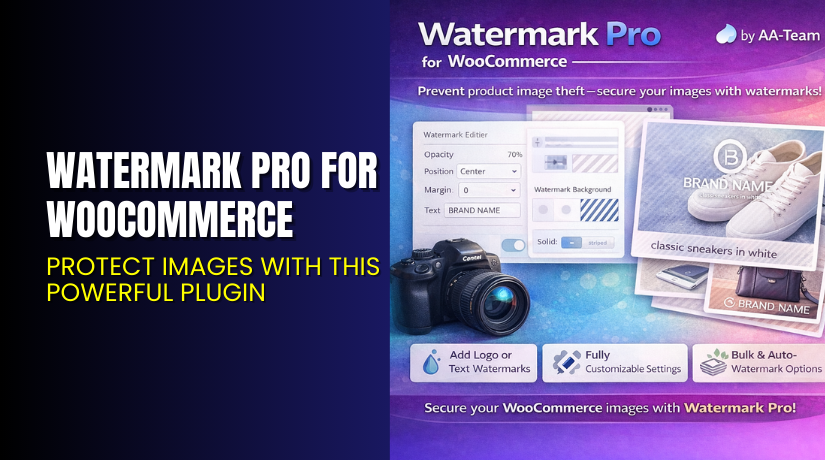
Watermark Pro for WooCommerce – Protect Images with This Powerful Plugin
Table of Contents
- Introduction
- What is Watermark Pro for WooCommerce?
- Features of Watermark Pro for WooCommerce
- How to Install and Configure Watermark Pro for WooCommerce
- Watermark Pro for WooCommerce – Pricing & Plans
- My Experience with Watermark Pro for WooCommerce
- Who Should Use This Plugin?
- Final Verdict
- FAQ
Introduction
Running a WooCommerce store means handling many product images every day. These images help customers understand product quality. They also support your brand identity and build trust. But many store owners face a serious problem. People download their product images without permission. Some users copy full product galleries and upload them to other sites. This creates issues for branding, SEO, and copyright safety.
Another major problem is image misuse on social media or competitor stores. When product photos are stolen, your business can lose sales and credibility. Many store owners look for a simple tool that protects their images. They want a tool that adds watermarks, blocks misuse, and keeps product identity safe.
This is where Watermark Pro for WooCommerce becomes very helpful. It offers an easy and automated way to protect every product image. You do not need design skills or coding experience. The plugin handles all watermark rules and applies them in real time.
In this article, we explore Watermark Pro for WooCommerce, its key features, pricing, installation steps, pros and cons, and more.
👉If you ever need help installing or troubleshooting any plugin, you can try our Installation & Troubleshooting Services for complete support.
What is Watermark Pro for WooCommerce?
Watermark Pro for WooCommerce is a powerful plugin that adds watermark protection to your product images. It helps store owners stop unauthorized use of their photos. The plugin allows you to place text or image-based watermarks on product galleries, thumbnails, and feature images. You can also choose custom positions, opacity levels, and display rules. The goal is to protect your images without affecting your store’s visual style.
This plugin is developed by AA-Team, a trusted developer offering premium WooCommerce tools. Watermark Pro is available as both a Free and Premium version. The free version provides basic watermark features. The Premium version unlocks advanced styles, dynamic rules, and full automation.
You can apply watermarks manually or automatically when images are uploaded. The plugin does not change the original files. It creates protected versions for display, which keeps your media library safe. The tool is simple for beginners and flexible for advanced users.
Support Page:
Features of Watermark Pro for WooCommerce
| Feature | Description | Why It Matters |
| Custom Watermark Types | Add text or image watermarks to all product images. | Helps store owners protect product photos from misuse. |
| Dynamic Positioning | Choose a watermark location like top, center, bottom, or custom. | Saves time by removing manual adjustments for each image. |
| Bulk Watermark Processing | Apply watermarks to all images in one action. | Speeds up workflow and improves store management. |
| Opacity & Size Control | Adjust transparency and size for better branding. | Improves user experience without hiding product details. |
| Live Preview | View the watermark design before applying it. | Helps users create perfect designs with fewer errors. |
How to Install and Configure Watermark Pro for WooCommerce
- Download the plugin from the official purchase page:
- Go to WordPress Dashboard → Plugins → Add New → Upload Plugin.
- Install and activate the plugin.
- Open Settings → Watermark Pro and configure basic options.
- Choose watermark type, position, size, and rules.
- Save settings and test the plugin on a few product images.
- Check compatibility with your theme and other image plugins.
💡 If you face any configuration or compatibility issues, try our Installation & Troubleshooting Services for expert help.
Watermark Pro for WooCommerce – Pricing & Plans
| Monthly | Annually |
| $2.42 | $29 |
Subscription includes
|
Subscription includes
|
Buy Watermark Pro for WooCommerce Now
Purchase Here → Buy Watermark Pro Premium Now


💡 Your purchase supports the development team and helps me create more helpful tutorials.
My Experience with Watermark Pro for WooCommerce
After testing the plugin on a live WooCommerce store, here are my findings:
- Pros
- Very easy to set up and configure
- Offers bulk watermark processing
- Protects images without harming store performance
- Strong control over watermark design
- Works with most WooCommerce themes
- Helpful support team
Cons
- Free version has limited features
- No advanced branding templates
- Some themes may need manual CSS adjustments
Who Should Use This Plugin?
This plugin is ideal for:
- WooCommerce store owners want strong image protection
- Online sellers using custom product photography
- Agencies managing multiple WooCommerce stores
- Beginners who want a simple scan-and-apply system
- Creators who want a brand identity on all product photos
Useful Resources
- Official Plugin Page
- Official Support Page
- Developer Documentation
- WooHelpDesk Installation & Troubleshooting Services
Final Verdict
If you want reliable image protection for your WooCommerce store, Watermark Pro for WooCommerce is a great choice. It offers strong features, easy setup, and a user-friendly approach. Your product images stay safe without slowing down your site.
Use the link below to start now and unlock premium features today.
👉 Buy Watermark Pro Premium Now
💡 Need help installing or fixing it? Try our Installation & Troubleshooting Services.
FAQ
Q1. Is Watermark Pro for WooCommerce compatible with all WooCommerce themes?
Yes, it works with most standard WooCommerce themes. Always test before going live.
Q2. Can I use both free and premium versions together?
No. You must deactivate the free version before installing the premium version.
Q3. How do I get support for this plugin?
You can contact the developer using the official support page.



