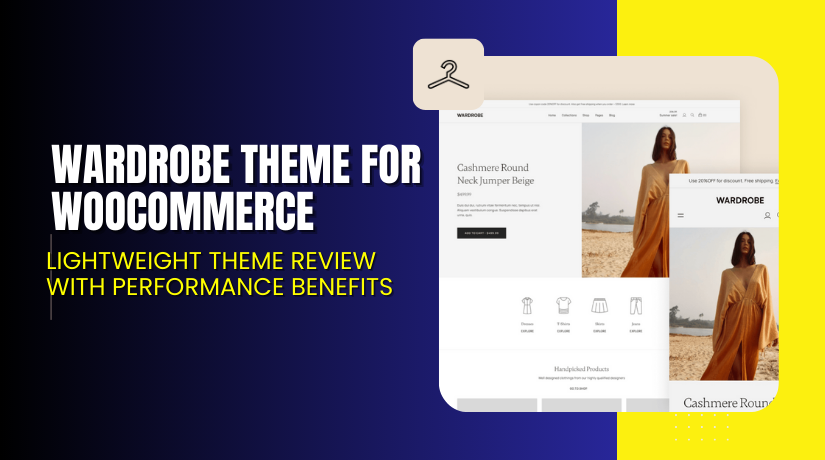
Wardrobe Theme for WooCommerce – Lightweight Theme Review with Performance Benefits
Table of Contents
- Introduction
- What is Wardrobe Theme for WooCommerce?
- Features of Wardrobe Theme for WooCommerce
- How to Install and Configure Wardrobe Theme
- Wardrobe Theme for WooCommerce – Pricing & Plans
- My Experience with Wardrobe Theme for WooCommerce
- Who Should Use This Theme?
- Final Verdict
- FAQ
Introduction
Running a WooCommerce store is not easy today. Store owners handle products, orders, payments, customer messages, and design issues every day. Many users also struggle with slow themes, poor layouts, broken styles, and low conversions. These problems hurt the store experience and reduce sales. A weak theme also affects SEO and mobile speed. This is why choosing the right WooCommerce theme is very important.
Many online stores use random themes that look good but do not support WooCommerce’s needs. They load slowly, break layouts, and create checkout problems. Some themes also need heavy builders and extra plugins, which increase the site size. These issues stop store growth and make setup difficult for new users. A theme made only for blogging or business use also fails to handle product pages and shop elements.
The Wardrobe Theme for WooCommerce solves these common problems with a clean and flexible design. It is built for online stores and gives a smooth shopping experience with fast page speed.
In this article, we will explore the Wardrobe Theme, its features, setup steps, pricing, pros, cons, and best use cases.
👉 If you ever need help installing or troubleshooting any WooCommerce theme, you can try our Installation & Troubleshooting Services for quick support.
What is Wardrobe Theme for WooCommerce?
The Wardrobe Theme for WooCommerce is a modern and lightweight theme designed for WooCommerce stores. It helps store owners build a fast, clean, and conversion-ready shop without extra tools. The theme focuses on simple layouts, clear product presentation, and smooth mobile browsing. It works well for fashion stores, apparel shops, lifestyle brands, and general eCommerce websites. The theme gives a balanced mix of design freedom and easy setup.
Wardrobe is created by the WooCommerce Team, so it follows strict coding rules and high design standards. This makes the theme stable and compatible with most store plugins. It is also built with block patterns and supports full site editing. Users can change styles and layouts without coding or using page builders. The theme comes with clean typography, large image blocks, and smooth transitions for a polished look.
This theme is available only in a premium version and can be purchased from the official WooCommerce marketplace. It also includes updates and support from the developer team.
Support Page: https://agnihd.com/contact/
Features of Wardrobe Theme for WooCommerce
| Feature | Description | Why It Matters |
| Clean and modern design | Wardrobe offers clean layouts with bold product focus. | Helps store owners create a strong brand look. |
| Full Site Editing | Let’s users edit headers, footers, and templates easily. | Saves time by allowing drag-and-drop changes. |
| Optimized product pages | Product layouts highlight images, details, and variations clearly. | Improves user experience and boosts conversions. |
| Fast loading speed | The theme is light and avoids heavy scripts or code. | Helps SEO and improves mobile performance. |
| Responsive layouts | The design adjusts perfectly on all screen sizes. | Ensures a perfect shopping experience on mobile. |
| Flexible color and typography | Users can change fonts and colors with simple settings. | Helps match brand style without any coding. |
| Compatible with major plugins | Works with most WooCommerce extensions and addons. | Reduces plugin conflicts and setup issues. |
How to Install and Configure Wardrobe Theme
- Download the theme from the official WooCommerce website after purchase.
- Open your WordPress Dashboard and go to Appearance → Themes → Add New.
- Click Upload Theme, select the ZIP file, and press Install Now.
- Activate the theme once installation is complete.
- Go to Appearance → Editor to customize layouts and styles.
- Edit header, footer, shop templates, and product templates using built-in blocks.
- Test the design on desktop and mobile to ensure everything looks correct.
- Check compatibility with other plugins used in your store.
👉If you face any design or setup issues, you can try our Installation & Troubleshooting Services for quick help.
Wardrobe Theme for WooCommerce – Pricing & Plans
| 1 Year Plan | 2 Year Plan |
| $79 | $126.40 |
Subscription includes
|
Subscription includes
|
Buy Wardrobe Theme Now
Purchase here → Buy Wardrobe Theme for WooCommerce Premium Now


👉Your purchase supports the development team and helps build better tools for WooCommerce users.
My Experience with Wardrobe Theme for WooCommerce
After testing Wardrobe on a live WooCommerce store, here is what I found.
Pros
- Very easy to set up without coding.
- Clean product pages with a strong focus on images.
- Works well with WooCommerce blocks.
- No heavy scripts, so speed is excellent.
- Looks professional across all screens.
- Simple styles make the store feel premium.
- Strong support from the WooCommerce team.
Cons
- Limited styling compared to multipurpose themes.
- No free version to try.
- Works best only for block-based WordPress setups.
- Needs updated WordPress versions for full features.
Who Should Use This Theme?
The Wardrobe Theme is ideal for:
- WooCommerce stores want a clean and modern layout.
- Fashion and apparel shops need strong product visuals.
- Agencies managing multiple eCommerce clients.
- Beginners who want a simple setup without designers.
- Store owners are looking for a fast and stable theme.
- Users who prefer Gutenberg blocks instead of builders.
Useful Resources
- Official Theme Page
- Official Support Page
- Developer Documentation
- WooHelpDesk Installation & Troubleshooting Services
Final Verdict
If you want a fast, clean, and premium WooCommerce theme, the Wardrobe Theme is a strong choice. It offers a great balance of design, speed, and easy control. It works well for both small shops and large stores. The theme is stable, secure, and backed by the WooCommerce team, which ensures long-term support and updates. Use the link below to get started and unlock all premium features today.
Buy Wardrobe Theme for WooCommerce
👉Need help installing or fixing it? Try our Installation & Troubleshooting Services.
FAQ Section
Q1. Is the Wardrobe Theme compatible with all WooCommerce plugins?
Yes, it works with most major WooCommerce plugins. Always test before using on a live site.
Q2. Can I customize the theme without coding?
Yes, you can use blocks and templates to change layouts easily.
Q3. Do I need a page builder for this theme?
No, the theme works fully with Gutenberg and block patterns.



