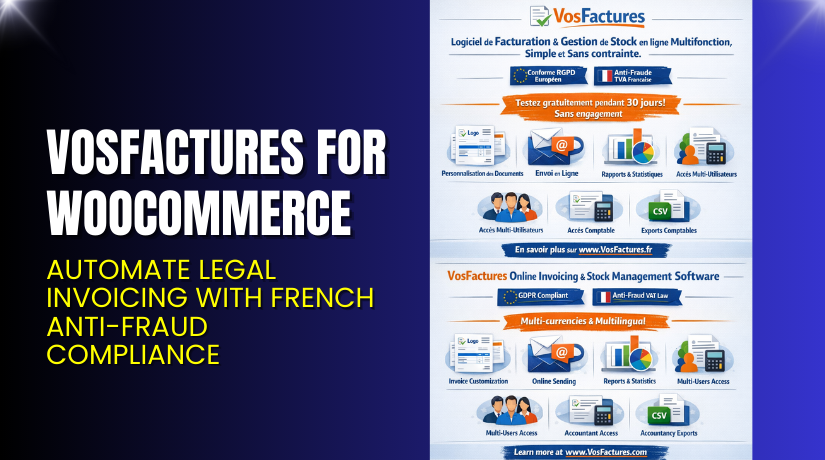
VosFactures for WooCommerce – Automate Legal Invoicing with French Anti-Fraud Compliance
Table of Contents
- Introduction
- What is VosFactures?
- Key Features of VosFactures
- How to Install and Configure VosFactures
- Pricing & Plans
- My Experience with VosFactures
- Who Should Use This Plugin?
- Final Verdict
- FAQ
Introduction
Running a WooCommerce store involves many daily tasks. One of the most important but overlooked is invoicing. Many store owners use basic or outdated tools that don’t meet local tax laws. In France, strict Anti-Fraud VAT rules apply. Failure to comply can lead to fines.
VosFactures solves this problem. It’s more than an invoicing tool. It helps you stay legally compliant, automate invoice creation, and deliver professional PDFs to customers by email.
If you sell in France or need advanced invoicing, this plugin is for you. It connects your WooCommerce store with the VosFactures.fr platform. You can generate and send invoices, manage credit notes, and export financial data.
In this article, we’ll explore VosFactures, its features, setup process, pricing, pros and cons, and who should use it.
👉 If you ever need help installing or troubleshooting any plugin or extension, please try our Installation & Troubleshooting Services.
What is VosFactures?
VosFactures – AntiFraud Customized Invoices for WooCommerce is a legal invoicing integration plugin. It connects your WooCommerce store to the VosFactures.fr platform — a powerful online billing system.
The plugin is designed for businesses that want:
- Automatic invoice generation
- Legal compliance with French Anti-Fraud VAT laws
- Customizable invoice layouts
- PDF invoices sent to customers automatically
- Ability to issue credit notes (avoir)
VosFactures is a cloud-based invoicing tool used across France and Europe. It supports multi-language, multi-currency, and multi-tax systems. With this integration, all your WooCommerce order data is synced with VosFactures in real time.
Official Plugin Page: VosFactures for WooCommerce – WooCommerce Marketplace
Support Page: VosFactures Support & Docs
Key Features of VosFactures
| Feature | Description | Why It Matters |
| Custom Invoice Templates | Choose from 19 invoice formats or design your own. | Matches your branding and legal structure. |
| Automatic Invoice Creation | Create invoices automatically based on order status (paid, processing, etc). | Saves time and prevents human error. |
| Email Delivery | Send invoices via email automatically or manually. | Ensures timely delivery and improves professionalism. |
| Credit Notes (Avoirs) | Issue full or partial refunds directly from WooCommerce. | Keeps accounting accurate and compliant. |
| Anti-Fraud VAT Compliance | Meets French legal requirements (inviolability, archiving, audit trail). | Avoids fines and legal issues for French merchants. |
| Export & Accounting Tools | Export data in PDF, CSV, XML, or JSON formats. | Makes reporting and tax filing much easier. |
| Multi-currency & Language | Supports global invoicing in any currency and over 30 languages. | Works for international stores or bilingual customers. |
| Real-Time Dashboard | Tracks sales, tax, and performance on VosFactures.fr. | Helps with financial planning and business analysis. |
How to Install and Configure VosFactures
- Create a VosFactures Account
Go to vosfactures.fr and sign up. You get a 30-day free trial. - Choose a Paid Plan
To use with WooCommerce, select the Pro or Max plan. - Install the Plugin
Download the plugin from WooCommerce Marketplace. - Upload the Plugin
In WordPress, go to Plugins → Add New → Upload Plugin, then activate. - Connect Your Account
Enter your VosFactures API key and sync your WooCommerce store. - Configure Invoice Settings
- Choose when to generate invoices (order received, paid, etc.)
- Select template and numbering format
- Set up automatic email delivery options
- Test the Integration
Place a test order and confirm the invoice is created and emailed properly.
💡 If you face any configuration or compatibility issues, you can try our Installation & Troubleshooting Services.
Pricing & Plans
To use VosFactures with WooCommerce, you must subscribe to one of the paid plans at vosfactures.fr.
Here’s a breakdown of current pricing (monthly, excluding VAT):
| Plan | Price | Includes | WooCommerce Support |
| Micro | €0 | 3 documents/month, very limited | ❌ No |
| Basique | €5 | Unlimited invoices, reports, email delivery | ❌ No |
| Standard | €15 | Adds recurring invoices, 3 users, 2 departments | ❌ No |
| Pro | €25 | Adds WooCommerce support, stock, 6 users, online payments | ✅ Yes |
| Max | €60 | Unlimited users, advanced features, Chorus PRO export | ✅ Yes (Advanced) |
A 30-day free trial is available. No credit card required.
Learn more: VosFactures Pricing Page
Buy VosFactures Now
✅ Purchase Here → Sign Up at VosFactures.fr


💡 Your purchase supports the development team and helps me create more tutorials like this.
My Experience with VosFactures
After testing VosFactures on a live WooCommerce store, here’s what I experienced:
Pros
- Simple setup and configuration
- Excellent French VAT compliance
- Customizable invoices with legal footers and tax labels
- Email delivery is fast and reliable
- Works well with multilingual stores
- Accurate PDF generation and invoice numbering
Cons
- Requires a third-party account (VosFactures.fr)
- No native free plan for WooCommerce users
- Learning curve if unfamiliar with French tax rules
Who Should Use This Plugin?
✅ WooCommerce store owners selling in France
✅ Store owners who need automatic, legal invoices
✅ Agencies handling French or European clients
✅ Beginners needing a plug-and-play invoicing solution
✅ Businesses needing proper export files for accounting
Useful Resources
- Official Plugin Page (WooCommerce)
- Official Website
- 30-Day Free Trial Signup
- WooHelpDesk Installation & Troubleshooting Services
Final Verdict
If you’re looking for a professional WooCommerce invoicing solution — especially one that meets French Anti-Fraud VAT requirements — VosFactures is a smart choice.
You get full control over your invoice templates, automatic PDF generation, email delivery, credit note support, and export features. The Pro and Max plans give you everything needed for serious business compliance and tax reporting.
💡 Need help installing or fixing it? Try our Installation & Troubleshooting Services.
FAQ Section
Q1. Is VosFactures compatible with all WooCommerce themes?
Yes, it works with most standard WooCommerce themes. Always test before going live.
Q2. Can I use both free and premium versions?
No. The WooCommerce integration requires a Pro or Max plan on VosFactures.fr.
Q3. How do I get support?
You can contact the official support team via https://vosfactures.fr/contact or check their help docs.



