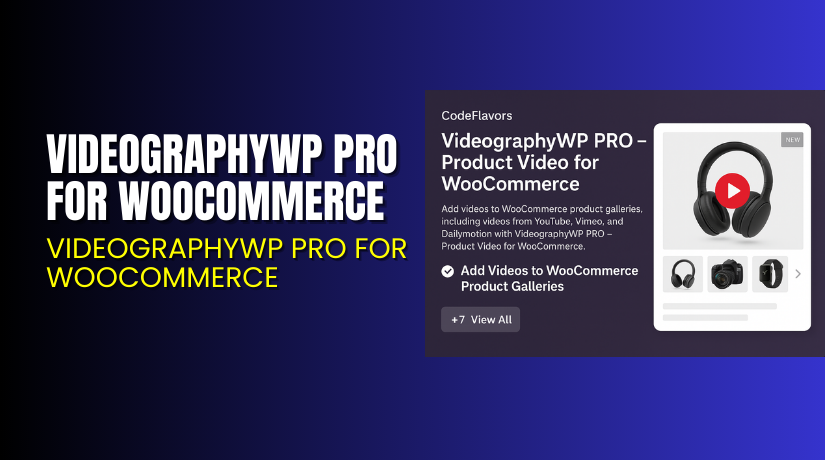
VideographyWP PRO for WooCommerce – Add Stunning Product Videos with Ease
Table of Contents
- Introduction
- What is VideographyWP PRO?
- Key Features of VideographyWP PRO
- How to Install and Configure VideographyWP PRO?
- Pricing & Plans
- My Experience with VideographyWP PRO
- Who Should Use This Plugin?
- Final Verdict
- FAQ
Introduction
Running a WooCommerce store today requires more than just nice product images. Customers expect interactive content — especially videos. Videos can boost conversions, explain features better, and reduce returns.
Still, many store owners don’t know how to add product videos easily. Some themes offer limited video support. Others require custom coding or third-party tools.
That’s where VideographyWP PRO comes in. It helps you add product videos to your WooCommerce store effortlessly. Whether you want to showcase how-to demos or display product unboxing, this plugin handles it all.
In this article, we’ll walk through everything you need to know — what VideographyWP PRO does, how to install and use it, pricing, benefits, and who it’s best for.
Need help setting it up? Try our Installation & Troubleshooting Services for expert support.
What is VideographyWP PRO?
VideographyWP PRO is a premium WooCommerce plugin that lets you display product videos on your store’s product pages. It supports multiple video sources and gives you full control over how and where videos appear.
This plugin was created for eCommerce store owners who want a better way to use video marketing. Whether you’re selling physical goods, digital items, or custom products, VideographyWP helps your videos shine.
It works by allowing you to embed product videos directly in the product gallery — just like images. It supports videos from platforms like YouTube, Vimeo, and self-hosted formats.
There’s no coding required. You can manage everything from the WordPress dashboard.
- Official Plugin Website: VideographyWP PRO Plugin
- Plugin Documentation: Getting Started Guide
- Support & Contact: Reach Support
Key Features of VideographyWP PRO
| Feature | Description | Why It Matters |
| WooCommerce Video Gallery | Add videos directly in product image galleries. | Helps boost user engagement and conversions. |
| Multiple Video Sources | Supports YouTube, Vimeo, MP4, and more. | Gives flexibility depending on your content needs. |
| Post Featured Video | Set any video as a product’s featured video. | Increases visual appeal on product pages. |
| Unlimited Imports | Add unlimited videos to products. | No cap on how much video content you use. |
| Global Settings | Apply global rules for all product videos. | Saves time by avoiding manual setups. |
| Premium Theme Support | Compatible with most premium WooCommerce themes. | Reduces chances of design conflicts. |
| Priority Support | PRO users get faster and dedicated help. | Ensures you can fix issues without delay. |
How to Install and Configure VideographyWP PRO?
Follow these steps to get started quickly:
- Purchase the plugin from VideographyWP official site.
- Download the ZIP file after completing your order.
- Log in to your WordPress dashboard.
- Go to Plugins → Add New → Upload Plugin.
- Select the ZIP file and click Install Now.
- Activate the plugin after installation.
- Navigate to WooCommerce → VideographyWP to configure global settings.
- Edit any product and go to the Product Video tab to add video links.
To learn more, visit the official documentation.
If you face technical issues, you can use our Installation & Troubleshooting Services.
Pricing & Plans
VideographyWP PRO is available in three paid plans, all billed annually:
| Plan | Price | Includes |
| Personal | $49/year | 1 website, all core features, 1 year of updates & support |
| Multi | $99/year | 5 websites, same features as Personal plan |
| Professional | $199/year | Unlimited websites, all features + support |
Each plan includes:
- Unlimited video imports
- Multiple video source support
- WooCommerce gallery integration
- Priority support for 1 year
There’s a 30-day money-back guarantee on all plans. You can upgrade or cancel anytime.
Buy VideographyWP PRO Now
Ready to enhance your WooCommerce store with videos?


All purchases support ongoing development and allow us to create more tutorials and guides.
My Experience with VideographyWP PRO
I tested the PRO version on a WooCommerce store with around 30 products. Here’s what I observed:
Pros:
- Fast setup and easy to use.
- Embeds video directly in the product gallery.
- Works well with major themes.
- Supports YouTube, Vimeo, and MP4 uploads.
- No bugs or slowdowns during testing.
Cons:
- No free version available.
- Limited advanced customization without developer help.
- Global settings may override product-specific ones unintentionally.
Still, the pros clearly outweigh the cons, especially if videos are key to your sales strategy.
Who Should Use This Plugin?
This plugin is ideal for:
- WooCommerce store owners wanting to improve product visuals.
- Dropshippers who rely on video reviews.
- Digital product sellers (like software or templates).
- Stores that showcase demos, tutorials, or user guides.
- Agencies managing multiple eCommerce clients.
It’s also useful for YouTubers or influencers selling merchandise.
Useful Resources
Final Verdict
If you’re serious about using video to improve your WooCommerce store, VideographyWP PRO is a must-have.
It’s stable, flexible, and easy to use. You can manage videos without slowing down your site. Plus, you’ll get excellent support and compatibility with popular themes.
The pricing is fair, and the annual license gives you full features with updates and priority support.
Buy VideographyWP PRO Now to get started today.
Need help with setup or troubleshooting? Use our Installation & Troubleshooting Services.
FAQ
Q1. Can I use my own hosted videos?
Yes. You can use MP4 or any direct video link in the plugin.
Q2. Will it work with my current theme?
Most premium and popular WooCommerce themes are supported. Testing is recommended.
Q3. Can I switch plans later?
Yes. You can upgrade your plan anytime to increase site limits.



