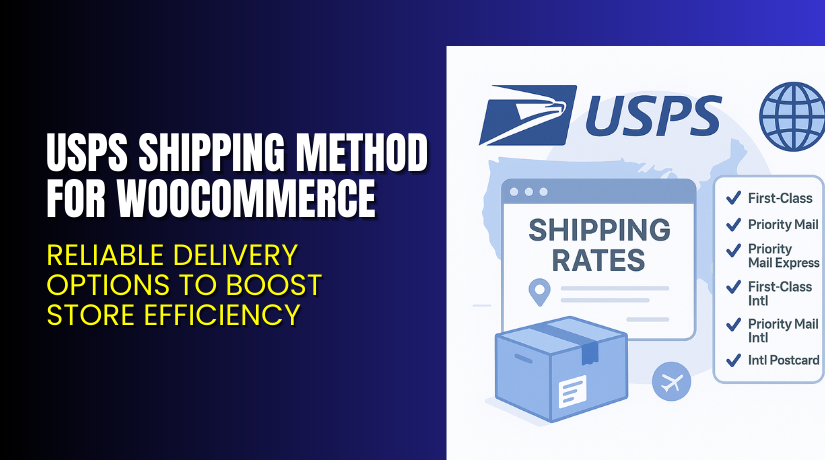
USPS Shipping Method for WooCommerce – Reliable Delivery Options to Boost Store Efficiency
Table of Contents
- Introduction
- What is the USPS Shipping Method for WooCommerce?
- Features of USPS Shipping Method for WooCommerce
- How to Install and Configure USPS Shipping Method for WooCommerce?
- USPS Shipping Method for WooCommerce – Pricing & Plans
- My Experience with USPS Shipping Method for WooCommerce
- Who Should Use This Plugin?
- Final Verdict
- FAQ
Introduction
Running a WooCommerce store means juggling many responsibilities — from handling orders to managing deliveries. For U.S.-based stores, shipping is often one of the biggest challenges. Business owners struggle with calculating real-time shipping rates, printing labels, and tracking packages efficiently. Many rely on manual methods or outdated plugins that create confusion and delays.
The USPS Shipping Method for WooCommerce plugin offers a powerful solution to these problems. It connects your online store directly with the United States Postal Service (USPS), ensuring accurate, automated, and reliable shipping calculations. With this plugin, you can provide customers with real-time shipping options based on USPS rates and services.
In this article, we’ll explore what the USPS Shipping Method plugin does, its features, setup process, pricing, and our experience using it. You’ll also learn who can benefit most from it and where to get professional help if needed.
👉 If you ever need help installing or troubleshooting any plugin or extension, please try our Installation & Troubleshooting Services.
What is the USPS Shipping Method for WooCommerce?
The USPS Shipping Method for WooCommerce is an official shipping extension that connects your WooCommerce store with the United States Postal Service (USPS). It helps store owners automatically display real-time USPS shipping rates during checkout.
This plugin eliminates guesswork in shipping costs. It calculates rates based on product weight, dimensions, destination, and service type. Customers can select from various USPS options such as Priority Mail, Express Mail, and First-Class Mail.
Developed by WooCommerce, this plugin ensures accuracy and seamless integration with your WordPress store. It’s ideal for U.S.-based merchants who want to use USPS as their shipping carrier without needing third-party tools.
Official Plugin Page: USPS Shipping Method for WooCommerce
Support Page: WooCommerce Support
Features of USPS Shipping Method for WooCommerce
| Feature | Description | Why It Matters |
| Real-Time USPS Rates | Automatically fetches live rates from USPS servers. | Ensures customers see accurate shipping costs at checkout. |
| Multiple Shipping Services | Offers USPS Priority, Express, Media Mail, and more. | Gives customers flexibility in delivery options. |
| Package Customization | Supports custom box sizes and weight limits. | Helps reduce shipping costs and avoid overcharges. |
| Domestic & International Support | Calculates rates for both U.S. and global destinations. | Ideal for stores selling across borders. |
| Debug & Logging Tools | Includes detailed logging for testing and troubleshooting. | Helps store owners identify and fix configuration issues. |
Each feature works together to make the shipping process smooth, transparent, and efficient.
How to Install and Configure USPS Shipping Method for WooCommerce?
- Download the plugin from the link.
- Go to your WordPress Dashboard → Plugins → Add New → Upload Plugin.
- Activate the plugin after installation.
- Open WooCommerce → Settings → Shipping → USPS.
- Configure options like shipping origin, service types, and packaging preferences.
- Enable Real-Time Rate Calculation and test checkout pages to ensure accuracy.
- Use Debug Mode to test USPS responses before going live.
💡 If you face any configuration or compatibility issues, try our Installation & Troubleshooting Services.
USPS Shipping Method for WooCommerce – Pricing & Plans
| 1 Year Plan | 2 Year Plan |
| $109 | $174.40 |
Subscription includes
|
Subscription includes
|
Buy USPS Shipping Method for WooCommerce Now


✅ Purchase Here → Buy USPS Shipping Method for WooCommerce Premium Now
My Experience with USPS Shipping Method for WooCommerce
After testing this plugin on several live WooCommerce stores, the experience was smooth and stable. Integration took less than 10 minutes, and rates updated instantly during checkout.
Pros
- Easy to install and configure.
- Accurate real-time shipping rates.
- Compatible with WooCommerce core updates.
- Reliable support and clear documentation.
- Works well with domestic and international shipping.
Cons
- Paid plugin with no free version.
- Lacks multi-carrier comparison.
- Custom packaging requires some testing.
Overall, the plugin delivers consistent performance with minimal maintenance. It’s dependable for any U.S.-based eCommerce store.
Who Should Use This Plugin?
- WooCommerce store owners shipping through the United States Postal Service.
- Agencies managing online stores for U.S.-based retailers.
- Beginners who want a quick, accurate, and automated shipping setup.
- Businesses need real-time shipping quotes for domestic and international customers.
Useful Resources
- Official Plugin Page
- Official Plugin Support Page
- Developer Documentation
- WooHelpDesk Installation & Troubleshooting Services
Final Verdict
If you’re looking for a dependable way to automate shipping in your WooCommerce store, the USPS Shipping Method for WooCommerce is an excellent choice. It ensures accurate USPS rates, reduces manual errors, and keeps your checkout experience professional. This plugin is perfect for small and medium-sized stores that rely on USPS for fulfillment.
👉 Buy USPS Shipping Method for WooCommerce Premium Now
💡 Need help installing or fixing it? Try our Installation & Troubleshooting Services.
FAQ
Q1. Is USPS Shipping Method for WooCommerce compatible with all WooCommerce themes?
Yes, it works with most standard WooCommerce themes. Always test before going live.
Q2. Can I use both free and premium versions?
No, this plugin only offers a premium version with full features.
Q3. How do I get support?
You can contact the WooCommerce support team via the Plugin Support Page.



