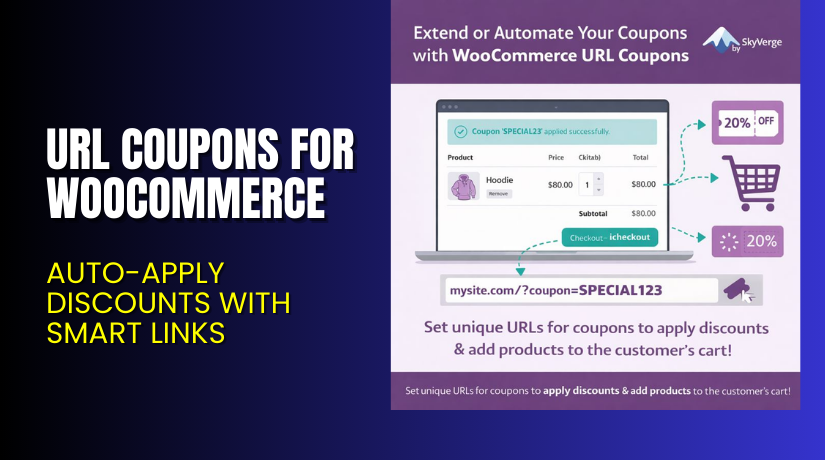
URL Coupons for WooCommerce – Auto-Apply Discounts with Smart Links
Table of Contents
- Introduction
- What is URL Coupons for WooCommerce?
- Key Features of URL Coupons Plugin
- How to Install and Configure URL Coupons
- Pricing & Plans
- My Experience with URL Coupons
- Who Should Use This Plugin?
- Final Verdict
- FAQ
Introduction
Most WooCommerce stores use discount codes to boost sales. But here’s the catch — traditional coupons can actually hurt conversions. Why? Because when customers see a coupon box, they often leave your site to search for a code. Many don’t return.
You lose a sale and gain nothing.
URL Coupons for WooCommerce changes this.
It lets you assign a custom URL to any coupon. When someone clicks that link, the discount is automatically applied — no coupon code needed.
This plugin simplifies discounts for customers and reduces coupon hunting behavior. You can even pre-load carts, apply multiple rules, and send people directly to checkout.
In this article, you’ll learn what URL Coupons for WooCommerce offers, how to set it up, and how it can help your store grow.
Need help installing it? Try our Installation & Troubleshooting Services for quick, professional support.
What is URL Coupons for WooCommerce?
URL Coupons for WooCommerce is a plugin developed by SkyVerge. It allows you to link any coupon code to a unique URL. When someone clicks that link, the coupon is automatically applied — and optionally, products are added to their cart.
This plugin also lets you:
- Redirect users after coupon activation
- Personalize coupon URLs
- Use QR codes or links in print marketing
- Hide the coupon field from the cart or checkout
The goal is simple: boost conversions by reducing the steps needed to get a discount.
- Plugin Developer: SkyVerge Website
- Plugin Page: URL Coupons for WooCommerce
- Documentation: URL Coupons Plugin Documentation
- Support Page: SkyVerge Plugin Support
Key Features of URL Coupons Plugin
| Feature | Description | Why It Matters |
| Custom URL Coupons | Assign any WooCommerce coupon to a unique link | No manual entry required |
| Auto-Apply Discounts | Click the URL and discount is applied instantly | Faster, smoother checkout |
| Auto Add Products | Optionally add one or more products to the cart | Great for bundles or promotions |
| Redirect After Activation | Send users to cart or checkout after click | Reduces buying friction |
| Hide Coupon Fields | Hide coupon box from cart/checkout pages | Prevents coupon hunting |
| Personalized URLs | Use flexible URL patterns for individual users | Improve engagement and loyalty |
| Landing Page Integration | Trigger coupons via blog posts or landing pages | Reward specific actions |
| QR Code Compatibility | Works with printed media or flyers | Drive offline users to buy online |
| Supports Smart Coupons CSV | Export codes for use in Smart Coupons extension | Advanced campaign compatibility |
| One-Page Checkout Support | Works with WooCommerce One Page Checkout | Streamline the entire process |
How to Install and Configure URL Coupons
Setting up URL Coupons for WooCommerce is quick and beginner-friendly.
- Purchase and download the plugin from the URL Coupons Plugin Page
- Upload the ZIP file via Plugins > Add New > Upload Plugin
- Activate the plugin in your WordPress dashboard
- Go to Marketing > Coupons
- Create a new coupon or edit an existing one
- Scroll down to the “URL Coupons” section
- Add a unique URL and (optional) select:
- Products to add to the cart
- Redirect destination (cart, checkout, etc.)
- Whether to hide coupon fields
- Save your changes and share the URL
Need help with setup or debugging? Use our Installation & Troubleshooting Services
Pricing & Plans
URL Coupons is budget-friendly and well worth the investment.
| Plan | Price | Includes |
| 1-Year Plan | $49/year | Full features + support + updates |
| 2-Year Plan | $78.40 (Save 20%) | Two years of access & updates |
| Monthly Breakdown | $4.09/month (billed annually) | Based on the 1-Year Plan |
Your purchase includes:
- Plugin updates
- Premium customer support
- 30-day money-back guarantee
No free version is available, but you can try it risk-free for 30 days.
Buy now → URL Coupons for WooCommerce
My Experience with URL Coupons
We tested URL Coupons during a site-wide flash sale.
Here’s what worked well:
Pros:
- Quick to set up, easy to manage
- Customers appreciated not needing to type anything
- Worked flawlessly with landing pages and email links
- Helped us increase mobile checkout conversion
- Let us hide the coupon field to prevent code abuse
Cons:
- Doesn’t support bulk product quantities per coupon
- Caching conflicts can cause issues on some setups
- No built-in analytics or tracking (requires external tools)
Despite a few minor limitations, the plugin delivers a smooth experience and fits perfectly into most stores.


Who Should Use This Plugin?
URL Coupons for WooCommerce is perfect for:
- Store owners running promotions
- Marketers who use email and social media campaigns
- Brands wanting a seamless mobile checkout
- Publishers doing affiliate or influencer marketing
- Stores with heavy landing page traffic
- Retailers who use QR codes or offline flyers
If you’re serious about simplifying discount workflows, this is a must-have.
Use Cases and Ideas
Here are smart ways to use URL Coupons:
- Email Marketing: Link directly to discounts in newsletters
- Social Media: Promote flash sales with clickable URLs
- Landing Pages: Auto-apply discounts for course signups or product launches
- Influencer Collabs: Provide custom URLs to each partner
- Print Ads & Flyers: Use QR codes or simple URLs to drive traffic
- Hidden Discounts: Reward loyal readers of your blog
Useful Resources
- Buy URL Coupons Plugin
- Plugin Documentation
- SkyVerge Developer Website
- Plugin Support Portal
- WooHelpDesk Installation Service
Final Verdict
URL Coupons for WooCommerce simplifies how discounts are applied. It removes the need for coupon boxes, manual typing, or remembering codes.
Your customers just click — and the discount is applied.
Whether you’re running ads, newsletters, or affiliate promos, this plugin helps increase conversions and reduce friction.
It’s lightweight, easy to use, and priced right at just $49/year.
For marketers and store owners focused on UX and conversions, this plugin is a clear win.
Ready to automate your discounts? Buy now → URL Coupons for WooCommerce
Need expert help? Use our Installation & Troubleshooting Services
FAQ
Q1. Can I hide the coupon field in the cart and checkout?
Yes. You can choose to disable the coupon box completely.
Q2. Can a URL coupon add a product to the cart?
Yes. You can set one or more products to be added automatically.
Q3. Will it work with QR codes in print ads?
Yes. You can use your URL in QR codes or printed flyers.
Q4. Can I redirect users after they click the coupon link?
Yes. You can redirect them to the cart, checkout, or any custom page.
Q5. Does this work with WooCommerce One Page Checkout?
Yes. It’s fully compatible and helps streamline checkout.



