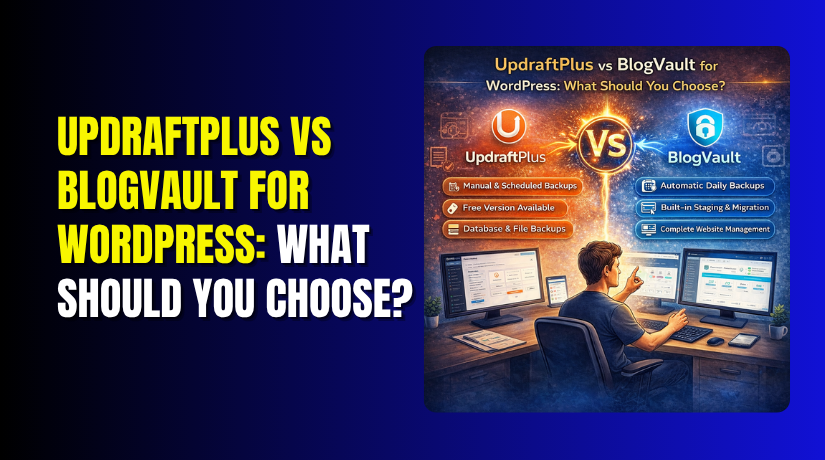
UpdraftPlus vs BlogVault for WordPress: What Should You Choose?
Table of Contents
- Introduction
- What is UpdraftPlus?
- How Does It Work?
- What are the Key Features, Pros and Cons of UpdraftPlus?
- What is BlogVault?
- How Does It Work?
- What are the Key Features, Pros and Cons of BlogVault?
- What is the Difference Between UpdraftPlus and BlogVault?
- Which One Should You Choose?
- Final Verdict
Introduction
Your WordPress website is valuable. It represents hours of work, years of content, and potentially significant revenue. But how protected is it?
Website disasters happen every day. A failed plugin update breaks your site. A hacker gains access. Your hosting provider experiences an outage. Without proper backups, you could lose everything.
Backup plugins are your safety net. They create copies of your site that you can restore when things go wrong. Two of the most popular options are UpdraftPlus and BlogVault. Together, they protect millions of websites worldwide.
But they take fundamentally different approaches to backup and recovery.
UpdraftPlus is the most popular free backup plugin with over 3 million active installations . It gives you control over where your backups are stored and lets you manage everything from your WordPress dashboard. It’s affordable, flexible, and trusted by millions.
BlogVault is a premium SaaS backup solution starting at $149 per year . It processes backups on its own servers, stores them in its own cloud, and promises a 100% restore success rate . It’s designed for business-critical sites that cannot afford downtime.
This guide provides a complete, unbiased comparison of UpdraftPlus and BlogVault in 2026. You’ll learn about their key features, strengths, and limitations. You’ll see detailed pricing comparisons and real-world performance data.
By the end, you’ll know exactly which backup solution fits your specific needs.
What is UpdraftPlus?
UpdraftPlus is a WordPress backup plugin developed by UpdraftPlus.Com. It is the most popular backup plugin in the WordPress repository with over 3 million active installations.
UpdraftPlus takes a DIY approach to backups. It runs on your server, uses your server’s resources, and lets you choose where to store your backup files. The plugin handles the backup process, but you’re responsible for maintaining it.
The appeal is simple: it works, it’s reliable for most basic use cases, and the free version covers what many sites actually need.
How Does It Work?
UpdraftPlus runs on your hosting server using WordPress cron jobs. When a backup runs, the plugin:
- Scans your WordPress files and database
- Creates compressed archives of your content
- Uploads those archives to your chosen cloud storage location
- Optionally emails you a confirmation
All of this happens on your server, using your server’s CPU, memory, and disk I/O resources.
Free vs Premium
| Version | Price | Key Features |
| Free | $0 | Scheduled backups, major cloud storage (Google Drive, Dropbox, S3), one-click restore |
| Premium | $70/year (2 sites) | Incremental backups, pre-update backups, multisite support, UpdraftClone staging |
What are the Key Features, Pros and Cons of UpdraftPlus?
Key Features of UpdraftPlus
- Scheduled and Manual Backups: Set backups to run automatically at intervals from every 2 hours to monthly. You can also trigger manual backups anytime.
- One-Click Restore: Restore your entire site or individual files directly from your WordPress dashboard with a single click.
- Wide Cloud Storage Support: Connect to Google Drive, Dropbox, Amazon S3, Rackspace, FTP, and email in the free version. Premium adds OneDrive, Azure, Backblaze B2, and more.
- Backup Splitting for Large Sites: Automatically splits large backups into smaller files that won’t time out on resource-limited servers.
- Incremental Backups (Premium): Only capture changes since the last backup, saving server resources and storage space on larger sites.
- Pre-Update Backups (Premium): Automatically creates a backup before WordPress core, plugin, or theme updates.
- Multisite Support (Premium): Back up WordPress Multisite networks with proper handling of subsites.
- UpdraftClone (Premium): Create temporary staging environments for testing changes safely.
- Detailed Logs: Comprehensive backup logs help you troubleshoot issues and verify backup integrity.
- Backup Download: Download backup archives directly from your WordPress dashboard to store locally.
Pros of UpdraftPlus
- Trusted by Millions: With 3+ million active installations, UpdraftPlus is the most battle-tested backup plugin in the WordPress ecosystem.
- Generous Free Version: Unlike many plugins that hobble their free tier, UpdraftPlus includes real functionality at no cost—scheduled backups and major cloud storage options.
- Easy Configuration: The interface is straightforward. You can access it, set up cloud storage, and download backups directly without technical expertise .
- Full Control Over Storage: You choose exactly where your backups live. Google Drive, Dropbox, S3, or your own server—you decide.
- Backup Visibility: You can download any backup, open the zip file, and verify it works. This transparency builds confidence.
- Proven Restore Success: UpdraftPlus reports a 96% restore success rate based on their testing.
- No Vendor Lock-In: Your backups are stored in your own cloud accounts. If you stop using UpdraftPlus, your backups remain accessible.
- Affordable Premium Plans: At $70/year for 2 sites, Premium pricing is reasonable compared to SaaS alternatives.
- Works on Most Hosting: Compatible with virtually all WordPress hosting environments.
- Long Track Record: The plugin has weathered multiple WordPress version updates, PHP changes, and hosting environment shifts.
Cons of UpdraftPlus
- Runs Inside WordPress: This is the fundamental limitation. UpdraftPlus depends on WordPress cron jobs actually running. On some hosting environments, especially budget shared hosting, cron jobs don’t fire reliably.
- Server Load During Backups: Backups use your server’s CPU, memory, and disk I/O. On shared hosting or during high traffic, this can slow your site.
- Cloud Storage Requires Maintenance: You have to set up cloud storage connections, generate API credentials, and maintain them over time. Authentication tokens expire, and backups can silently stop working.
- Local Storage Is Default: Unless you manually configure cloud storage, backups stay on your server. If your server fails, your backups fail too.
- No Real-Time Backups: Even Premium is scheduled, not real-time. You could lose up to several hours of data depending on your backup frequency.
- No WooCommerce-Safe Restore: Restoring from backup could overwrite recent orders. UpdraftPlus doesn’t have the ability to restore content while preserving recent transactions.
- Maintenance Responsibility: You’re responsible for checking that backups are running, verifying cloud connections, and testing restores. This requires ongoing attention.
- No Built-In Staging (Free): Staging environments require Premium or separate tools.
- Interface Feels Dated: The user interface hasn’t changed much over the years and feels less modern than some competitors.
- Large Sites May Need Performance Tweaks: For sites with gigabytes of media, you may need to adjust settings or upgrade to Premium for incremental backups.
What is BlogVault?
BlogVault is a premium SaaS (Software as a Service) backup solution for WordPress developed by BlogVault. It takes a fundamentally different approach than traditional backup plugins.


BlogVault handles everything externally. Backups run on BlogVault’s servers, not yours. Storage is on BlogVault’s infrastructure. Restores work even when your WordPress site is completely inaccessible.
The promise is simple: set it up once, and it just works. No server load. No cloud storage configuration. No authentication tokens to expire.
How Does It Work?
BlogVault uses a lightweight plugin on your site that connects to BlogVault’s infrastructure. The plugin sends data to BlogVault’s servers, but the heavy lifting—compression, processing, and storage—happens externally.
Key aspects of how it works:
- External backup processing – Your server isn’t burdened with backup tasks
- Automatic offsite storage – Backups go directly to BlogVault’s encrypted servers
- Emergency connector – Restores work even when WordPress is completely down
- Incremental backups by default – Only changes since last backup are stored
BlogVault Pricing and Plans
| Plan | Price/Year | Storage | Key Features |
| Plus | $149 | 10 GB | Daily backups, one-click restore, centralized updates |
| Prime | $199 | 20 GB | + Instant malware removal, real-time firewall |
| Pro | $299 | 50 GB | + Staging, visual monitoring, sandbox updates |
| Max | $499 | 100 GB | + Annual security audit, API access |
What are the Key Features, Pros and Cons of BlogVault?
Key Features of BlogVault
- External Backup Processing: Backups run entirely on BlogVault’s servers, not yours. Your hosting server is not burdened with backup tasks, eliminating server load concerns.
- Unlimited Cloud Storage Included: Every plan includes unlimited offsite storage on BlogVault’s encrypted servers. No need to choose between Google Drive and Dropbox.
- Real-Time Backups (WooCommerce Tier): For e-commerce stores, capture every transaction the moment it happens. No order data is lost between scheduled backups .
- Incremental Backups by Default: Only changes since the last backup are stored, making backups efficient and fast.
- 90-365 Day Retention: Depending on your plan, you can access backup history from months ago. Most competitors cap at 30 days.
- One-Click Staging: Create a staging copy of your site with one click to test changes safely before going live.
- Site Migration Tools: Move your site between hosts or domains without manual database work.
- Emergency Connector: Restore your site even when WordPress is completely inaccessible. BlogVault claims a 100% restore success rate.
- Centralized Dashboard: Manage all your sites from one dashboard, independent of WordPress.
- WooCommerce-Safe Restore: Restore your entire site while keeping recent orders intact—critical for e-commerce stores.
- White-Label Options: Agencies can rebrand the dashboard for client sites.
- Uptime Monitoring: Included with all plans.
Pros of BlogVault
- Zero Server Load: Because backups run externally, your hosting server is never affected. This matters for sites on shared hosting with resource limits, high-traffic sites where backups could slow page loads, and large sites with gigabytes of media files.
- No Cloud Storage Configuration: Traditional backup plugins require you to manually configure cloud storage, create API credentials, and maintain those connections. BlogVault eliminates this entirely. Backups are automatically sent to BlogVault’s encrypted servers. Nothing to configure, nothing that can silently break.
- Restores Work When Your Site Is Down: This is BlogVault’s most important advantage. When WordPress is completely broken, hacked beyond recognition, or inaccessible, plugin-based restores often fail. BlogVault’s emergency connector continues to work, ensuring you can recover from any disaster.
- Real-Time WooCommerce Backups: For busy e-commerce stores, this feature is critical. If something goes wrong and you restore from a midnight backup, you lose all orders placed since midnight. Real-time backups eliminate that risk.
- Incremental Backups by Default: More efficient than full backups and allows for more granular restore points.
- 90 Days of Backup History: Recover from problems discovered weeks after they occurred.
- Agency-Friendly Features: Centralized dashboard, white-label options, bulk update management, and staging environments make it ideal for professionals managing multiple sites.
- Tested Restore Reliability: Independent testing consistently rates BlogVault as the most reliable restore option.
- Built-In Staging: Every plan includes one-click staging, saving the cost of separate staging plugins or tools.
- WooCommerce-Safe Restore: The ability to restore content while preserving recent orders is unique and valuable for e-commerce sites.
Cons of BlogVault
- Premium Pricing: Starting at $149 per year, BlogVault is significantly more expensive than UpdraftPlus free and even UpdraftPlus Premium ($70/year). For a single small site, this cost may not make sense.
- No Bring-Your-Own Storage: BlogVault stores backups on its infrastructure. You cannot redirect backups to your own AWS S3 bucket or Google Cloud Storage. For organizations with compliance requirements or preferences for controlling their own backup storage, this could be a limitation.
- Still Uses a WordPress Plugin: Though BlogVault markets itself as a SaaS solution, it still relies on a lightweight WordPress plugin to connect your site to its servers. That plugin is still susceptible to the same issues as any WordPress plugin: unreliable cron jobs, update conflicts, and theme conflicts.
- Vendor Dependency: Using BlogVault means trusting their infrastructure for your backup storage. If BlogVault experiences issues or goes out of business, your backup history is affected. This is a reasonable trade-off for most sites, but organizations with strict data governance requirements should consider it.
- No Free Tier: BlogVault offers no free plan, only a 7-day trial. This makes it inaccessible for budget-conscious site owners.
- Limited Plan Tiers for Smaller Sites: The entry-level Plus plan may include more features than some small sites need, but there’s no lower-cost option.
- Storage Limits by Plan: While storage is “unlimited” within plan limits, higher tiers offer more storage capacity (10GB to 100GB). Very large media-heavy sites may need to upgrade.
- No Server-Level Integration: Even BlogVault is still dependent on WordPress. Server-level backups from managed hosts remain the gold standard for complete independence.
What is the Difference Between UpdraftPlus and BlogVault?
This table provides a comprehensive comparison of UpdraftPlus and BlogVault based on 2026 data.
| Comparison Factor | UpdraftPlus | BlogVault | Better |
| Active Installations | 3+ million | 400,000+ | UpdraftPlus |
| Core Approach | Plugin runs on your server, you choose storage | SaaS solution, backups processed externally | Depends on need |
| Free Version | Yes (generous) | No (7-day trial only) | UpdraftPlus |
| Starting Price | Free; Premium $70/year (2 sites) | $149/year (1 site) | UpdraftPlus |
| Real-Time Backups | Scheduled only | WooCommerce tier ($349/year) | BlogVault |
| Incremental Backups | Pro only | Yes (all plans) | BlogVault |
| Server Load | On your server (can slow sites) | Zero (processed externally) | BlogVault |
| Cloud Storage | Bring your own (Google Drive, Dropbox, S3, etc.) | Included unlimited storage | Tie |
| Storage Control | Full control (your accounts) | Vendor-managed | UpdraftPlus |
| Backup Retention | Unlimited (depends on your storage) | 90-365 days | UpdraftPlus |
| Restore When Site Down | Requires WordPress access | Emergency connector, 100% success rate claim | BlogVault |
| Staging Environment | UpdraftClone (Premium) | All plans | BlogVault |
| Site Migration Tools | Premium | All plans | BlogVault |
| WooCommerce-Safe Restore | No (can lose recent orders) | Yes (preserves orders) | BlogVault |
| Centralized Multi-Site Management | No | Yes (dashboard) | BlogVault |
| White-Label Options | No | Yes (agencies) | BlogVault |
| Uptime Monitoring | No | Included | BlogVault |
| Malware Scanning | No | Prime plan+ | BlogVault |
| Authentication Maintenance | Manual (tokens expire) | Automatic (handled by BlogVault) | BlogVault |
| Backup Visibility | Downloadable ZIP files | Through dashboard only | UpdraftPlus |
| Vendor Dependency | Low (your storage accounts) | High (relies on BlogVault infrastructure) | UpdraftPlus |
| Proven Restore Success | 96% reported | 100% claimed | BlogVault |
| Best For | Budget-conscious, control-focused sites | Business-critical, e-commerce, agencies | Depends on need |
Which One Should You Choose?
Choose UpdraftPlus If:
- Budget is your primary concern: The free version is genuinely useful and covers many sites’ needs. Premium at $70/year is still affordable.
- You want control over backup storage: If you prefer keeping backups in your own Google Drive or Dropbox accounts, UpdraftPlus gives you that control.
- Your site is small and straightforward: A personal blog or small business site with moderate traffic and infrequent updates can be well-served by UpdraftPlus.
- You have the technical capacity to maintain it: If you’ll actually check that backups are running, verify cloud connections, and test restores occasionally, UpdraftPlus rewards that diligence.
- You need to see and download backup files: UpdraftPlus lets you download ZIP files and verify their contents directly.
- You prefer not to rely on a third-party vendor: Your backups live in your own cloud accounts, not someone else’s infrastructure.
Choose BlogVault If:
- Your site is business-critical and cannot afford downtime: If your website generates revenue or is essential to operations, BlogVault’s reliability is worth the premium.
- You run a WooCommerce store with significant transaction volume: Real-time backups protect against losing orders. The cost is trivial compared to the revenue those orders represent.
- Your site is large and strains plugin-based backups: If UpdraftPlus times out or fails on your site, BlogVault’s external processing resolves the issue.
- You lack technical capacity for backup maintenance: If nobody will check that UpdraftPlus connections are working, BlogVault’s managed approach is safer.
- You manage multiple client sites: The centralized dashboard, staging environments, and white-label options improve agency workflow.
- You need guaranteed restore reliability: BlogVault’s emergency connector works even when WordPress is completely down.
- You want built-in staging without extra plugins: Every BlogVault plan includes one-click staging.
Final Verdict
UpdraftPlus and BlogVault serve fundamentally different audiences. UpdraftPlus is the DIY champion—flexible, affordable, and trusted by millions. BlogVault is the premium insurance policy—reliable, hands-off, and built for sites that cannot fail.
Choose UpdraftPlus if you’re on a budget, comfortable with technical maintenance, and want full control over where your backups live. The free version handles scheduled backups and major cloud storage providers admirably. Premium adds incremental backups, pre-update protection, and staging for a reasonable $70/year. For personal blogs, small business sites, and anyone willing to check that backups are running, UpdraftPlus delivers excellent value .
Choose BlogVault if your site generates revenue, runs on WooCommerce, or cannot afford downtime. The $149/year entry price is significant, but for a business site, it’s cheap compared to rebuilding from scratch. Zero server load, no cloud storage configuration, and restores that work even when WordPress is completely down provide peace of money that can’t buy. The real-time WooCommerce tier captures every transaction, and the emergency connector ensures you can recover from any disaster .
The right backup solution depends entirely on what you’re protecting. For a personal blog, UpdraftPlus is free. For an e-commerce store processing thousands in daily revenue, BlogVault’s premium is the only responsible choice. Evaluate your site’s value honestly and choose accordingly.
Have questions before starting with WooCommerce & WordPress? Get support here at WooHelpDesk.