Types of WordPress Hosting Explained: Plans, Pros, and Best Uses
Table of Contents
- Introduction
- What Is WordPress Hosting?
- WordPress Hosting vs Web Hosting
- WordPress Hosting Plans and Options Overview
- The 5 Main Types of WordPress Hosting and When to Use Each
- Best WordPress Hosting for Beginners: Simple, Safe, and Budget Friendly
- Best WordPress Hosting for Small Business: Stable Speed and Trust
- Best Hosting for WooCommerce Store: Fast Checkout and Strong Security
- How to Choose the Right WordPress Hosting Plan
- Conclusion
Introduction
Choosing hosting is a big decision for WordPress site owners. Your hosting affects speed, security, and user experience daily. Many beginners pick the cheapest plan without knowing limits. That choice often causes slow pages and sudden errors later. This guide explains the types of WordPress hosting in a clear way. You will understand what makes each option different and useful. You will also learn which plan fits your site goals. This WordPress hosting types explained guide is written for users. It suits bloggers, service businesses, and online store owners. By the end, you can choose with more confidence.
What Is WordPress Hosting?
Web hosting designed to support WordPress is known as WordPress hosting. It supports the WordPress system and common site needs. Many providers tune servers for better WordPress speed. Some plans include tools for updates and security checks. This helps your site stay stable during growth.
WordPress Hosting vs Web Hosting
Many users ask about WordPress hosting vs web hosting differences. Standard web hosting supports many site platforms and scripts. WordPress hosting focuses on WordPress performance and stability. It often includes WordPress-friendly settings and support teams. Some plans also include WordPress staging and backups. These features can reduce risk during site changes.
WordPress Hosting Plans and Options Overview
There are many WordPress hosting plans for different site sizes. The ideal option for you will rely on site purpose, budget, and traffic. These WordPress hosting options usually fall into five main types. Each type has distinct advantages and optimal applications. Later parts will cover each option in detail. For now, here is the big picture.
Main Types You Will See in This Guide
- Shared WordPress hosting for modest websites and limited resources
- Managed WordPress hosting for reduced effort, speed, and support
- VPS WordPress hosting for more control and steady growth
- Dedicated WordPress hosting for demands with really high traffic
- cloud WordPress hosting for scaling and traffic spikes
Why This Breakdown Helps You Choose Faster
This structure makes decisions easier and more practical. You can match a plan with your real needs quickly. Additionally, it keeps you from having to pay for features you don’t use. Beginners often start small, then upgrade with growth. Businesses should choose stability and strong support early. Stores need speed, security, and checkout reliability.
The 5 Main Types of WordPress Hosting and When to Use Each
This section explains the types of WordPress hosting in a simple way. You will learn which hosting fits your site size and goals. These WordPress hosting options include shared, managed, VPS, cloud, and dedicated. Use this WordPress hosting types explained breakdown to pick wisely.
1. Shared WordPress Hosting: A Simple Start for New Websites
Shared WordPress hosting is often the first plan people choose. It is popular because it costs less each month. Many websites share the resources of a single server under this approach. That includes memory, storage, and processing power for requests. Your site works fine when traffic stays low and steady. But performance can drop if nearby sites use heavy resources. This is why shared plans fit small websites best. For many beginners, it is still a smart starting point.
What Shared WordPress Hosting Means in Practical Terms
Shared hosting works like renting one room in a big house. You share the same building systems with other renters. A piece of the server is used by your website. The host manages the server, so setup feels easy. You usually get a control panel for common tasks. Many providers also include one-click WordPress installation tools. That makes shared hosting friendly for non-technical users.
Key Benefits of Shared WordPress Hosting
For WordPress, shared hosting might be an excellent starting point. It helps you launch fast without large upfront costs. It also works well for simple sites and early testing.
Benefits you usually get with shared plans:
- Low monthly cost for beginners and small site owners
- Easy WordPress setup with basic guided steps
- Simple dashboards for email, domains, and backups
- Decent performance for low traffic and light plugins
- Support teams that help with basic hosting questions
This makes it a strong pick for best WordPress hosting for beginners. If you are learning WordPress, shared hosting reduces pressure. You can focus on pages, content, and simple site updates.
Common Limits You Should Know Before Choosing
Shared hosting has limits that many users notice later. These restrictions become apparent when the traffic to your website increases. You may also feel limits with heavy themes and big plugins.
Typical problems with shared hosting include:
- Slower page loads during periods of high traffic
- Limited server resources for high plugin usage
- Random performance drops due to noisy neighbor sites
- Less control over caching and advanced server settings
- Lower ability to handle high traffic or sudden spikes
If you plan big growth soon, shared may feel tight. Still, many websites run fine on shared hosting for years. The key is matching the plan to your current needs.
Best Use Cases for Shared WordPress Hosting
Shared hosting is best when your site is small and simple. It works well for early stage projects and basic business sites. It is also great when budget matters more than speed.
Shared hosting is ideal for:
- Low-traffic personal blogs with few plugins
- Portfolio sites for freelancers and local service providers
- New business sites testing offers and landing pages
- Small content sites with steady, predictable traffic
One of the simplest WordPress hosting options to begin with is shared hosting. It gives you a safe learning path with low risk. When traffic grows, you can upgrade to stronger hosting options.
2. Managed WordPress Hosting: Speed, Safety, and Less Work
Managed WordPress hosting is designed for peace-loving individuals. It removes many server tasks from your daily workload. Updates, backups, and security measures are handled by the host. Servers are adjusted to run WordPress more quickly and smoothly. This makes managed plans a strong upgrade from shared hosting. It is also ideal for business sites needing stable performance. Because it improves user experience, many expanding brands employ it.
What Managed WordPress Hosting Includes
There is more to managed hosting than just “a quicker server.” It is a service package built around WordPress needs. Your host handles key tasks that protect your website. You also get tools that make site changes safer.
Most managed plans include these features:
- WordPress core updates handled by the hosting team
- Daily backups with simple restore options
- Strong security rules and malware scanning support
- Caching at the server level to speed up page loads
- Support personnel with training in WordPress-specific problems
- Staging locations to test modifications prior to launch
During updates, these features keep your website stable. They also reduce common risks like plugin conflicts and hacks.
Key Benefits of Managed WordPress Hosting
Managed hosting gives clear value when your site matters. It improves performance, reduces downtime, and saves time. It also helps non-technical owners avoid server headaches.
Top benefits you will notice quickly:
- Faster load times through built-in caching and tuning
- Better site security with active monitoring and protections
- Less maintenance work for owners and small teams
- Strong support when WordPress issues happen suddenly
- Smooth scaling options for traffic and content growth
It is a wise choice for many American companies because of these benefits. It also fits service brands that rely on leads daily. For many owners, it becomes the easiest long-term choice.
Downsides You Should Consider Before Choosing
Managed plans cost more than shared hosting in most cases. Some hosts limit certain plugins for performance reasons. You may also have fewer advanced server access options.
Common drawbacks include:
- Higher monthly price than shared WordPress hosting
- Limits on some backup, cache, or security plugins
- Less control for users who want custom server settings
- Extra cost for higher traffic plans and more storage
These limits are not always a problem for most users. They can even protect beginners from bad setups. Still, it is good to understand these points early.
Shared vs Managed WordPress Hosting: Which One Fits Better?
Many readers compare shared vs managed WordPress hosting first. Both plans can run WordPress without major issues. The real difference is speed, support, and maintenance needs. Plans that are shared are straightforward, but results can differ. Managed plans are optimized, stable, and easier to maintain.
Quick Comparison for Faster Decision Making
Here is a clear way to compare these WordPress hosting plans. Use it to match your site goals with the right plan.
- Cost: Shared is lower, managed is higher
- Speed: Managed is usually faster and more stable
- Security: Managed includes stronger built-in protection
- Support: Managed support is more WordPress-focused
- Maintenance: Shared needs more user effort over time
- Scaling: Managed scales better as traffic increases
Who Should Choose Shared Hosting?
Choose shared hosting if your site is small and simple. When you are first starting out, it works wonderfully. It is also good if budget is your top concern.
Who Should Choose Managed Hosting?
Choose managed hosting if your website supports real business. It is great for sites needing speed and reliable uptime. Owners who desire less technical effort can also benefit from it. Many consider it the safest mid-level option in modern hosting.
3. VPS WordPress Hosting: More Power Without a Full Server Cost
VPS WordPress hosting is a strong step after shared hosting. VPS means Virtual Private Server, with dedicated resource portions. Your site runs inside a private space on a larger server. You still share the main machine with others in background. But your site gets reserved CPU, RAM, and storage limits. This gives more steady speed during daily traffic changes. It also reduces “noisy neighbor” slowdowns seen in shared plans. For growing sites, VPS is often the next logical upgrade.
What VPS WordPress Hosting Really Means
Think of VPS as a private apartment in one building. Shared hosting feels like sharing one common dorm room. A VPS gives your site more privacy and control. Your hosting provider splits one server into virtual sections. Each section acts like an independent server environment. That means your site has its own settings and resources. You can also control software versions in many VPS plans. This helps when your theme or plugin needs specific support.
Key Benefits of VPS WordPress Hosting
VPS hosting is built for websites needing more stability. It gives performance gains without enterprise-level prices. You can handle larger traffic and more plugin usage safely.
Main benefits you get with VPS hosting:


- More stable speed due to reserved server resources
- Better handling for traffic spikes and busy sale days
- Greater command over performance tools and server configurations
- Better fit for heavy themes and large plugin stacks
- More robust separation from other websites hosted on the same server
VPS is also useful for developers and agencies managing many sites. You can host multiple WordPress installs with better control. This can reduce costs compared to several separate plans.
Common Challenges and Downsides of VPS Hosting
VPS hosting can feel complex if you are a beginner. Some VPS plans are unmanaged and need technical work. You may need to manage updates, security, and server tuning. The price goes up if you go with a managed VPS package. Also, wrong server settings can cause speed or error issues.
Common VPS challenges include:
- Longer setup time than managed or shared plans
- Need for server knowledge in many VPS environments
- Security tasks may fall on you, depending on provider
- Costs rise as you add more RAM and CPU power
- The server’s tuning determines its performance.
If you do not want technical work, managed hosting may fit. If you want control, VPS becomes a powerful option.
Best Use Cases for VPS WordPress Hosting
VPS fits websites that outgrow shared hosting limits. It also fits sites needing custom tools and better control.
VPS hosting is ideal for:
- Expanding content libraries and blogs with consistent visitors
- Business sites running many plugins and advanced page builders
- Membership sites with frequent logins and private dashboards
- Businesses using a single VPS server to host several client websites
- Stores needing more speed but not a dedicated server
VPS vs Managed WordPress Hosting: Which One Should You Pick?
Many people compare VPS vs managed WordPress hosting before upgrading. Both options improve speed, uptime, and site stability. The difference is who handles the technical responsibility. VPS gives more control and customization options. Managed hosting gives more convenience and less maintenance work.
Performance and Control Differences
With VPS, you can fine-tune caching and server rules. You can choose PHP versions and set resource limits carefully. This helps advanced users get better results with optimization. Managed hosting is optimized out of the box for WordPress. It often includes server caching, backups, and security by default. That saves time and reduces common setup mistakes.
Decision Guide for Real Website Needs
Use these points to choose between both WordPress hosting options.
- Choose VPS if you want control and stable dedicated resources.
- Choose managed if you want speed with minimal maintenance.
- Choose VPS if you run custom tools or many sites.
- Choose managed if your site supports daily business leads.
- Choose VPS if you have technical help or admin skills.
- Choose managed if you want expert WordPress support quickly.
VPS hosting is a smart move when growth becomes consistent. Managed hosting is best when you value simplicity and safety.
4. Dedicated WordPress Hosting: Maximum Control for High Traffic Sites
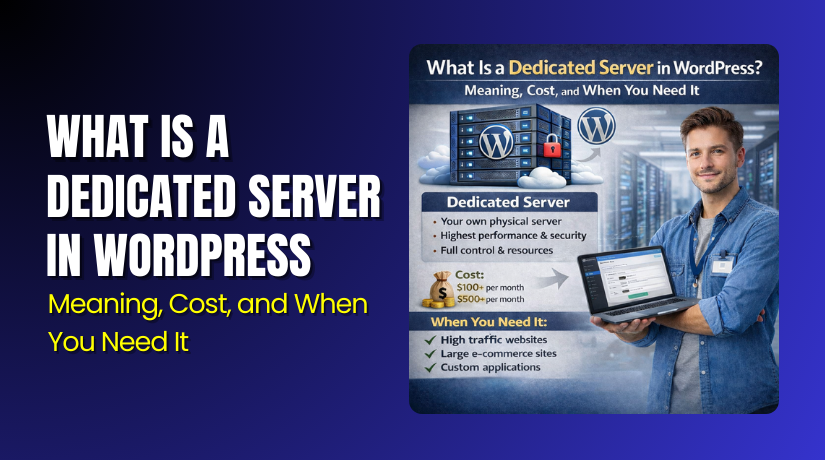
You can have a whole server for one client with dedicated WordPress hosting. Your CPU, RAM, and storage space are not shared by any other websites. This creates strong performance and predictable speed every day. It also gives full control over server settings and security rules. Many large brands choose dedicated servers for steady heavy traffic. It is also useful for sites with strict data needs.
What Dedicated WordPress Hosting Really Means
Rather than renting a room, dedicated hosting is similar to owning a whole house. You control what runs on the server and how it runs. You can choose server-level caching, firewall rules, and database tuning. You can also set custom limits for PHP and memory usage. This control helps when your site uses heavy plugins and features. It also helps when you run custom apps with WordPress.
Key Benefits of Dedicated WordPress Hosting
Dedicated hosting is built for websites with high demand and strict uptime. It supports large traffic, fast response times, and heavy workloads.
Main benefits you usually get with dedicated hosting:
- Robust and reliable performance in the face of high traffic volumes
- Full resource access with no sharing or noisy neighbors
- High security control with custom firewall and monitoring rules
- Better handling for large databases and complex site features
- More flexibility for custom server software and configurations
This plan is often used by enterprise sites and large publishers. It can also support stores with huge product catalogs and traffic. When stability is critical, dedicated servers perform well.
Downsides and Costs You Should Consider
One of the priciest hosting choices is dedicated hosting. It also needs advanced setup and server maintenance work. Many users must hire a server admin or choose managed dedicated. Without proper management, issues can grow fast and risky.
Common downsides include:
- Higher monthly cost than all other WordPress hosting plans
- Setup and security work requires strong technical knowledge
- Ongoing maintenance for updates, backups, and monitoring
- Overkill for small sites that do not need full resources
When your website already receives a lot of traffic, dedicated hosting is ideal. If you are still building traffic, it may not be needed.
Best Use Cases for Dedicated WordPress Hosting
Dedicated hosting fits sites that must run fast under pressure. It also fits sites that cannot afford downtime or slow pages.
Dedicated hosting is ideal for:
- Large business sites with steady, high daily traffic
- News sites and publishers with heavy page views
- Large stores with big catalogs and high checkout activity
- Platforms with strict security and compliance expectations
5. Cloud WordPress Hosting: Flexible Hosting Built for Growth
Cloud WordPress hosting runs your site across multiple servers. It makes use of a network rather than a single server. This helps your site stay online if one server has trouble. It also makes scaling easier when traffic grows quickly. Strong uptime support and flexibility are hallmarks of cloud hosting. It is also popular for modern businesses needing quick growth options.
What Cloud WordPress Hosting Means for Site Owners
Cloud hosting spreads resources across connected servers in the cloud. When traffic increases, your website may require additional electricity. When traffic slows down, it may also use fewer resources. This makes it useful for websites with changing traffic patterns. Many cloud hosts also offer advanced caching and CDN options. That improves speed for USA visitors across different states.
Key Benefits of Cloud WordPress Hosting
Cloud hosting is designed for performance, scaling, and stability. It is a great fit for websites expecting growth or spikes.
Key benefits of cloud hosting include:
- Easy scaling without moving to a new server
- Higher uptime due to multiple server support
- Better handling for traffic spikes and seasonal visitors
- Strong global performance with CDN and caching options
- Faster recovery if one server node fails
Cloud hosting can also work well for stores and membership sites. It supports busy checkout flows and login-heavy pages better.
Cloud Hosting Drawbacks You Should Know
Cloud pricing can be confusing for many new site owners. Some plans charge based on usage, not fixed pricing. Costs may rise during heavy traffic or big resource use. Also, cloud settings can feel complex without guidance.
Common cloud hosting challenges include:
- Variable pricing that can increase during high usage
- More settings to manage compared to basic shared plans
- Harder to compare providers due to different plan models
Cloud hosting is best when you need flexibility and scaling. When you require complete control and authority, dedicated hosting works best. Both are strong WordPress hosting options for serious growth.
Best WordPress Hosting for Beginners: Simple, Safe, and Budget Friendly
If you are new, focus on ease and support first. The best WordPress hosting for beginners should feel simple from day one. You should get one-click setup, basic security, and clear dashboards. Shared hosting works well for learning and small traffic levels. Managed hosting is better if you want less maintenance work. Both are solid WordPress hosting options for a smooth start. Make your decision depending on your time constraints and financial constraints.
Beginner checklist before you buy a plan:
- One-click WordPress install and easy control panel access
- Free SSL certificate and basic protection features included
- Helpful support that answers WordPress questions quickly
- Simple backups and easy restore options for safety
Best WordPress Hosting for Small Business: Stable Speed and Trust
Daily dependability is essential for the top WordPress hosting for small businesses. Your site supports leads, calls, and customer trust every hour. Slow pages can hurt traffic and reduce form submissions quickly. Managed hosting is often the best fit for business websites. It provides WordPress-focused support, performance, security, and backups. VPS hosting also works when you need more control and power. These choices match serious WordPress hosting plans for growth.
Small business hosting needs usually include:
- Fast load times for local SEO and mobile visitors
- Strong uptime and backups for business continuity
- Security tools to reduce hack and malware risks
- Support that helps during urgent site issues
Best Hosting for WooCommerce Store: Fast Checkout and Strong Security
Heavy responsibilities must be handled by the best hosting for WooCommerce stores. Product pages, carts, and checkout need fast server response. You also need strong security for customer and payment data. Many WooCommerce stores are well suited for managed hosting. Cloud hosting is also strong for scaling during promotions. VPS fits stores needing more control and steady growth power. Avoid weak shared hosting once sales start increasing.
How to Choose the Right WordPress Hosting Plan
Start by matching hosting with your real site goals today. Then choose a plan that also supports future growth needs.
- Pick shared for low budget and simple starter websites
- Pick managed for speed, security, and less daily work
- Pick VPS for control and stronger performance consistency
- Pick cloud for scaling and traffic spikes handling
- Pick dedicated for high traffic and full server control
Conclusion
Choosing the right plan makes WordPress faster and more stable. This guide on types of WordPress hosting helps you decide clearly. Shared hosting fits small sites and new site owners. Managed hosting suits business sites needing speed and support. VPS and cloud hosting help growing sites handle more traffic. Dedicated hosting fits large brands needing full server control. Use these WordPress hosting plans to match your site goals. If you need expert help, WooHelpDesk is ready. After reviewing your needs, we can recommend the best course of action. We can also help with setup, speed, and security improvements.
- Contact WooHelpDesk for hosting selection and setup support
- Get help improving speed, uptime, and WordPress site safety