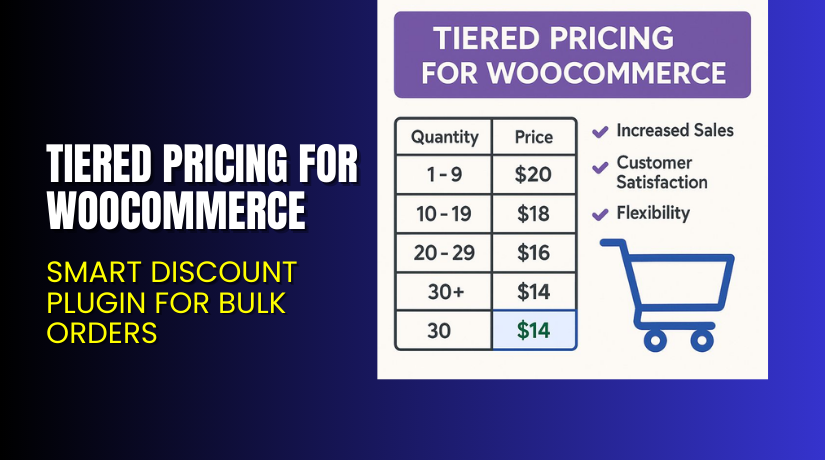
Tiered Pricing for WooCommerce – Smart Discount Plugin for Bulk Orders
Table of Contents
- Introduction
- What is Tiered Pricing for WooCommerce?
- Key Features of Tiered Pricing for WooCommerce
- How to Install and Configure Tiered Pricing for WooCommerce
- Pricing & Plans
- My Experience with Tiered Pricing for WooCommerce
- Who Should Use This Plugin?
- Final Verdict
- FAQ
Introduction
Running a WooCommerce store often means dealing with intense competition and shrinking margins. Many store owners struggle with offering bulk pricing without creating complex discount codes or managing multiple product variations. This leads to lost opportunities when trying to attract wholesale buyers or encourage higher cart values.
That’s where Tiered Pricing for WooCommerce by WPExperts comes in.
This plugin lets you create quantity-based discounts in just a few clicks. Whether you want to apply discounts based on customer roles, specific products, or bulk quantity rules, this plugin simplifies it all.
In this article, we’ll explore how Tiered Pricing for WooCommerce works, its core features, installation guide, pricing, pros and cons, and who it’s ideal for.
If you ever need help installing or troubleshooting any plugin or extension, please try our Installation & Troubleshooting Services.
What is Tiered Pricing for WooCommerce?
Tiered Pricing for WooCommerce is a dynamic pricing plugin designed to increase average order values. It helps store owners set up quantity-based discounts that trigger automatically at checkout.
Created by WPExperts, this plugin supports multiple pricing rules, including:
- Per product or category-based pricing
- User and role-based discounts
- Quantity thresholds for bulk pricing
- Dynamic pricing labels and displays
This plugin is ideal for wholesale stores, volume-based sellers, or anyone who wants to push larger orders.
You can purchase the plugin directly from the official WPExperts website and get ongoing support from their dedicated helpdesk.
Key Features of Tiered Pricing for WooCommerce
| Feature | Description | Why It Matters |
| Rules-Based Tier Pricing | Create custom pricing rules per product, category, or user | Allows complete control over discount logic |
| User Role-Based Pricing | Offer special prices to wholesalers or VIP customers | Encourages loyalty and higher order value |
| Quantity-Based Discounts | Set discounts for specific purchase quantities | Ideal for bulk orders and wholesale selling |
| Editable Pricing Labels | Change text and format of pricing labels | Ensures better branding and clarity |
| Tiered Pricing Tables | Display quantity-based pricing on product pages | Improves user experience and drives conversions |
| Fixed or Percentage Discounts | Apply either fixed dollar or percentage discounts | Flexibility in pricing strategy |
| Exclude Specific Products | Prevent tier pricing for certain products or categories | More pricing control |
| Import/Export Pricing Rules | Upload or back up pricing structures easily | Saves time during store updates |
| Easy Setup Interface | No coding required; all settings done via admin dashboard | Anyone can use it without technical skills |
How to Install and Configure Tiered Pricing for WooCommerce
Follow these simple steps to install the plugin:
- Download the plugin from WPExperts Tiered Pricing Page.
- Go to your WordPress dashboard → Plugins → Add New → Upload Plugin.
- Upload the ZIP file and click “Install Now”.
- Once installed, activate the plugin.
- Go to Settings → Tiered Pricing to configure your pricing rules.
- Add pricing tiers for each product, or use category/user role-based rules.
- Test on a live product page to verify the pricing table and discounts.
If you run into issues, try our Installation & Troubleshooting Services for expert help.
Pricing & Plans
| Plan | Price | Includes |
| Basic | $49.99/year | Single Site, Priority Support, Updates, All Core Features |
| Pro | $99.99/year | 3 Sites, Priority Support, Updates, All Core Features |
| Agency | $149.99/year | 100 Sites, Priority Support, Updates, All Core Features |
All plans are billed annually and include auto-renewal.
There is a 14-day money-back guarantee.
Buy Tiered Pricing for WooCommerce Now
✅ Purchase Here → Buy Tiered Pricing for WooCommerce Now
Your purchase supports the development team and helps us create more tutorials like this.
My Experience with Tiered Pricing for WooCommerce
We tested this plugin on a live WooCommerce store that sells digital products in bulk.


What We Liked:
- Easy to install and set up
- Tiered pricing tables look clean and professional
- Dynamic pricing applies correctly based on quantity
- Works with most standard WooCommerce themes
- No performance drop even with multiple rules applied
What Can Be Improved:
- Limited advanced reporting
- No built-in support for styling customization (needs CSS tweaks)
- Requires testing for multi-currency compatibility
Who Should Use This Plugin?
This plugin is a great fit for:
- WooCommerce stores offering wholesale or bulk discounts
- Store owners who want automated discount pricing
- Agencies managing multiple client sites with dynamic pricing needs
- Beginners who want a no-code discount system
Useful Resources
- Official Plugin Page
- Official Plugin Support Page
- Official Documentation
- WooHelpDesk Installation & Troubleshooting Services
Final Verdict
If you’re looking for a reliable way to set up volume-based discounts on WooCommerce, Tiered Pricing for WooCommerce is one of the best plugins out there.
It helps you automate pricing strategies, reduce cart abandonment, and increase your average order value.
You don’t need to write any code. Just install, set rules, and let the plugin handle everything.
Start using the plugin today to unlock flexible pricing features.
👉 Buy Tiered Pricing for WooCommerce Premium Now
Need help installing or fixing it? Try our Installation & Troubleshooting Services.
FAQ
Q1. Is Tiered Pricing for WooCommerce compatible with all WooCommerce themes?
Yes, it works with most standard WooCommerce themes. Always test before going live.
Q2. Can I use both free and premium versions?
You need to deactivate the free version before installing the premium one.
Q3. How do I get support?
You can contact the official team via the Plugin Support Page.



