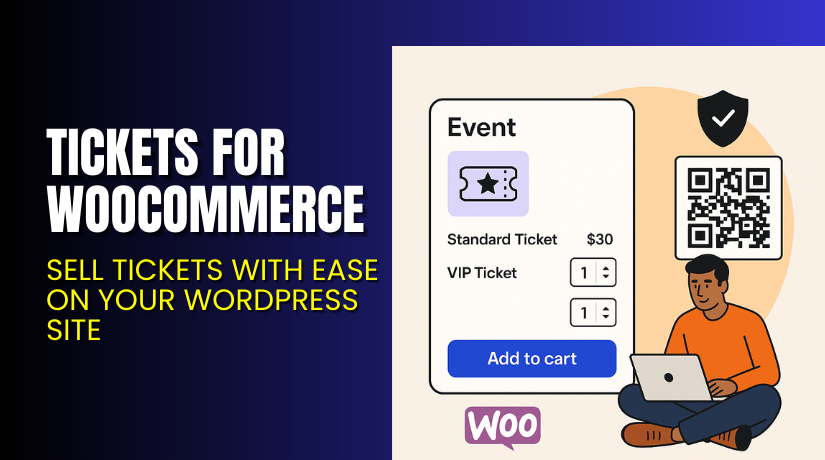
Tickets for WooCommerce – Sell Tickets with Ease on Your WordPress Site
Introduction
Running an event-focused WooCommerce store is not always simple. You may struggle with managing RSVPs, handling custom registrations, or syncing ticket stock. Many site owners rely on third-party platforms that charge extra fees and limit control.
If you want full control over ticket sales directly within WordPress, Tickets for WooCommerce is a great solution. This plugin helps you sell tickets and collect RSVPs right from your site, without redirects or third-party logins.
In this article, we will walk you through:
- What Tickets for WooCommerce does
- Its main features
- How to set it up
- Pricing plans
- Pros and cons
- Who it’s for
- FAQs and final verdict
Need help setting it up? Try our Installation & Troubleshooting Services.
What is Tickets for WooCommerce?
Tickets for WooCommerce is a powerful plugin that allows you to sell tickets and collect RSVPs directly from your WordPress site. It’s developed by The Events Calendar, a trusted name in event management plugins for WordPress.
The plugin comes in two versions:
- A Free version with basic features like RSVP, simple ticket creation, PayPal and Stripe support
- A Plus (Paid) version with advanced tools like QR code check-in, custom registration fields, and premium support
With the premium version, you can:
- Set custom prices, stock, and SKUs for each ticket
- Accept payments through WooCommerce
- Check-in attendees using the QR app
- Sync with tools like Zapier
- Sell tickets for virtual events and live sessions
Official Plugin Page: Event Tickets by The Events Calendar
Support Page: Plugin Support Portal
Documentation: Getting Started Guide
Contact Page: Reach Support Here
Key Features of Tickets for WooCommerce
| Feature | Description | Why It Matters |
| Create Tickets in WordPress | Build and manage tickets in your editor | No need for third-party platforms |
| RSVPs Support | Allow guests to RSVP for free events | Great for free and paid hybrid events |
| WooCommerce Integration | Accept payments via Stripe, PayPal, and more | Secure checkout experience |
| QR Code Check-in | Check in attendees via mobile app | Speeds up entry and avoids fraud |
| Custom Registration | Ask custom questions at checkout | Collect important attendee info |
| Email Customization | Send branded confirmation emails | Improves user experience and branding |
| Zapier Integration | Connect to third-party tools | Automate emails, CRM updates, and more |
| Shared Ticket Stock | Sync ticket inventory across products | Prevents overbooking and errors |
| Zoom Integration | Connect with virtual events (via Events Calendar Pro) | Simplifies digital event delivery |
How to Install and Configure Tickets for WooCommerce
You can get started with either the free or premium version.
Steps to Install:
- Go to the plugin download page.
- Download the free version or purchase the Plus license.
- In your WordPress dashboard → Plugins → Add New → Upload Plugin.
- Install and activate the plugin.
- Make sure WooCommerce is installed and activated.
- Configure ticket options by going to Tickets → Settings.
- Add tickets to any WordPress post, page, or event.
- Connect payment gateways under WooCommerce settings.
Setup Help: Official Setup Guide
Need a professional to configure it? Hire us here.
Pricing & Plans
| Plan | Price | Includes |
| Free | $0 | Basic ticketing, RSVPs, PayPal and Stripe support |
| Plus (1 Site) | $149/year | Premium features, updates & support |
| Plus (3 Sites) | $299/ year | Premium features, updates & support |
| Plus (10+ Sites) | $499/year | Premium features, updates & support |
| Multisite | $499/year | Premium features, updates & support |
| Unlimited | $999/year | Premium features, updates & support |
Free Version includes:
- RSVPs
- Ticket sales
- Email templates
- PayPal & Stripe integration
- Unlimited free tickets
Plus Version adds:
- QR check-in
- Apple Pay / Google Pay
- Ecommerce readiness
- Custom registration
- Premium support
- Shared stock management
- No ticketing fees
Buy the Plugin: Get Tickets for WooCommerce
Buy Tickets for WooCommerce Now
Ready to manage your own ticket sales?
Purchase Here → Buy Tickets for WooCommerce


This plugin gives you full control over your events and attendees. No middlemen, no extra ticketing fees.
Need help installing it? Hire our installation experts.
My Experience with Tickets for WooCommerce
We tested this plugin on an event website running WooCommerce. Here’s what we observed.
Pros
- Easy setup inside WordPress
- Works great with WooCommerce payments
- Simple RSVP tracking
- QR app makes event check-in fast
- Free version is useful and not limited
- Great documentation and support team
Cons
- Needs WooCommerce and The Events Calendar installed
- Advanced options only in the Plus version
- No monthly pricing option
- Some features may require Events Calendar Pro
Who Should Use This Plugin?
- Store owners hosting online or in-person events
- Non-profits running free RSVP-based events
- Coaches selling Zoom-based workshops
- Event agencies managing multiple websites
- Developers who need WooCommerce-compatible ticketing
Useful Resources
- Official Plugin Page
- Documentation for WooCommerce + Tickets
- Plugin Support Portal
- Contact Support
- Need Help with Setup? Try Our Services
Final Verdict
If you’re looking for a plugin that handles ticketing inside WordPress, this is it. Tickets for WooCommerce is flexible, easy to use, and built for real event needs.
The free version is solid. The Plus version is worth it if you want QR check-in, advanced payments, and custom attendee fields.
Get started today: Buy Tickets for WooCommerce
Need someone to configure or troubleshoot it? Try our expert service.
FAQ
Q1. Can I sell tickets without using a third-party site?
Yes, all ticket creation happens inside your WordPress dashboard.
Q2. Is there a free version of this plugin?
Yes, it includes RSVP tracking, payments, and email templates.
Q3. Does the plugin support QR check-in?
Yes, in the Plus version, with iOS and Android app support.
Q4. Can I use this for Zoom events?
Yes, with Events Calendar Pro, Zoom can be integrated.
Q5. Is support included with the Plus version?
Yes, you get premium support and updates for 1 year.



