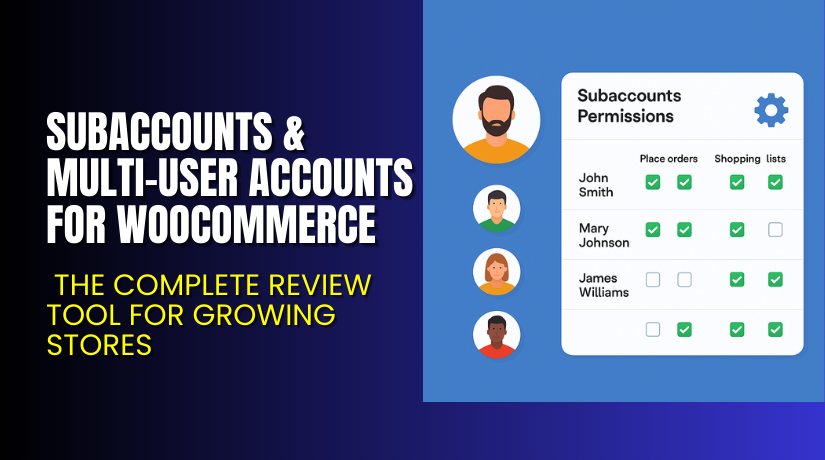
Subaccounts & Multi-User Accounts for WooCommerce – Empower Your Store with Team-Based Access
Table of Contents
- Introduction
- What is Subaccounts & Multi-User Accounts for WooCommerce?
- Key Features of Subaccounts & Multi-User Accounts
- How to Install and Configure Subaccounts & Multi-User Accounts?
- Pricing & Plans
- My Experience with Subaccounts & Multi-User Accounts
- Who Should Use This Plugin?
- Final Verdict
- FAQ
Introduction
Running a WooCommerce store often means dealing with various types of customers.
Some are individuals buying for themselves. Others are businesses with multiple staff members making purchases. But default WooCommerce doesn’t allow multiple users under one customer account.
That’s where things get frustrating:
- You can’t let a manager and employee share an account.
- You can’t assign roles or permissions for orders or lists.
- Tracking who did what is impossible without multi-user support.
If you’re working with B2B clients, distributors, or companies, this becomes a major issue. You need flexible account control with clear visibility of actions.
Subaccounts & Multi-User Accounts for WooCommerce, developed by WebWizards, solves this exact problem.
This article covers features, setup steps, pricing, user roles, pros & cons, and helpful links.
Need help setting it up? Visit our Installation & Troubleshooting Services
What is Subaccounts & Multi-User Accounts for WooCommerce?
Subaccounts & Multi-User Accounts for WooCommerce lets a single customer account have multiple users under it.
This is extremely useful for:
- Companies with many employees
- Buyers managing multiple branches
- Distributors with several staff making purchases
With this plugin, a main account (or master account) can:
- Add subaccounts
- Assign permissions
- Track order activity by user
- Allow or block checkout
- Allow users to save shopping lists
This is not just for large enterprises. Even small teams benefit from structured account management.
Built by WebWizards, this plugin is part of the B2B & Wholesale Suite. It integrates deeply with WooCommerce workflows and is easy to manage from the admin side.
Official Documentation: View Setup Guide
Need support? Contact the Developers
Key Features of Subaccounts & Multi-User Accounts
| Feature | Description | Why It Matters |
| Multiple Users per Account | One account can have many users. | Simplifies team buying or branch-level access. |
| Role-Based Permissions | Assign checkout, list creation, and order view permissions. | Gives total control over what subaccounts can do. |
| Shopping Lists for Subaccounts | Subaccounts can save carts as lists. | Master accounts can review and place final orders. |
| Activity Tracking | View which user created orders or lists. | Helps in accountability and order tracing. |
| Contact Details per User | Store name, title, and phone number for every subaccount. | Great for recordkeeping and communication. |
| Full Access Management | Master account can add/remove subaccounts. | Empowers B2B buyers with internal user control. |
This plugin is perfect for turning your store into a business-ready, team-focused buying platform.
How to Install and Configure Subaccounts & Multi-User Accounts?
Follow these steps to install and set up the plugin correctly:
- Download the plugin from WooCommerce Marketplace.
- Go to WordPress Dashboard → Plugins → Add New → Upload Plugin
- Upload the .zip file and activate the plugin
- Navigate to WooCommerce → Settings → Subaccounts
- Enable subaccounts and configure basic rules
- Set which roles can manage subaccounts
- Add or import users from the customer dashboard
- Test functionality with a staging account
For quick setup or advanced configuration, use our WooHelpDesk Services
Pricing & Plans
| Plan | Price (USD) | Includes |
| 1-Year Plan | $79/year | All features, support, and updates |
| Monthly Cost | $6.59/month | Billed annually |
| Money-Back | 30 days | Risk-free, satisfaction guaranteed |
All discounts are applied at checkout.
Buy Subaccounts & Multi-User Accounts Now
Want to streamline business buying for your customers?


✅ Buy Subaccounts & Multi-User Accounts Plugin Here
This tool improves customer experience, team collaboration, and overall efficiency.
My Experience with Subaccounts & Multi-User Accounts
We tested this plugin in a WooCommerce store with wholesale and B2B clients.
Pros:
- Fast installation and easy interface
- Subaccount permissions are intuitive
- Cart sharing via shopping lists is powerful
- Great fit for wholesale buyers and agencies
- Activity logs improve order tracking
- Works seamlessly with other WooCommerce plugins
Cons:
- Styling options for forms are basic
- No role-based email notifications yet
- Only available with yearly billing
Despite minor limitations, the value delivered is massive for stores working with corporate buyers.
Who Should Use This Plugin?
This plugin is a must-have if you:
- Sell to businesses with teams or branches
- Need different permission levels for users
- Want to track account activity by user
- Manage long-term wholesale clients
- Provide access-based control to loyal customers
- Need employee-specific cart saving and suggestions
Perfect for:
- Wholesale distributors
- Multi-location retailers
- Procurement teams
- Franchises
- Marketing agencies managing client stores
Useful Resources
- Official Developer Site – WebWizards
- Plugin Documentation – Full Setup Guide
- Need Help? Contact Developer Support
- Get Help Installing This Plugin
Final Verdict
Subaccounts & Multi-User Accounts for WooCommerce turns a single-user customer account into a powerful multi-user environment.
Your business buyers can:
- Assign employees to handle orders
- Monitor team activity
- Approve final checkouts
- Work as a distributed team under one umbrella
It’s simple to use, integrates with WooCommerce, and solves a major pain point for B2B operations.
If your store serves professional clients or corporate teams, this plugin is a smart investment.
✅ Buy Subaccounts & Multi-User Accounts Plugin
Need setup support? Use our Installation Service
FAQ
Q1. Can I assign different permissions to each subaccount?
Yes, you can enable or disable checkout, list creation, and order view access.
Q2. Will this plugin affect existing customer accounts?
No, it only applies to accounts where you enable subaccounts.
Q3. Can I track which user placed a specific order?
Yes, the main account can view who placed each order or list.



