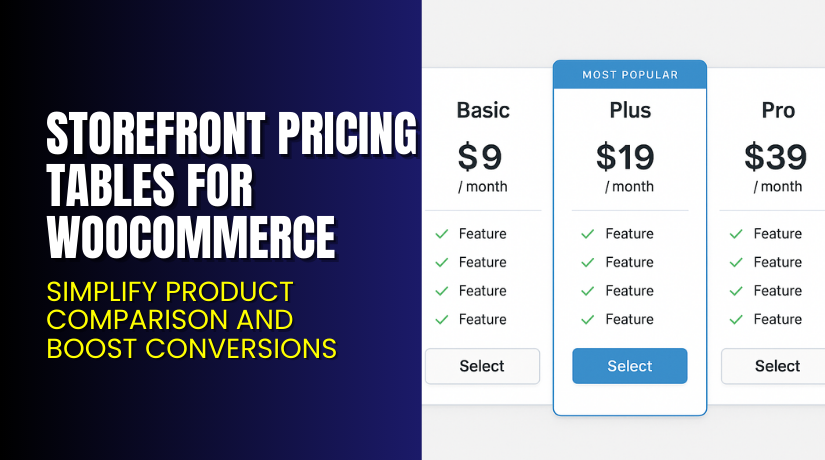
Storefront Pricing Tables for WooCommerce – Simplify Product Comparison and Boost Conversions
Table of Contents
- Introduction
- What is Storefront Pricing Tables for WooCommerce?
- Features of Storefront Pricing Tables for WooCommerce
- How to Install and Configure Storefront Pricing Tables for WooCommerce
- Storefront Pricing Tables for WooCommerce – Pricing & Plans
- My Experience with Storefront Pricing Tables for WooCommerce
- Who Should Use This Plugin?
- Final Verdict
- FAQ
Introduction
Running a WooCommerce store often means juggling multiple plugins and features. Each one promises better performance, more sales, or improved design — but not all deliver real value. Store owners often struggle to present their product prices clearly. Visitors compare options and features, but leave confused because pricing layouts are inconsistent or unclear. This confusion directly affects conversions and customer trust.
A well-structured pricing table solves this issue. It makes pricing transparent, easy to compare, and visually appealing. Customers quickly understand your offers, and you increase your chances of making a sale. However, building pricing tables manually can take time and coding skills that most store owners don’t have.
That’s where Storefront Pricing Tables for WooCommerce becomes invaluable. It lets you add professional, mobile-friendly pricing tables to your WooCommerce store effortlessly. You can showcase features, highlight best-value products, and guide users to purchase faster.
In this article, we’ll explore Storefront Pricing Tables for WooCommerce, its key features, setup process, pricing options, and overall performance.
👉 If you ever need help installing or troubleshooting any plugin or extension, please try our Installation & Troubleshooting Services.
What is Storefront Pricing Tables for WooCommerce?
Storefront Pricing Tables for WooCommerce is a simple yet powerful plugin that helps store owners display product pricing in clean, responsive comparison tables. It’s developed by WooCommerce.com, ensuring seamless integration with Storefront and other WooCommerce-compatible themes.
The plugin allows users to create pricing tables that highlight differences between products or packages. Each table is fully customizable — from layout and colors to call-to-action buttons — making it easy to match your brand’s style. With this plugin, you can emphasize specific plans like “Best Value” or “Most Popular,” increasing your conversions.
It’s ideal for digital stores, subscription businesses, or any website offering tiered pricing. The tables automatically adjust to all screen sizes, ensuring an excellent mobile experience.
By using this plugin, you can transform your standard product list into engaging, comparison-ready pricing layouts that guide users toward the right purchase decision.
Official Plugin Page: Storefront Pricing Tables for WooCommerce
Support Page: WooCommerce Help & Support
Features of Storefront Pricing Tables for WooCommerce
| Feature | Description | Why It Matters |
| Responsive Design | Tables automatically adjust to any device or screen size. | Ensures perfect viewing on mobile and desktop devices. |
| Customizable Layouts | Modify colors, text, and highlights easily without coding. | Keeps your pricing aligned with your store’s design. |
| Highlight Columns | Feature one product as “Best Choice” or “Top Plan.” | Draws attention to your most profitable offers. |
| Drag-and-Drop Builder | Build and reorder pricing tables quickly. | Saves time and effort in designing layouts. |
| Integration with Storefront Theme | Works seamlessly with Storefront and its extensions. | Delivers consistent styling and performance. |
Each of these features focuses on improving customer clarity and helping you display pricing more professionally — without hiring a designer or developer.
How to Install and Configure Storefront Pricing Tables for WooCommerce
- Download the plugin from the link.
- Go to your WordPress Dashboard → Plugins → Add New → Upload Plugin.
- Select the plugin file and click Install Now.
- Once installed, click Activate.
- Go to Appearance → Storefront → Pricing Tables and configure your table options.
- Add your plans, set features, and choose colors that match your theme.
- Save your settings and preview the table on your product or pricing page.
💡 If you face configuration or compatibility issues, try our Installation & Troubleshooting Services.
Storefront Pricing Tables for WooCommerce – Pricing & Plans
| Monthly | Annually |
| $1.59 | $19 |
Subscription includes
|
Subscription includes
|
Buy Storefront Pricing Tables for WooCommerce Now
Purchase Here → Buy Storefront Pricing Tables Premium Now


💡 Your purchase supports the WooCommerce development team and helps create future improvements. It also ensures you receive regular updates, compatibility fixes, and access to priority support whenever needed.
My Experience with Storefront Pricing Tables for WooCommerce
After testing the plugin on a live WooCommerce store, it performed smoothly. The installation was quick, and the setup took only a few minutes.
Pros
- Simple and beginner-friendly interface
- Seamless integration with Storefront theme
- Clean and professional design
- Lightweight and fast-loading
- Reliable customer support
Cons
- Works best only with the Storefront theme
- Limited design templates
- No free version available
Overall, the plugin delivers what it promises — clean, effective pricing tables without coding.
Who Should Use This Plugin?
- WooCommerce store owners want clear, comparison-ready pricing layouts
- Agencies managing multiple client sites using the Storefront theme
- Beginners who want a quick setup and clean results
- Developers needing stable, lightweight pricing display options
It’s ideal for any WooCommerce user who wants to make pricing more transparent and boost conversion rates.
Useful Resources
- Official Plugin Page
- Official Plugin Support Page
- Developer Documentation
- WooHelpDesk Installation & Troubleshooting Services
Final Verdict
If you’re looking for a reliable and easy-to-use pricing table plugin, Storefront Pricing Tables for WooCommerce is a great choice. It’s fast, stable, and integrates perfectly with the Storefront theme.
This plugin eliminates confusion by presenting pricing details in a clear and organized layout. Whether you sell subscriptions, memberships, or products with different tiers, this tool simplifies your presentation and helps customers make quick decisions.
👉 Buy Storefront Pricing Tables for WooCommerce Premium Now
💡 Need help installing or fixing it? Try our Installation & Troubleshooting Services.
FAQ Section
Q1. Is Storefront Pricing Tables for WooCommerce compatible with all WooCommerce themes?
It works best with the Storefront theme, but may work with others after testing.
Q2. Can I use both free and premium versions?
No, you’ll need to install only the premium version, as there is no free one.
Q3. How do I get support?
Visit the official support page to contact WooCommerce experts.



