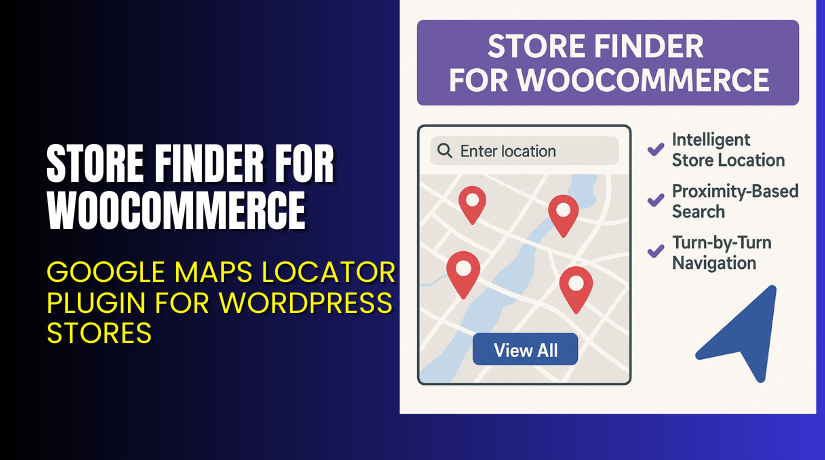
Store Finder for WooCommerce – Google Maps Locator Plugin for WordPress Stores
Table of Contents
- Introduction
- What is Store Finder for WooCommerce?
- Key Features of Store Finder for WooCommerce
- How to Install and Configure Store Finder for WooCommerce
- Pricing & Plans
- My Experience with Store Finder for WooCommerce
- Who Should Use This Plugin?
- Final Verdict
- FAQ
Introduction
Running a WooCommerce store with multiple physical locations can be challenging. Customers often struggle to find the nearest store, product availability, or store hours. This creates frustration and missed sales opportunities.
Many store owners fail to offer an easy way for customers to find physical outlets. This leads to increased support tickets and reduced in-store traffic.
The solution is Store Finder for WooCommerce, a plugin by WPExperts. It allows you to showcase all your store locations on a Google Map inside your website. You can highlight store hours, allow search by customer location, and even show if a product is available at specific stores.
In this article, we’ll walk you through what this plugin does, its features, setup process, pricing, and our real experience using it.
Need help with plugin setup or fixes? Try our Installation & Troubleshooting Services for expert assistance.
What is Store Finder for WooCommerce?
Store Finder for WooCommerce is a powerful store locator plugin. It helps WooCommerce store owners display multiple physical store locations on Google Maps. It uses Google Maps API V3 to offer accurate directions and location information.
The plugin is developed by WPExperts, a well-known WordPress plugin development company. You can display store details on any page using a simple shortcode. The plugin improves your local SEO, builds customer trust, and helps increase offline conversions.
Store Finder supports features like:
- Store hours display
- Map styling options
- Location filters
- User’s current location search
- “Find in store” button on product pages
You can view the official plugin page or read their detailed documentation to learn more.
Key Features of Store Finder for WooCommerce
| Feature | Description | Why It Matters |
| Store Locator Map | Shows all store locations on Google Maps using a shortcode | Easy for users to find stores visually |
| Store Hours | Displays working hours on map popups and pages | Improves customer planning and store visits |
| “Find In Store” Button | Adds availability option to product pages | Customers can check stock at their nearest store |
| Location Filters & Categories | Filter locations by type or region | Saves time when searching for specific stores |
| Store Reviews | Allows rating and reviews per store | Builds trust and influences buyer decisions |
| Custom Map Markers | Choose from six map pin designs | Matches your brand’s look and feel |
| User Location Detection | Detects user’s current position for nearest store suggestion | Better experience on mobile and desktop |
| Directions Button | Shows route from current location to store | Helps convert online users to offline buyers |
| Import/Export Locations | Upload store data via CSV | Quick bulk management of store lists |
| Map Design Customization | Choose layouts, RTL support, and reset options | Full design control for all users |
| Gutenberg Block Support | Compatible with the block editor for easy integration | No coding needed for page design |
| Search Nearby Stores | Customers can search for outlets around them | Encourages in-store visits |
How to Install and Configure Store Finder for WooCommerce
Here’s a quick guide to install the plugin on your site:
- Buy the plugin from the official WPExperts site.
- Go to WordPress dashboard → Plugins → Add New → Upload Plugin.
- Upload the ZIP file and click “Install Now”.
- Activate the plugin once installed.
- Navigate to the plugin settings from your admin menu.
- Set up store data, Google Maps API key, and display settings.
- Add the shortcode [woo_store_locator] to any page or post.
- Import store lists or add them manually using latitude and longitude.
Don’t forget to enable location services and check Google Maps API billing settings. For setup help, visit the official documentation or use our Installation & Troubleshooting Services.
Pricing & Plans
All pricing is in USD and billed annually:
| Plan | Price | Includes |
| Basic | $49.99/year | 1 Site, Priority Support, Updates, All Core Features, Auto-Renew |
| Pro | $99.99/year | 3 Sites, Priority Support, Updates, All Core Features, Auto-Renew |
| Agency | $149.99/year | 100 Sites, Priority Support, Updates, All Core Features, Auto-Renew |
All purchases come with a 14-day money-back guarantee.
Buy Store Finder for WooCommerce Now
✅ Purchase Here → Buy Store Finder Plugin from WPExperts
Your purchase helps support the developers and allows us to create detailed guides like this.
My Experience with Store Finder for WooCommerce
We tested the plugin on a multi-location WooCommerce website. The goal was to show different store locations with product availability.
Pros:
- Simple and fast installation
- Shortcode works on any page
- Map styling is highly customizable
- Store hours and reviews add a nice trust factor
- Supports current location detection
- Good documentation and helpful support
Cons:


- Needs separate purchase of Google Maps API
- Not compatible with other WPExperts plugins
- Minor design limitations in default layout
Overall, it worked smoothly and delivered what it promised.
Who Should Use This Plugin?
This plugin is perfect for:
- WooCommerce stores with multiple physical outlets
- Retailers offering in-store pickups
- Brands with regional distributors
- Businesses that want to reduce support queries
- Developers managing client stores with multi-location needs
Useful Resources
- Official Plugin Page – Store Finder for WooCommerce
- Support Page
- Documentation & Setup Guide
- WooHelpDesk Installation & Troubleshooting Services
Final Verdict
If you run a WooCommerce store with physical locations, Store Finder for WooCommerce is a must-have plugin. It makes it easy for customers to find nearby stores, check store hours, and see product availability — all directly on your website.
The setup is beginner-friendly. The features are practical and focused on improving the customer experience. And it adds a local shopping feel to your online store.
This plugin helps you bring more people to your physical locations while reducing support requests.
Start using the plugin today and guide customers straight to your doorstep.
→ Buy Store Finder for WooCommerce from WPExperts
Need help with installation? Try our Plugin Setup Service.
FAQ
Q1. How long does it take to set up Store Finder?
Setup takes just a few minutes using the shortcode and admin settings.
Q2. How does the plugin find nearby stores?
It uses Google Maps API V3 and detects the user’s current location.
Q3. Is Google Maps API included?
No, you need to purchase a Google Maps API key separately.
Q4. Can I import store data in bulk?
Yes, you can import/export store lists using CSV files.
Q5. What are the plugin’s requirements?
You need WooCommerce 4.0+, WordPress 5.0+, and PHP 7.5+.
Q6. Can this plugin be used with other WPExperts plugins?
It is a standalone plugin and doesn’t support other WPExperts tools.



