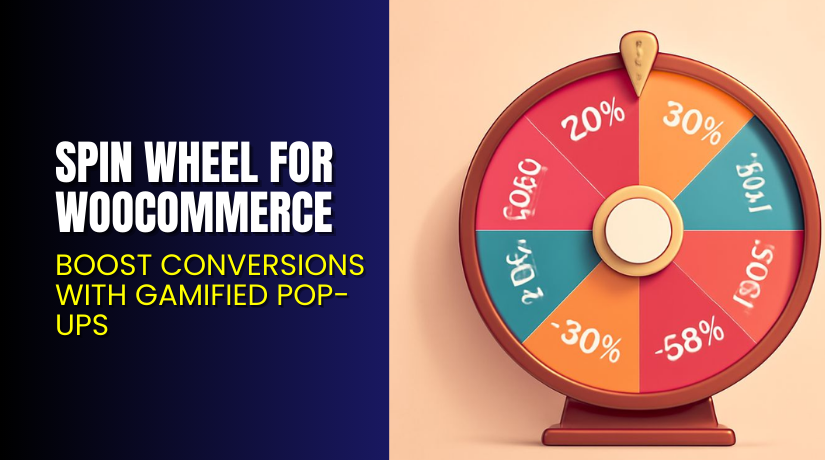
Spin Wheel for WooCommerce – Boost Conversions with Gamified Pop-Ups
Table of Contents
- Introduction
- What is Spin Wheel for WooCommerce?
- Key Features of Spin Wheel for WooCommerce
- How to Install and Configure Spin Wheel for WooCommerce
- Pricing & Plans
- My Experience with Spin Wheel for WooCommerce
- Who Should Use This Plugin?
- Final Verdict
- FAQ
Introduction
Getting visitors to engage with your WooCommerce store is hard. Most users browse, lose interest, and leave without converting. Abandoned carts and low email sign-ups are common problems faced by online sellers.
Spin Wheel for WooCommerce solves this by adding a gamified experience. With a fun “spin to win” popup, you can capture emails, offer discounts, and increase conversion rates.
The plugin lets users spin a wheel for rewards like coupons or free products. It triggers based on exit intent or scroll action. This playful approach keeps users on the site longer and boosts engagement.
In this guide, we’ll cover everything about Spin Wheel for WooCommerce — from features and setup to pricing and our experience.
Need help setting it up? Get support via our Installation & Troubleshooting Services.
What is Spin Wheel for WooCommerce?
Spin Wheel for WooCommerce is a gamified popup plugin for WordPress stores. It creates a “wheel of fortune” that offers prizes like discount coupons, freebies, or downloadable content.
The plugin is built by WPExperts, a trusted name in the WordPress plugin ecosystem. It allows full control over wheel appearance, behavior, and reward configuration.
You can display it on specific pages like cart or checkout, or activate it using exit-intent triggers. Users are required to enter their email to spin, helping you build your subscriber list and boost conversions.
Want to see it in action? Visit the official product page or read the plugin documentation.
Key Features of Spin Wheel for WooCommerce
| Feature | Description | Why It Matters |
| Spin Wheel Popup | Adds an interactive popup to any page | Grabs user attention instantly |
| Unlimited Slices | Add multiple slices with custom rewards | Offers better control over promotions |
| Fully Customizable Design | Adjust colors, fonts, and button styles | Match with your site branding |
| Spin Wheel Logs | Track spins, winners, and conversions | Analyze performance and optimize campaigns |
| Email Collection | Requires email entry to spin | Builds your subscriber list |
| Exit-Intent Trigger | Shows the wheel when the user is about to leave | Reduces bounce rate and abandoned carts |
| Free Download Rewards | Offer free eBooks, PDFs, or files | Deliver instant value to users |
| Page Targeting | Show the wheel on selected pages only | Control user experience |
| Clickable Button | Let users activate wheel manually | Avoid intrusive popups |
| Spin Wheel Analytics | Monitor usage and prize redemption | Helps improve engagement strategies |
| Mobile-Friendly | Works smoothly on phones and tablets | Reaches users on all devices |
| Redirect to Cart | Sends winners directly to checkout | Converts discounts into instant purchases |
How to Install and Configure Spin Wheel for WooCommerce
Here’s a simple step-by-step installation guide:
- Purchase and download the plugin from the WPExperts Plugin Page.
- Go to your WordPress Dashboard → Plugins → Add New → Upload Plugin.
- Upload the ZIP file, then click “Install Now”.
- Activate the plugin.
- Go to the plugin settings in the admin panel.
- Configure spin wheel slices, rewards, email template, and colors.
- Set conditions for display — exit intent, time delay, or specific pages.
- Test the popup on desktop and mobile to ensure it loads smoothly.
You can find full setup details in the official documentation.
Facing issues? Use our Installation & Troubleshooting Services for expert help.
Pricing & Plans
All plans are billed annually and include core features.
| Plan | Price | Includes |
| Basic | $49.99/year | 1 Site, Priority Support, Updates, Core Features, Auto-Renew |
| Pro | $99.99/year | 3 Sites, Priority Support, Updates, Core Features, Auto-Renew |
| Agency | $149.99/year | 100 Sites, Priority Support, Updates, Core Features, Auto-Renew |
All plans come with a 14-day money-back guarantee.
Buy Spin Wheel for WooCommerce Now
✅ Purchase here → Buy Spin Wheel for WooCommerce
Support plugin development and unlock premium features. Our tutorials are supported through your affiliate-based purchases.
My Experience with Spin Wheel for WooCommerce
We installed Spin Wheel for WooCommerce on a mid-size eCommerce site that had low email opt-ins and high bounce rates.
What we loved:


- Easy to customize the design
- Multiple display options (exit intent, cart page, thank you page)
- Smooth on mobile devices
- Analytics helped track spins and redemptions
- Coupons generated instantly and emailed to users
What could be improved:
- Needs better default styling (can be fixed with custom CSS)
- Requires some planning for reward logic
- Might annoy users if triggered too early
Despite a few small tweaks, the overall impact on engagement was significant.
Who Should Use This Plugin?
This plugin is ideal for:
- Store owners who want to reduce cart abandonment
- WooCommerce shops needing more email subscribers
- Marketers running seasonal campaigns or giveaways
- Stores offering limited-time discounts or free downloads
- Beginners who want no-code gamification tools
Useful Resources
- Plugin Homepage – Spin Wheel for WooCommerce
- Plugin Support Page
- Installation & Setup Documentation
- WooHelpDesk Spin Wheel Plugin Service
Final Verdict
If you’re looking to boost engagement and reduce bounce rates, Spin Wheel for WooCommerce is a smart investment. It’s fun, effective, and backed by analytics and customization tools.
The plugin helps convert passive visitors into active users. With flexible targeting options, it fits right into any marketing campaign.
For WooCommerce stores that want to build a mailing list and increase conversions, this plugin adds a new level of interaction that works.
→ Buy Spin Wheel for WooCommerce Now
Need help installing it? Try our Installation & Troubleshooting Services.
FAQ
Q1. Is Spin Wheel for WooCommerce mobile-friendly?
Yes. It works well on all devices and screen sizes.
Q2. What rewards can I offer?
You can offer discounts, freebies, auto-generated coupons, or downloadable items.
Q3. How is the wheel triggered?
You can set it to appear on exit intent, after time delay, or on specific pages.
Q4. Can I track who spun the wheel?
Yes. The plugin offers spin logs and winner tracking features.
Q5. Can I customize the wheel design?
Absolutely. You can change background, text, button, and slice colors.
Q6. Is there a refund policy?
Yes. You have a 14-day money-back guarantee.



