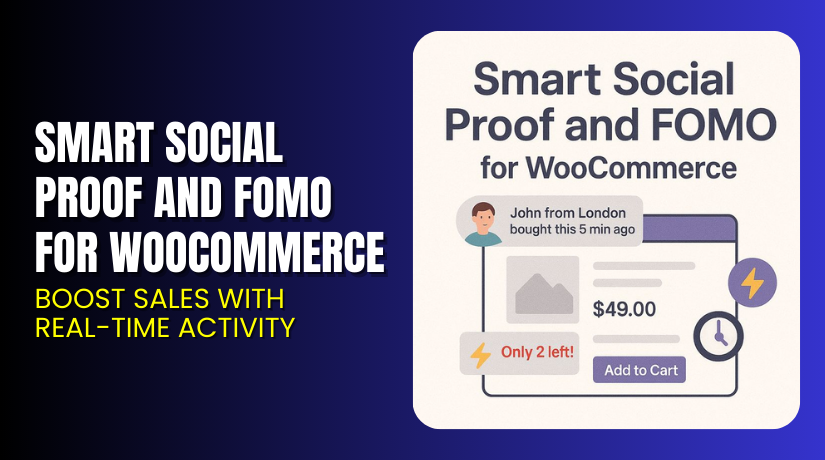
Smart Social Proof and FOMO for WooCommerce – Boost Sales with Real-Time Activity
Table of Contents
- Introduction
- What is Smart Social Proof and FOMO for WooCommerce?
- Key Features of Smart Social Proof and FOMO
- How to Install and Configure Smart Social Proof and FOMO for WooCommerce?
- Pricing & Plans
- My Experience with Smart Social Proof and FOMO
- Who Should Use This Plugin?
- Final Verdict
- FAQ
Introduction
Running a WooCommerce store means more than just adding products. You need to earn trust and build urgency — especially when visitors are deciding whether to buy. But how can you do this automatically, without adding pressure to your day?
That’s where Smart Social Proof and FOMO for WooCommerce helps. It shows live activity on your site, like purchases or product views. This creates a sense of urgency, trust, and popularity — leading to more conversions.
In this article, you’ll learn what this plugin does, how to install it, features, benefits, pricing, and real-world use cases.
Need help setting it up? Try our Installation & Troubleshooting Services.
What is Smart Social Proof and FOMO for WooCommerce?
Smart Social Proof and FOMO for WooCommerce is a premium plugin designed to increase trust and conversions on your online store. It does this by displaying recent customer activity in real time — such as purchases, cart additions, and product views.
This type of display builds:
- Trust (others are buying)
- Scarcity (items are moving fast)
- Urgency (buy before it’s gone)
The plugin is built specifically for WooCommerce and integrates seamlessly into your product pages and store layout.
You can customize the messages, control which activity is shown, and limit how often the notifications appear. Whether you’re selling digital goods, physical items, or services — this plugin can boost your conversion rate.
Plugin Developer: Woo
Plugin Page: Smart Social Proof and FOMO for WooCommerce
Official Documentation: WooCommerce FOMO Plugin Docs
Need Help?: WooHelpDesk Support
Key Features of Smart Social Proof and FOMO
| Feature | Description | Why It Matters |
| Real-Time Notifications | Displays customer activity (purchases, views, adds to cart) | Builds trust and urgency |
| Custom Notification Text | Personalize each alert message | Match your store’s tone and brand |
| Display Rules | Choose when, where, and how often alerts show | Prevents user fatigue |
| Mobile Responsive | Fully responsive notification layout | Works well on all devices |
| Activity Types | Track and display various user actions | Show conversions, cart adds, and more |
| Delay and Repeat Settings | Customize the delay between notifications | Controls visitor experience |
| Exclude Products or Pages | Hide alerts for specific products | Maintain control over UX |
| No Coding Needed | Easy to set up with a clean interface | Suitable for all store owners |
These features work together to create a smart sales environment that encourages customers to take action while browsing.
How to Install and Configure Smart Social Proof and FOMO for WooCommerce?
Installation is easy and can be done in a few minutes.
Step-by-Step Installation
- Go to the plugin product page.
- Purchase the plugin.
- Download the ZIP file after checkout.
- In your WordPress dashboard, go to Plugins → Add New.
- Click Upload Plugin and select the downloaded ZIP file.
- Click Install Now, then Activate.
Basic Configuration
After activation, follow these steps:
- Navigate to WooCommerce → FOMO Settings.
- Choose the types of activity you want to display (e.g. purchases, cart activity).
- Customize the message format and timing.
- Set display rules — which pages, delay time, mobile behavior, etc.
- Save changes and preview the behavior on your storefront.
If you need help during this step, use our Installation Support Services.
Pricing & Plans
| Plan | Price | Details |
| 1-Year License | $29/year | All features, updates, and support |
| Monthly Equivalent | $2.42/month | Billed annually at $29 |
The price includes:
- Plugin updates
- Premium customer support
- 30-day money-back guarantee
Buy Here: Get Smart Social Proof and FOMO Plugin
Buy Smart Social Proof and FOMO for WooCommerce Now
✅ Ready to increase your conversion rate?
Add the plugin now to start showing real-time social proof.


👉 Buy Smart Social Proof and FOMO Plugin
Get setup help with our WooHelpDesk Plugin Services.
My Experience with Smart Social Proof and FOMO
After testing the plugin on a high-traffic WooCommerce store, we found some notable results:
Pros
- Boosts conversions in campaigns with urgency
- Doesn’t slow down the site
- Easy to set up without code
- Looks great on mobile and desktop
- Helps build credibility for new stores
Cons
- Needs thoughtful display settings to avoid annoyance
- Not ideal for stores with very low sales activity
- Limited analytics in current version
It’s best used with traffic already flowing to your site or during promotions.
Who Should Use This Plugin?
This plugin is ideal for:
- Small businesses needing to build instant trust
- New stores with low brand awareness
- Digital product sellers wanting to highlight live action
- Promotional campaigns where urgency boosts conversions
- Mobile-first stores wanting responsive, dynamic proof
If your site already has activity, this plugin helps you convert that into more sales.
Useful Resources
Final Verdict
Smart Social Proof and FOMO for WooCommerce is one of the easiest ways to boost your conversion rates without redesigning your store. It adds social proof, urgency, and trust — all proven methods to increase sales.
It’s affordable, beginner-friendly, and backed by the WooCommerce team. Whether you’re a new seller or running an established business, this plugin adds value.
👉 Get Smart Social Proof and FOMO Plugin. Want hands-free setup? Hire WooHelpDesk Services
FAQ
Q1. Does this plugin support mobile devices?
Yes. It’s responsive and works on all screen sizes.
Q2. Can I choose what activity to show?
Yes. You can display purchases, cart events, or product views.
Q3. Will this slow down my site?
No. It’s optimized for performance and runs cleanly with WooCommerce.
Q4. Can I hide it from certain products or pages?
Yes. You can exclude products or specific pages from showing alerts.
Q5. How do I get support if needed?
Use the official support or WooHelpDesk.



