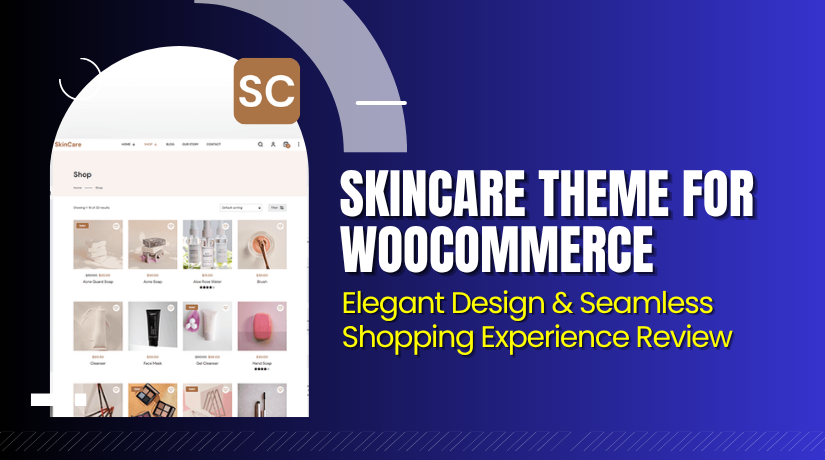
SkinCare Theme for WooCommerce – Elegant Design & Seamless Shopping Experience Review
Table of Contents
- Introduction
- What is SkinCare Theme for WooCommerce?
- Features of SkinCare Theme for WooCommerce
- How to Install and Configure SkinCare Theme for WooCommerce
- SkinCare Theme – Pricing & Plans
- My Experience with SkinCare Theme for WooCommerce
- Who Should Use This Theme?
- Final Verdict
- FAQ
Introduction
Running a WooCommerce store requires more than just listing products. You need a theme that reflects your brand, loads fast, and works smoothly across devices. Many store owners struggle with themes that are slow, cluttered, or not mobile-friendly.
This affects sales, customer trust, and overall site performance. The SkinCare Theme for WooCommerce solves these problems with a clean and elegant design. It helps you build a professional online store that feels natural and easy to navigate.
Whether you sell beauty products, cosmetics, or skincare essentials, this theme creates the perfect look. In this article, we’ll explore the SkinCare Theme, its key features, installation process, pros and cons, and pricing.
👉 If you ever need help installing or troubleshooting this theme, please try our Installation & Troubleshooting Services.
What is SkinCare Theme for WooCommerce?
The SkinCare Theme for WooCommerce is a modern and responsive WordPress theme designed for beauty and cosmetic stores. It’s built by ThemeGrill, a trusted name in WordPress theme development. The theme combines simplicity and performance, offering users a smooth shopping experience.
It adapts perfectly to all screen sizes, ensuring your site looks stunning on desktops, tablets, and smartphones. The theme is available in both free and premium versions, allowing flexibility based on your business needs.
Official Theme Page: https://themegrill.com/pricing/
Support Page: https://themegrill.com/support/
Features of SkinCare Theme for WooCommerce
| Feature | Description | Why It Matters |
| Elegant Design | Crafted for beauty and skincare brands | Helps attract customers with a clean layout |
| Fully Responsive | Works smoothly on all devices | Boosts user experience and engagement |
| WooCommerce Ready | Integrated with full WooCommerce support | Enables easy setup of online store |
| SEO Optimized | Built with SEO-friendly structure | Improves visibility on search engines |
| Fast Loading | Lightweight theme for quick performance | Reduces bounce rate and improves ranking |
How to Install and Configure SkinCare Theme for WooCommerce
- Download the theme from the Affiliate Link.
- Go to WordPress Dashboard → Appearance → Themes → Add New → Upload Theme.
- Install and activate the SkinCare Theme.
- Open Appearance → Customize to adjust settings like colors, fonts, and layout.
- Test your site on different devices to ensure smooth performance.
💡 If you face any configuration or compatibility issues, you can try our Installation & Troubleshooting Services.
SkinCare Theme – Pricing & Plans
| Single Theme Plan (Yearly) | All Theme Plan (Yearly) | Themegrill Agency (Yearly) |
| $55
Unlimited Site License Support & Updates
All Feature
|
$103
Unlimited Site License Support & Updates
Premium Themes for Every Niche  
|
$599
Unlimited Site License
|
Buy SkinCare Theme Now
Purchase Here: Buy SkinCare Theme Premium Now
💡 Your purchase supports the ThemeGrill development team and helps me create more tutorials like this.
My Experience with SkinCare Theme for WooCommerce
After testing the SkinCare Theme on a live WooCommerce store, it proved highly reliable.
Pros
- Easy to install and customize
- Lightweight and mobile-friendly
- SEO-ready with fast performance
- Excellent support from ThemeGrill
Cons
- Some features require premium upgrade
- Limited styling flexibility in the free version
Who Should Use This Theme?
- WooCommerce store owners selling beauty or cosmetic products
- Agencies managing multiple eCommerce websites
- Beginners seeking a professional yet easy-to-manage design
Useful Resources
- Official Theme Page
- ThemeGrill Support Page
- Developer Documentation
- WooHelpDesk Installation & Troubleshooting Services
Final Verdict
If you’re searching for a stylish and responsive WooCommerce theme, the SkinCare Theme is an excellent choice. It blends beauty with performance, ensuring your online store stands out. Use the link below to get started today.
👉 Buy SkinCare Theme Premium Now
💡 Need help installing or fixing it? Try our Installation & Troubleshooting Services.
FAQ
Q1. Is the SkinCare Theme compatible with all WooCommerce plugins?
Yes, it works well with most WooCommerce extensions. Always test before going live.
Q2. Can I use both free and premium versions together?
No, you must deactivate the free version before installing the premium one.
Q3. How do I get support for the theme?
You can reach the ThemeGrill support team through their official support page.



