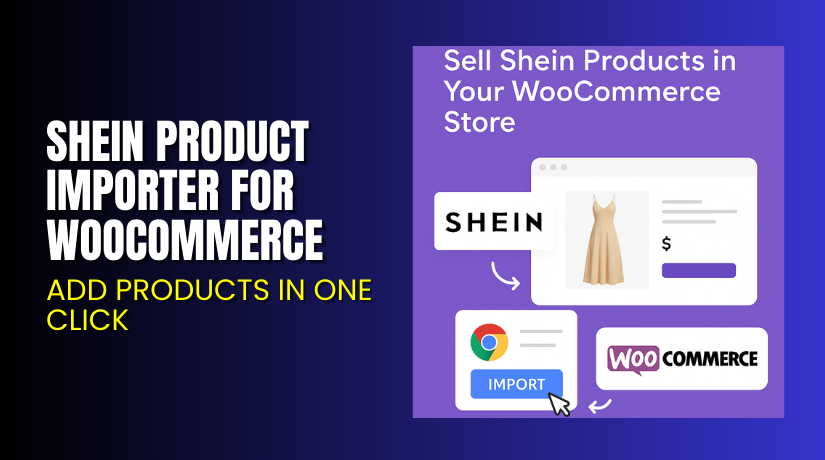
Shein Product Importer for WooCommerce – Add Products in One Click
Table of Contents
- Introduction
- What is Shein Product Importer for WooCommerce?
- Key Features of Shein Product Importer
- How to Install and Configure Shein Product Importer
- Pricing & Plans
- My Experience with Shein Product Importer
- Who Should Use This Plugin?
- Final Verdict
- FAQ
Introduction
Managing products in WooCommerce can be time-consuming. Manually copying titles, prices, and images from other websites is slow and inefficient. It also increases the risk of errors.
If you source or promote fashion products from Shein, you need a faster way to build your store. This is where the Shein Product Importer for WooCommerce comes in.
It allows you to import Shein product listings directly into your WooCommerce store. You can import as simple products, variable items, or affiliate links.
In this review, we’ll explore all key features, show how to set it up, review its pricing, and help you decide if it fits your needs.
Need setup help? Visit Installation & Troubleshooting Services.
What is Shein Product Importer for WooCommerce?
The Shein Product Importer plugin is a one-click import tool for WooCommerce. It lets you pull product data from any Shein.com domain directly into your WordPress store.
Developed by Nxtal, this plugin helps WooCommerce users streamline the process of adding fashion, accessories, and lifestyle products from Shein.
You can import:
- Titles and descriptions
- Product images
- SKUs and prices
- Brand names and categories
- Color and size variations
- Customer reviews
It supports multiple Shein regions including:
- shein.com
- shein.in
- shein.co.uk
- shein.com.mx
- de.shein.com
- and over 30 more global domains
You can choose to import products as:
- Simple product
- Variable product
- Affiliate product (with your links)
Plugin Page: Shein Product Importer
Support: Contact Developer
Docs: Official Documentation
Key Features of Shein Product Importer
| Feature | Description | Why It Matters |
| One-click import | Instantly add Shein products | Saves hours of manual work |
| Chrome extension | Easy import from browser | Simplifies product selection |
| Multiple product types | Choose simple, variable, or affiliate | Flexible selling methods |
| Data sync | Imports title, price, images, reviews | Full product listing instantly |
| Regional support | Works with global Shein domains | Expand internationally |
| Variation handling | Imports color and size options | Ideal for fashion items |
| Product update via ID | Refresh outdated data | Keeps your listings accurate |
| Secure access | API and keys for authentication | Protects your store |
The Chrome extension is free and connects with your WooCommerce site through a key and link for secure imports.
How to Install and Configure Shein Product Importer
You don’t need technical skills to install this plugin. Just follow the steps below:
Plugin Installation
- Purchase the plugin from the official store page.
- Download the plugin ZIP file.
- Go to WordPress Dashboard > Plugins > Add New > Upload Plugin.
- Upload the ZIP and click Install Now, then Activate.
- You’ll now see a new menu under Products > Importer Configuration.
Chrome Extension Setup
- Download the Chrome extension (details provided in your plugin dashboard).
- Open the plugin configuration page to copy your Import Link and Secret Key.
- Paste them into the extension’s login box and connect.
- Go to any product on shein.com or its regional variants.
- Click the Import button at the bottom right corner of the browser.
Post-Import Options
- Adjust product titles or pricing before publishing.
- Choose product type during each import.
- Use the bulk import option with comma-separated product URLs.
Need help? Try our Installation & Troubleshooting Services.
Pricing & Plans
The plugin offers two clear pricing options:
| Plan | Price (USD) | Includes |
| 1-Year Plan | $49 | Plugin updates, 1 year support, refund policy |
| 2-Year Plan | $78.40 (Save 20%) | Full features + extended support |
Effective monthly cost: $4.09 per month (billed annually at $49).
Buy the plugin today from the Shein Product Importer Page.
My Experience with Shein Product Importer
We tested the Shein Product Importer on a demo fashion store. Over 25 items were imported and published within 30 minutes.


Pros
- Easy to install and configure
- Chrome extension works smoothly
- Good data coverage: title, images, price, reviews
- Import worked for all tested Shein domains
- Product images were high quality
Cons
- Variations sometimes need manual adjustments
- No bulk category selection during import
- Reviews are not always well-formatted
- Not all listings import perfectly on the first try
Some users noted in reviews that import accuracy varies with product complexity. Still, for basic and mid-range product imports, the tool performs very well.
Who Should Use This Plugin?
This plugin is ideal for:
- WooCommerce store owners targeting fashion or accessories
- Dropshippers who want to resell Shein products
- Affiliates promoting Shein deals and offers
- Agencies building multi-region WooCommerce stores
- Beginners looking for a low-code import solution
If you want to scale fast with Shein’s product catalog, this plugin is a time-saver.
Useful Resources
- Plugin Product Page – Shein Product Importer
- Documentation – Shein Product Importer
- Developer Contact Page
- WooHelpDesk Installation Services
You’ll find setup guides, contact details, and extended help through these resources.
Final Verdict
The Shein Product Importer for WooCommerce is a useful tool for store owners working in fashion and lifestyle products.
It saves time by removing the need for manual product entry. With just a few clicks, you can fill your store with trendy, well-photographed products from Shein.
It offers solid value for $49/year and includes basic support, updates, and refunds. While it’s not perfect, its core functionality works as promised.
Buy the plugin now from the official plugin page to streamline your WooCommerce product setup.
Need help? Use our Installation Services to get expert support.
FAQ
Q1. Does the plugin support all Shein regions?
Yes, it works with over 30 domains including US, UK, CA, IN, and EU versions.
Q2. Can I use the plugin without the Chrome extension?
No. The extension is required for product fetching.
Q3. Can I import products as affiliate links?
Yes. You can select the affiliate option during import.
Q4. What should I do if a product import fails?
Check your secret key and connection. If the issue persists, contact plugin support.
Q5. Can I import multiple products at once?
Yes, but you’ll need to paste product links separated by commas.



