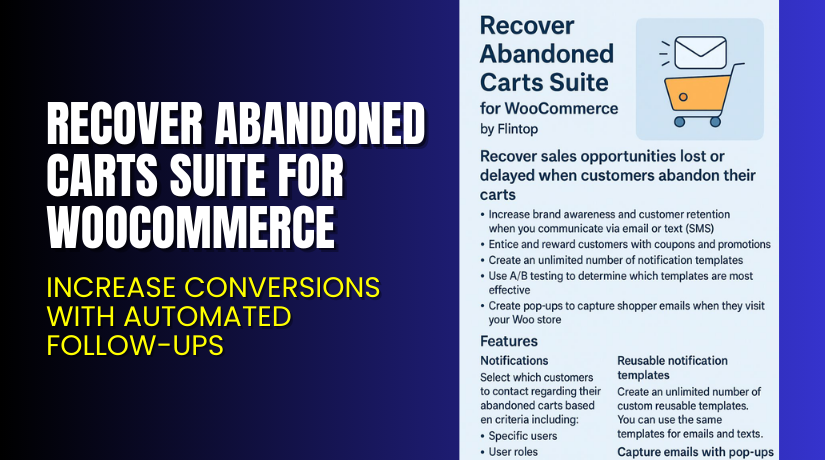
Recover Abandoned Carts Suite for WooCommerce – Increase Conversions with Automated Follow-Ups
Table of Contents
- Introduction
- What is Recover Abandoned Carts Suite for WooCommerce?
- Features of Recover Abandoned Carts Suite for WooCommerce
- How to Install and Configure Recover Abandoned Carts Suite for WooCommerce
- Recover Abandoned Carts Suite for WooCommerce – Pricing & Plans
- My Experience with Recover Abandoned Carts Suite for WooCommerce
- Who Should Use This Plugin?
- Final Verdict
- FAQ
Introduction
Running a WooCommerce store is exciting, but it’s also challenging. Every day, hundreds of store owners lose potential sales because customers leave before completing checkout. These abandoned carts often contain valuable products, yet most site owners never recover them. This leads to lost revenue, poor conversions, and missed opportunities.
Online shoppers get distracted easily. They may browse your store, add items to the cart, and then leave without buying. Sometimes it’s due to high shipping costs, technical glitches, or simply forgetting. Without an effective follow-up system, those customers rarely return.
That’s where Recover Abandoned Carts Suite for WooCommerce comes in. It’s a smart plugin designed to automatically track and recover lost sales. Using personalized emails, reminders, and discounts brings customers back to complete their purchases.
In this article, you’ll learn what this plugin does, its key features, setup process, pricing, and overall benefits. We’ll also share real insights from testing it on a live WooCommerce site.
👉 If you ever need help installing or troubleshooting any plugin or extension, try our Installation & Troubleshooting Services.
What is Recover Abandoned Carts Suite for WooCommerce?
Recover Abandoned Carts Suite for WooCommerce is a plugin that helps store owners recover lost revenue by reconnecting with customers who leave items in their carts. It automatically detects abandoned carts and sends targeted reminder emails to encourage customers to return and complete their purchase.
Developed by Flintop, this plugin is designed specifically for WooCommerce-powered stores. It comes with multiple automation tools, including scheduled email reminders, dynamic coupon codes, and follow-up messages that can be customized for each customer.
The plugin reduces manual follow-up work and improves overall conversion rates. It tracks every cart activity and helps you understand why users abandon their purchases. The plugin is available in both Free and Premium versions, allowing store owners to choose based on their business needs.
This tool is perfect for anyone looking to reduce cart abandonment, increase conversions, and generate more sales without aggressive advertising or complex setup.
Official Plugin Page: https://flintop.com/product/recover-abandoned-carts-suite/
Support Page: https://flintop.com/contact/
Features of Recover Abandoned Carts Suite for WooCommerce
| Feature | Description | Why It Matters |
| Automated Cart Recovery Emails | Sends automated follow-up emails to customers who leave their carts. | Helps bring customers back without manual effort. |
| Dynamic Coupon Codes | Creates unique discount codes within recovery emails. | Encourages users to complete checkout with incentives. |
| Detailed Cart Reports | Tracks abandoned and recovered carts in real-time. | Gives insight into user behavior and recovery success. |
| Custom Email Templates | Customize email templates to match your store branding. | Builds trust and improves user engagement. |
| Guest Cart Recovery | Works even for customers who haven’t logged in. | Expands recovery reach to all visitors. |
| Smart Scheduling | Set specific time intervals for sending reminders. | Ensures emails reach users at the best possible time. |
How to Install and Configure Recover Abandoned Carts Suite for WooCommerce
- Download the plugin from the link.
- Go to your WordPress Dashboard → Plugins → Add New → Upload Plugin.
- Select the downloaded ZIP file and click Install Now.
- Once installed, click Activate Plugin.
- Go to WooCommerce → Abandoned Carts to open settings.
- Configure basic options like email templates, coupon setup, and timing.
- Send a test email to confirm everything works properly.
- Monitor abandoned and recovered carts from the plugin dashboard.
💡 If you face any configuration or compatibility issues, you can try our Installation & Troubleshooting Services.
Recover Abandoned Carts Suite for WooCommerce – Pricing & Plans
| 1 Year Plan | 2 Year Plan |
| $79 | $126.40 |
Subscription includes
|
Subscription includes
|
Buy Recover Abandoned Carts Suite for WooCommerce Now
Purchase Here → Buy Recover Abandoned Carts Suite Premium Now


💡 Your purchase supports the Flintop development team and helps create future updates and improvements.
My Experience with Recover Abandoned Carts Suite for WooCommerce
After testing Recover Abandoned Carts Suite for WooCommerce on a live site, here’s what we found:
Pros
- Easy installation and a clean interface.
- Stable and lightweight — doesn’t slow your site.
- Excellent reporting dashboard.
- Works for both guest and logged-in users.
- Reliable support team with fast responses.
Cons
- Free version has limited automation features.
- Email design customization could be more flexible.
- No built-in SMS reminders yet.
Overall, the plugin performs exactly as advertised. It’s a dependable solution to recover sales and boost your WooCommerce performance.
Who Should Use This Plugin?
- WooCommerce store owners who want to recover lost sales.
- Agencies managing multiple client stores with high cart abandonment rates.
- Beginners who want an automated cart recovery system.
- Marketers aiming to improve email conversion rates.
- Anyone looking to reduce revenue loss from abandoned carts.
Useful Resources
- Official Plugin Page
- Official Plugin Support Page
- Developer Documentation
- WooHelpDesk Installation & Troubleshooting Services
Final Verdict
If you’re looking for a reliable, automated way to recover lost sales, Recover Abandoned Carts Suite for WooCommerce is the right choice. It helps you reconnect with customers, send personalized reminders, and offer discounts that drive conversions.
With its smart automation and detailed reporting, you can see exactly how much revenue you’re recovering. It’s lightweight, user-friendly, and designed for WooCommerce success.
👉 Buy Recover Abandoned Carts Suite Premium Now
💡 Need help installing or fixing it? Try our Installation & Troubleshooting Services.
FAQ
Q1. Is Recover Abandoned Carts Suite for WooCommerce compatible with all themes?
Yes, it works with most WooCommerce themes. Always test before going live.
Q2. Can I use both free and premium versions?
No, deactivate the free version before installing the premium one.
Q3. How do I get support?
Contact the official Flintop team via the Support Page.



