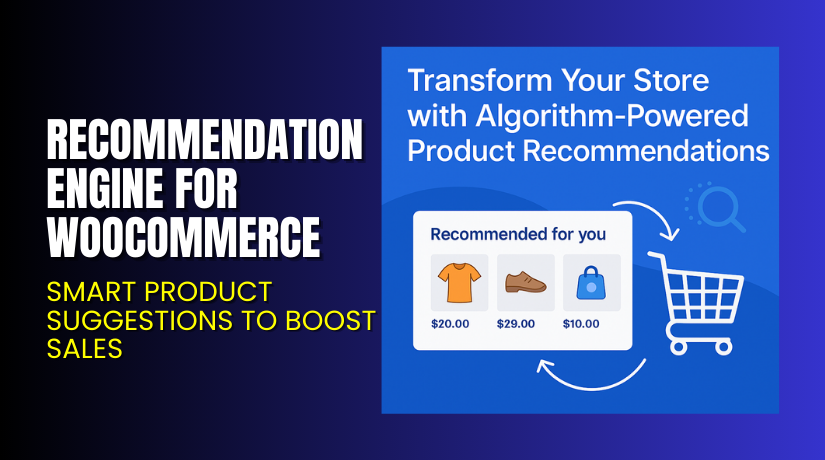
Recommendation Engine for WooCommerce – Smart Product Suggestions to Boost Sales
Table of Contents
- Introduction
- What is Recommendation Engine for WooCommerce?
- Key Features of Recommendation Engine
- How to Install and Configure Recommendation Engine?
- Pricing & Plans
- My Experience with Recommendation Engine
- Who Should Use This Plugin?
- Final Verdict
- FAQ
Introduction
Customers often miss products they might want to buy. On large stores, shoppers rarely browse everything. This leads to missed sales and lower engagement.
To fix this, eCommerce giants like Amazon use recommendation systems. They suggest products based on what users view and buy. Now, WooCommerce store owners can use the same smart suggestions.
Recommendation Engine for WooCommerce helps you do exactly that. It uses product view and purchase data to suggest items automatically.
In this article, we explore the plugin’s features, installation process, pricing, pros, and who should use it.
Need help installing the plugin? Use our Installation & Troubleshooting Services
What is Recommendation Engine for WooCommerce?
Recommendation Engine for WooCommerce is a smart suggestion plugin. It automatically recommends products based on user behavior. This includes:
- Product views
- Purchase history
- Frequently bought together items
The plugin is built by Element Stark, a trusted name in WooCommerce solutions. It works by collecting data as customers browse and buy. This data is then used to suggest products that users are most likely to buy.
You can display these suggestions using widgets, shortcodes, or theme customization. It helps customers discover more products and boosts order value.
Plugin Page: Visit Official Plugin Page
Documentation: Read Plugin Documentation
Support Page: Get Help
Key Features of Recommendation Engine
| Feature | Description | Why It Matters |
| Viewed-Based Recommendations | Suggests products often viewed together | Drives better product discovery |
| Purchase History Matching | Shows what similar users bought | Boosts cross-selling |
| Frequently Bought Together | Suggests products usually ordered together | Helps build bundles |
| Smart Widgets | Display recommendations anywhere | Flexible display options |
| Auto-Learning System | No manual input required | Saves admin time |
Breakdown of Recommendation Types
- Related Products by View
- Tracks which products are viewed together.
- Suggests items users may also like.
- Ideal for encouraging browsing.
- Related Products by Purchase History
- Tracks items bought by the same users over time.
- Helps with long-term cross-selling.
- Good for returning users.
- Products Bought Together
- Shows items frequently purchased in the same order.
- Encourages buying accessories or bundles.
- Great for boosting average cart value.
- Recommendation Widgets
- Two widgets included:
- Viewed and Purchase-Based Products
- Products Purchased Together
- Can be placed in sidebars, footers, or custom areas.
These tools automate upselling and cross-selling without manual work.
How to Install and Configure Recommendation Engine?
You can get started quickly using these steps:
- Purchase the plugin from the official site.
- Download the ZIP file after checkout.
- In your WordPress dashboard, go to Plugins → Add New.
- Upload the ZIP and click Install Now.
- Activate the plugin.
- Go to WooCommerce → Settings → Recommendation Engine.
- Enable or disable recommendation types as needed.
- Add the widgets to your sidebar, product page, or footer.
No extra data entry is required. The engine collects and analyzes data automatically.
Need help? Get professional help via WooHelpDesk Plugin Services
Pricing & Plans
| Plan | Price | Includes |
| 1-Year Plan | $79/year | Full features + support and updates |
- Monthly equivalent: $6.59
- One pricing tier only
- No free version
- Includes widgets, view-based, and purchase-based suggestions
Buy the Plugin Here: Buy Recommendation Engine for WooCommerce
All updates and support are included for one year.
My Experience with Recommendation Engine
I tested the plugin on a store selling books and accessories. The goal was to increase repeat purchases and bundle sales.
Pros:


- Setup is fast and simple
- No need to manually link products
- Auto-suggestions work well after 1–2 weeks of data
- Great for cross-selling and bundling
- Helps users find more products without searching
Cons:
- Needs some traffic to build useful data
- No free version to test
- Widget styling depends on your theme
Once enough data is collected, suggestions become accurate and helpful. It’s a great way to mimic Amazon-like behavior.
Who Should Use This Plugin?
Recommendation Engine for WooCommerce is best for:
- Stores with large product catalogs
- Stores with repeat customers
- Sites selling accessories or related products
- Shop owners wanting to increase average cart size
- Brands wanting hands-free upsells
Not suitable for:
- Very new stores with little traffic or sales
- Shops with only a few products
Useful Resources
- Official Plugin Page – Recommendation Engine
- Plugin Documentation
- Support Page
- Installation Help – WooHelpDesk
These links will help you with setup, usage, and customization.
Final Verdict
If you want your WooCommerce store to act smarter, Recommendation Engine is a powerful tool. It helps shoppers discover products they may have missed. It boosts engagement, increases sales, and enhances the customer experience.
Its suggestions are based on real user behavior—no manual setup needed. After a short learning period, it becomes very effective.
It works quietly in the background, yet delivers measurable results.
Start here: Buy Recommendation Engine for WooCommerce
Want help installing it? Use WooHelpDesk Installation Services
FAQ
Q1. Does this plugin slow down my site?
No, it’s lightweight and optimized for performance.
Q2. Do I need to manually link products?
No. The plugin uses automatic data collection and recommendation.
Q3. How are products recommended?
They are based on view history, purchase history, and order data.
Q4. Can I show recommendations anywhere?
Yes, use the built-in widgets for display.
Q5. Is support included?
Yes, one year of updates and support is included.
Q6. Will it work with all WooCommerce themes?
It works with most standard WooCommerce-compatible themes.



