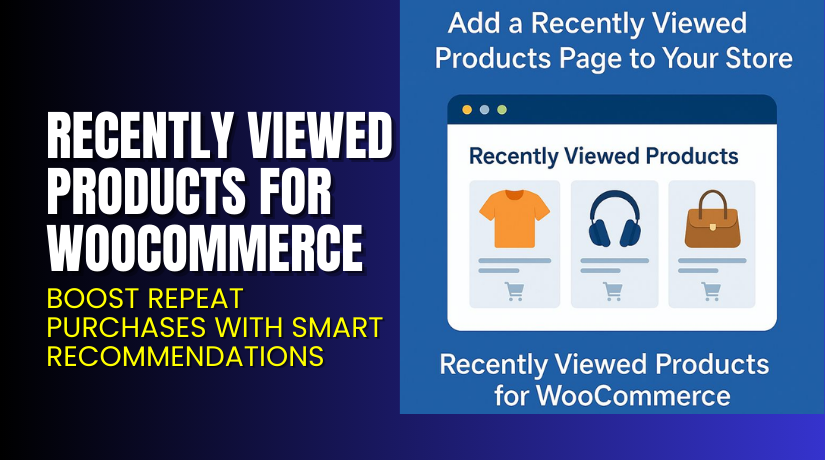
Recently Viewed Products for WooCommerce – Boost Repeat Purchases with Smart Recommendations
Table of Contents
- Introduction
- What is Recently Viewed Products for WooCommerce?
- Features of Recently Viewed Products for WooCommerce
- How to Install and Configure Recently Viewed Products for WooCommerce
- Recently Viewed Products for WooCommerce – Pricing & Plans
- My Experience with Recently Viewed Products for WooCommerce
- Who Should Use This Plugin?
- Final Verdict
- FAQ
Introduction
Running a WooCommerce store means constantly improving user experience and driving more sales. Many store owners struggle to keep visitors engaged after they leave or switch pages. When customers browse multiple products, they often forget what they viewed earlier. This leads to lost interest and fewer conversions.
The Recently Viewed Products for WooCommerce plugin solves this problem effectively. It reminds visitors of their previously seen items, helping them return to products they liked. This feature improves customer experience and increases repeat purchases. By displaying recently viewed products on product pages, sidebars, or carts, shoppers can easily find what they explored before.
For WooCommerce store owners, this is a simple yet powerful way to boost engagement. It works automatically without needing a complex setup or coding. This plugin ensures that every user journey remains smooth and personalized.
In this article, we’ll explore the Recently Viewed Products for WooCommerce plugin, its core features, installation process, pricing, and user experience. You’ll also learn the pros, cons, and who should use it.
👉 If you ever need help installing or troubleshooting any WooCommerce plugin or extension, you can always try our Installation & Troubleshooting Services.
What is Recently Viewed Products for WooCommerce?
The Recently Viewed Products for WooCommerce plugin helps your store display items that customers have previously checked. It creates a personalized browsing experience, allowing users to revisit products they liked without searching again.
This plugin is designed for store owners who want to enhance user engagement and increase conversions. Showing visitors a custom list of their recently viewed items encourages them to complete their purchase.
Developed by WooCommerce, this official plugin integrates smoothly with all standard WooCommerce themes. It offers an easy setup process, requiring no technical knowledge. The plugin automatically tracks viewed products using cookies and displays them in a stylish layout.
You can customize the display position, number of products, and design. It’s available through the official WooCommerce marketplace.
Whether you run a small or large store, this plugin helps improve user retention. It’s lightweight, fast, and built to deliver a better shopping experience across all devices.
Official Plugin Page: https://flintop.com/product/recently-viewed-products-for-woocommerce/
Support Page: https://flintop.com/contact/
Features of Recently Viewed Products for WooCommerce
| Feature | Description | Why It Matters |
| Automatic Product Tracking | Tracks and displays recently viewed items for each visitor. | Helps customers quickly return to their favorite products. |
| Customizable Display Layout | Choose where and how the products appear on your site. | Allows better design flexibility for branding and layout. |
| Widget & Shortcode Support | Use widgets or shortcodes to place sections anywhere. | Offers full control for displaying products in multiple locations. |
| Lightweight & Fast | Optimized for performance and speed. | Ensures smooth browsing without slowing down your site. |
| Theme Compatibility | Works with most WooCommerce themes out of the box. | Reduces conflicts and saves troubleshooting time. |
How to Install and Configure Recently Viewed Products for WooCommerce
- Download the plugin from the
- Log in to your WordPress Dashboard.
- Go to Plugins → Add New → Upload Plugin.
- Upload the ZIP file you downloaded.
- Click Install Now, then Activate the plugin.
- Go to WooCommerce → Settings → Products → Recently Viewed Products.
- Configure options like display layout, number of products, and position.
- Save your changes and test them on your site.
💡 If you face configuration or theme compatibility issues, you can try our Installation & Troubleshooting Services.
Recently Viewed Products for WooCommerce – Pricing & Plans
| 1 Year Plan | 2 Year Plan |
| $49 | $78.40 |
Subscription includes
|
Subscription includes
|
Buy Recently Viewed Products for WooCommerce Now


Purchase Here: Buy Recently Viewed Products for WooCommerce Premium Now
💡 Your purchase supports the WooCommerce development team and helps me create more detailed plugin guides and tutorials.
My Experience with Recently Viewed Products for WooCommerce
After testing this plugin on a live WooCommerce store, it performed exceptionally well. The setup was quick, and the plugin automatically started tracking viewed products without extra configuration.
Pros
- Simple and user-friendly setup process
- Clean layout design and mobile responsiveness
- Lightweight and does not slow down the website
- Great support from the official WooCommerce team
Cons
- Limited styling control without custom CSS
- Premium version needed for advanced customization
- No built-in analytics for tracking conversions
Who Should Use This Plugin?
- WooCommerce store owners who want to increase repeat purchases
- Agencies managing multiple WooCommerce clients and stores
- Beginners who need an easy setup with no coding required
- Developers looking for a stable and supported solution
- Store owners focused on improving user experience and engagement
Useful Resources
- Official Plugin Page
- Official Support Page
- Developer Documentation
- WooHelpDesk Installation & Troubleshooting Services
Final Verdict
If you’re looking for a reliable WooCommerce plugin that improves user engagement, the Recently Viewed Products for WooCommerce plugin is a perfect choice. It’s easy to install, lightweight, and enhances user retention by reminding customers of what they loved earlier.
This plugin is ideal for any store wanting to boost conversions through personalized browsing.
👉 Buy Recently Viewed Products for WooCommerce Premium Now
💡 Need help installing or fixing it? Try our Installation & Troubleshooting Services.
FAQ
Q1. Is Recently Viewed Products for WooCommerce compatible with all themes?
Yes, it works with most WooCommerce-supported themes. Always test before going live.
Q2. Can I use both free and premium versions?
No, deactivate the free version before installing the premium one.
Q3. How do I get support?
Contact the official WooCommerce team via the Plugin Support Page.



