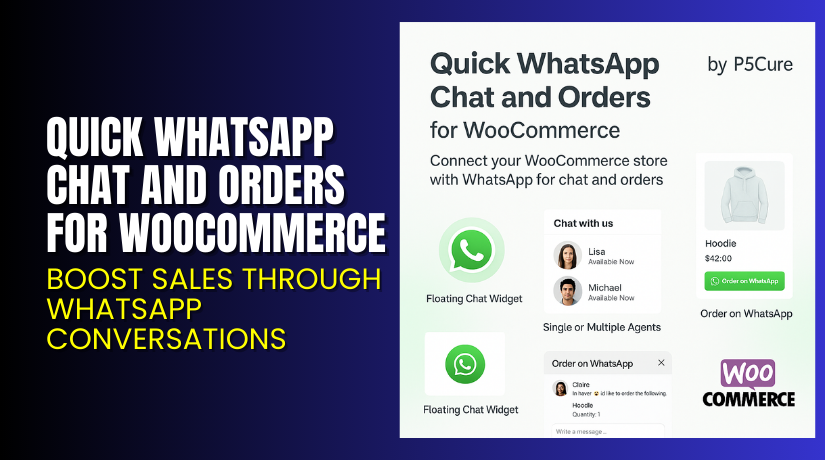
Quick WhatsApp Chat and Orders for WooCommerce – Boost Sales Through WhatsApp Conversations
Table of Contents
- Introduction
- What is Quick WhatsApp Chat and Orders for WooCommerce?
- Key Features of Quick WhatsApp Chat and Orders
- How to Install and Configure Quick WhatsApp Chat and Orders?
- Pricing & Plans
- My Experience with Quick WhatsApp Chat and Orders
- Who Should Use This Plugin?
- Final Verdict
- FAQ
Introduction
WooCommerce store owners face a common challenge — abandoned carts and low engagement. Many users want quick answers before buying but don’t want to send emails or wait for live chat.
That’s where WhatsApp comes in.
WhatsApp is the most popular messaging app globally, with over 2 billion users. It’s fast, personal, and trusted by customers.
Quick WhatsApp Chat and Orders for WooCommerce helps you bring that power into your store. It lets customers chat with your team or place orders directly via WhatsApp.
In this article, you’ll discover what this plugin does, how to use it, features, pricing, and pros and cons.
Need help setting it up? Use our Installation & Troubleshooting Services.
What is Quick WhatsApp Chat and Orders for WooCommerce?
Quick WhatsApp Chat and Orders is a WooCommerce extension developed by P5Cure. It allows store owners to integrate WhatsApp chat and ordering features into their WooCommerce store.
With this plugin, you can:
- Add a floating WhatsApp icon to your store
- Enable single or multiple support agents
- Let customers send product or cart info to WhatsApp
- Replace or enhance the checkout process with WhatsApp ordering
- Customize messages, icons, and availability settings
The plugin works across product pages, cart, and shop pages. It supports both simple chat and full order communication.
It is ideal for small businesses, mobile-first markets, and stores using WhatsApp as a sales channel.
Official Plugin Page: Quick WhatsApp Chat and Orders for WooCommerce
Documentation: Plugin Documentation
Support Page: Contact WooCommerce
Key Features of Quick WhatsApp Chat and Orders
| Feature | Description | Why It Matters |
| Floating WhatsApp Button | Animated, customizable icon for chat access | Improves visibility and encourages quick conversations |
| Multiple Agent Support | Assign agents by product or department | Helps customers reach the right person fast |
| Order on WhatsApp | Replace or combine with traditional checkout | Great for stores that use WhatsApp for sales |
| Cart Info Sharing | Customers can send full cart info to WhatsApp | Simplifies custom orders and discussions |
| Product Page Integration | Order or chat from any product page | Increases conversions and engagement |
| Custom Availability Settings | Set agent hours and hide when offline | Keeps customer experience smooth and reliable |
| Custom Messages | Pre-fill messages from cart, product, or thank-you page | Makes chat more efficient for both sides |
How to Install and Configure Quick WhatsApp Chat and Orders?
Installation is fast and simple. Follow these steps:
- Visit the official WooCommerce plugin page.
- Click Buy Now and complete your purchase.
- Download the plugin file from your WooCommerce account.
- In WordPress, go to Plugins → Add New → Upload Plugin.
- Upload the ZIP file, install, and activate the plugin.
- Navigate to WooCommerce → Settings → WhatsApp Chat & Orders.
- Configure global settings including icon appearance, agent info, and availability.
- Assign agents to specific products if needed.
- Enable or disable features like order on WhatsApp or cart-to-chat.
You can also customize:
- Message templates
- Button design
- Shortcodes for different layouts
- Display conditions by product or page
Need help with configuration? Use our expert setup service.
Pricing & Plans
The plugin is offered as an annual subscription through WooCommerce:
| Plan | Price | Billed | Includes |
| 1-Year License | $49 | Annually | All features, updates, and support |
- This works out to $4.09/month, billed yearly.
- Includes 1-year of updates and customer support.
- 30-day money-back guarantee included.
You can purchase the plugin directly via WooCommerce Marketplace.
Buy Quick WhatsApp Chat and Orders Plugin Now
This plugin is a great value for store owners using WhatsApp to communicate or sell.
It enhances user experience and simplifies ordering for mobile-first customers.
Get it now from the official WooCommerce store: Buy Quick WhatsApp Chat and Orders Plugin
Buying supports the developer and helps fund future updates and improvements.


My Experience with Quick WhatsApp Chat and Orders
We installed and tested the plugin on a small business WooCommerce site. Here’s what we observed.
Pros:
- Very easy to install and set up
- Smooth integration with product and cart pages
- Real-time WhatsApp messages improve user interaction
- Customers loved the floating chat icon
- Supports teams with multiple agents
- Great for stores with high mobile traffic
Cons:
- No built-in WhatsApp payment support
- Requires manual response from store team
- Advanced customizations may need shortcodes
Despite these, the plugin is well worth the price for WhatsApp-based workflows.
Who Should Use This Plugin?
This plugin is ideal for:
- Stores relying on WhatsApp to close sales
- Small businesses offering personalized support
- Shop owners who want a simple chat tool
- Retailers in countries with high WhatsApp usage
- Mobile-first eCommerce brands
If your business is already using WhatsApp to talk with customers, this plugin saves time and increases conversions.
Useful Resources
Explore these helpful links for installation, documentation, and support:
- Official Plugin Page
- Full Plugin Documentation
- WooCommerce Contact Support
- WooHelpDesk Setup Services
These resources will help you get started and fix any issues.
Final Verdict
The Quick WhatsApp Chat and Orders for WooCommerce plugin gives your store a direct line to your customers. It’s a practical and affordable way to boost communication, drive orders, and improve support.
Whether you want to offer live chat, send product info, or let users order via WhatsApp, this plugin handles it all.
At just $49 per year, it’s a smart investment for any WooCommerce store that wants to build trust and connect better with its users.
Buy it now to start selling faster through WhatsApp.
Download the Plugin from WooCommerce. Need expert help? Try Our Installation Service
FAQ
Q1. Can I use multiple WhatsApp agents with this plugin?
Yes. You can add several agents and assign them to different products.
Q2. Will it replace the default WooCommerce checkout?
You can choose to replace or combine checkout with WhatsApp ordering.
Q3. Can customers send their cart or order info via WhatsApp?
Yes. The plugin supports sending product, cart, and order data via WhatsApp.
Q4. Is this plugin mobile responsive?
Yes. It is fully responsive and optimized for mobile users.
Q5. Does the plugin support custom availability settings for agents?
Yes. You can set available hours and hide agents when offline.



