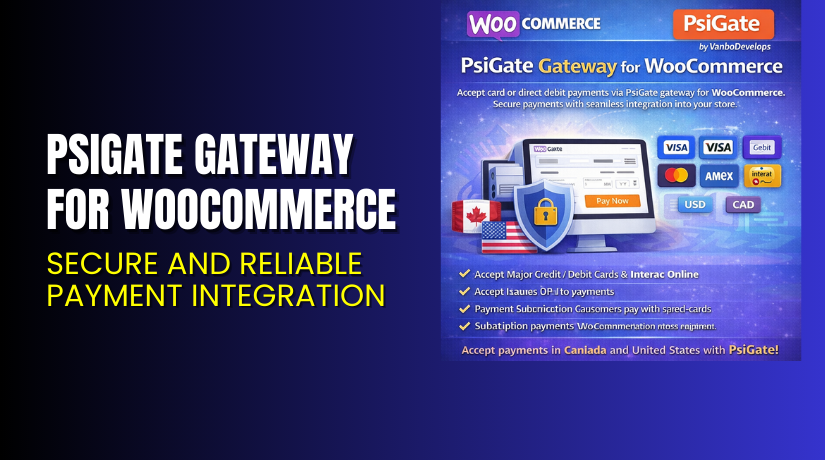
PsiGate Gateway for WooCommerce – Secure and Reliable Payment Integration
Table of Contents
- Introduction
- What is PsiGate Gateway for WooCommerce?
- Features of PsiGate Gateway for WooCommerce
- How to Install and Configure PsiGate Gateway for WooCommerce
- PsiGate Gateway for WooCommerce – Pricing & Plans
- My Experience with PsiGate Gateway for WooCommerce
- Who Should Use This Plugin?
- Final Verdict
- FAQ
Introduction
Running a WooCommerce store means ensuring fast and secure payments. One of the biggest challenges store owners face is selecting a reliable payment gateway that supports real-time transaction processing with strong security.
Many payment plugins are complex, lack local bank integrations, or don’t support essential features like pre-authorizations. If your business operates in Canada or the U.S., and you’re looking for a dependable processor, PsiGate Gateway for WooCommerce is a solid choice.
This article walks you through what PsiGate is, its features, how to install it, pricing, pros and cons, and where to buy it.
Need help installing or configuring it? Try our Installation & Troubleshooting Services.
What is PsiGate Gateway for WooCommerce?
PsiGate Gateway for WooCommerce is a premium payment plugin that lets you accept credit card payments through PsiGate, a trusted Canadian payment processor. It integrates seamlessly with WooCommerce to support live and test transactions directly from your online store.
Developed by VanBo Develops, the plugin connects your WooCommerce checkout with your PsiGate merchant account, enabling real-time payment processing.
PsiGate supports Visa, MasterCard, American Express, and more. The plugin includes essential tools like AVS verification, CVV support, and transaction response handling.
Plugin Developer: VanBo Develops
Plugin Page: PsiGate Gateway for WooCommerce
Documentation: Official Setup Guide
Support: Contact the Developer
Key Features of PsiGate Gateway Plugin
| Feature | Description | Why It Matters |
| Real-Time Credit Card Processing | Authorize and capture payments instantly | Speeds up transaction handling |
| Supports Major Cards | Visa, MasterCard, Amex, Discover, JCB | Covers all major customer options |
| Pre-Authorization Option | Authorize first, capture later | Useful for order review or shipping delays |
| CVV and AVS Verification | Increases fraud protection | Reduces chargebacks and risky payments |
| Debug Mode and Logs | Capture logs for troubleshooting | Helps in testing and debugging setup |
| Test Mode Enabled | Use test accounts before going live | Reduces setup errors before real sales |
| Multi-Currency and SSL Ready | Secure and flexible payment processing | Ideal for international and secure sites |
How to Install and Configure PsiGate Gateway for WooCommerce
Follow the steps below to install and set up the plugin:
- Purchase the plugin from the VanBo Develops website.
- Download the ZIP file after completing your order.
- In your WordPress dashboard, go to Plugins → Add New → Upload Plugin.
- Upload the ZIP file and click Install Now.
- Activate the plugin.
- Go to WooCommerce → Settings → Payments.
- Click on PsiGate and configure your merchant settings:
- Merchant ID
- Store ID
- Transaction mode (test or live)
- Currency and card types
- Enable CVV and AVS checks for enhanced security.
- Save the settings and perform a test transaction if needed.
For advanced setup help, refer to the official documentation.
Need help? Try our WooHelpDesk Plugin Setup Service.
Pricing & Plans
| License Type | Price (USD) | Inclusions |
| Variable Pricing | $79.00 – $199.00 | 1-year support and updates (license activation required) |
- Prices exclude VAT
- Exact cost depends on the variant selected during purchase
- Includes plugin updates and support for one year
→ Buy PsiGate Gateway for WooCommerce Now
Buy PsiGate Gateway for WooCommerce Now
PsiGate offers one of the most secure and reliable payment processing solutions in North America. With the WooCommerce plugin, you can easily integrate PsiGate into your store.
It’s ideal for businesses that want to keep control of their customer data and avoid third-party payment redirects.
→ Buy from the official developer
My Experience with PsiGate WooCommerce Plugin
We used this plugin on a Canadian WooCommerce site that sells physical products. The integration was seamless. The setup took under 15 minutes.
Here’s what we experienced:


Pros:
- Simple setup and fast configuration
- Reliable real-time payment processing
- Strong fraud protection with AVS and CVV
- Excellent customer support from the developer
- Works smoothly with WooCommerce and latest PHP versions
Cons:
- Requires a PsiGate merchant account
- Not suitable for stores outside Canada/U.S.
- Admin interface could use visual improvements
Still, the plugin delivered exactly what it promised — secure and fast payments via PsiGate.
Who Should Use This Plugin?
This plugin is perfect for:
- Canadian or U.S. businesses using PsiGate
- Store owners wanting on-site credit card payments
- Merchants looking for fraud prevention tools
- Developers working with local payment processors
- WooCommerce stores selling physical or digital goods
Useful Resources
- Official Plugin Page
- Official Documentation
- Plugin Support Contact Page
- Installation & Troubleshooting Services
Final Verdict
If you operate a WooCommerce store in Canada or the U.S., and you want a direct, secure payment gateway, then PsiGate Gateway is an excellent solution.
The plugin is:
- Fast to set up
- Secure and PCI-ready
- Designed for WooCommerce
- Affordable with a one-time payment
With pre-authorization, card verification, and full AVS support, it’s ideal for stores that need control and reliability.
→ Buy PsiGate Gateway Plugin Here
Need help installing or configuring it? Try our WooHelpDesk Plugin Setup Service.
FAQ
Q1. Does this plugin support recurring payments?
No, it is built for one-time payments. Recurring billing would require additional tools.
Q2. Is a PsiGate merchant account required?
Yes. You must have an active merchant account with PsiGate to use this plugin.
Q3. Does this work outside of Canada or the U.S.?
PsiGate mainly serves North America. It may not work for other regions.
Q4. What payment cards are supported?
Visa, MasterCard, American Express, Discover, JCB, and more.
Q5. Is there a free version of this plugin?
No. The plugin is premium only and must be purchased via the developer’s site.



