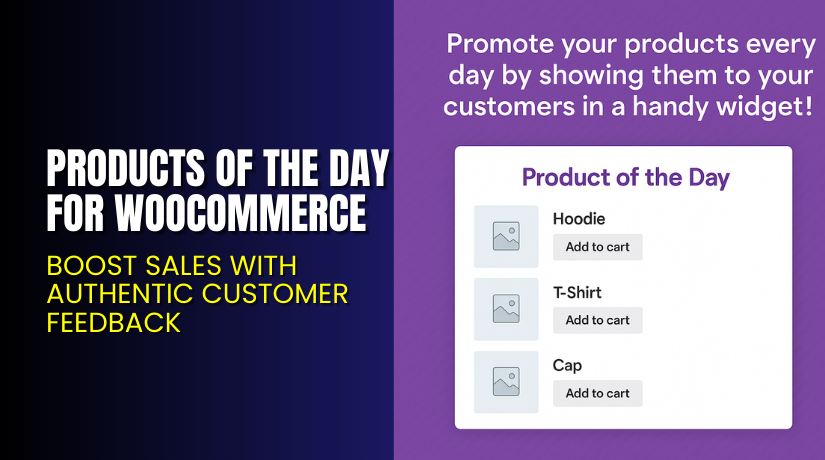
Products of the Day for WooCommerce – Smart Daily Promotions Made Easy
Table of Contents
- Introduction
- What is Products of the Day for WooCommerce?
- Key Features of Products of the Day
- How to Install and Configure Products of the Day?
- Pricing & Plans
- My Experience with Products of the Day
- Who Should Use This Plugin?
- Final Verdict
- FAQ
Introduction
Every WooCommerce store wants to increase product visibility and drive sales. But displaying the right product at the right time is often a challenge. Promotions can get lost in a crowded homepage.
Many store owners struggle to rotate product visibility effectively. Promotions stay static for weeks, and customers stop paying attention. Manual changes take time and effort.
That’s where the Products of the Day for WooCommerce plugin comes in. It gives you a flexible way to highlight specific products daily using a sidebar or widget. You control which product shows on which day. This can boost visibility and conversions without extra work.
In this article, you’ll learn what the plugin does, how to install it, and why it’s helpful. We also include pricing, pros and cons, and expert support options if you need help setting it up.
Need help installing or fixing this plugin? Use our Installation & Troubleshooting Services.
What is Products of the Day for WooCommerce?
Products of the Day for WooCommerce is a promotional plugin created by OptArt. It allows store owners to assign specific products to specific days of the week. These products are then displayed in a widget on your site.
The plugin is designed to help you promote different items on different days, keeping your store dynamic and engaging. You can plan promotions in advance and rotate offers without logging in daily.
It’s a smart way to build urgency and interest among shoppers.
With more than 100 active installs and a stable release (v1.2.1), the plugin is reliable and simple to manage. It integrates well with most WooCommerce themes and doesn’t require coding knowledge.
Official Plugin Page: Products of the Day on WooCommerce
Documentation: Plugin Setup Guide
Support: Contact Plugin Support
Key Features of Products of the Day
| Feature | Description | Why It Matters |
| Daily Product Assignment | Assign different products to each day of the week. | Helps create weekly promotional cycles. |
| Custom Widget | Shows the daily products in a neat widget area. | Makes promotions visible sitewide. |
| Control Quantity | Limit how many products display each day. | Keeps the widget clean and focused. |
| Image & Cart Links | Choose to show product thumbnails and add-to-cart buttons. | Boosts engagement and quick conversions. |
| Custom Sorting | Decide product display order for each day. | Offers flexibility in highlighting top items. |
| Easy Admin Panel | Simple and clean interface for setup. | Saves time with no learning curve. |
| Lightweight Plugin | No performance issues or slowdowns. | Ideal for all WooCommerce store sizes. |
How to Install and Configure Products of the Day?
Setting up this plugin is quick and doesn’t require any coding knowledge.
Follow these steps:
- Purchase the plugin from the official WooCommerce listing.
- Download the ZIP file to your computer.
- Go to your WordPress admin panel.
- Navigate to Plugins → Add New → Upload Plugin.
- Upload the ZIP file and click Install Now.
- Activate the plugin once installed.
Configuration:
- Go to Products of the Day settings panel under WooCommerce.
- Assign products for each day of the week.
- Choose display settings like:
- Number of products to show
- Sort order
- Whether to show thumbnails or “Add to Cart” buttons
- Add the widget to your sidebar, footer, or any widget area.
- Save settings and preview on the front end.
Need professional help? Try our Installation & Troubleshooting Service.
Pricing & Plans
| Plan | Price | Includes |
| 1-Year License | $49/year | Full features, updates, support |
- Billed annually at $49
- That’s about $4.09/month
- Includes 1 year of updates and customer support
- Comes with a 30-day money-back guarantee
Buy Products of the Day Plugin from WooCommerce →
Buy Products of the Day for WooCommerce Now
Want to run daily product promotions with zero manual effort?
✅ Get Products of the Day for WooCommerce now
You can set up a weekly promotional calendar once and let it run automatically. This plugin helps create urgency, drive clicks, and keep your shop interesting every day.


My Experience with Products of the Day
I tested the plugin on a standard WooCommerce store setup. The installation was smooth, and the UI was simple to understand.
Here’s what I liked and what could be improved.
Pros
- Setup takes less than 10 minutes
- Easy to assign different products to each weekday
- Widget looks good and blends well with most themes
- Lightweight, no speed issues
- Add to cart button increases conversions
Cons
- No shortcode support to embed outside widget areas
- Cannot assign different products for different categories or user roles
- Lacks built-in analytics
That said, for the price and ease of use, it works well. It’s perfect for small to medium stores that want simple promotions.
Who Should Use This Plugin?
This plugin is ideal for:
- Store owners wanting to highlight different products daily
- Businesses running weekly promotions or featured deals
- Shops with a large catalog needing rotation
- Marketers who want to increase product visibility without complex rules
- Beginners looking for automated promotional tools
Useful Resources
Here are important links for help and guidance:
- Plugin Overview & Purchase
- Official Plugin Documentation
- Plugin Support Contact
- WooHelpDesk Plugin Installation Help
Final Verdict
If you’re looking to showcase different products each day automatically, Products of the Day for WooCommerce is a solid option. It helps you organize promotions, save time, and add dynamic elements to your store.
It’s affordable, easy to use, and doesn’t bloat your site. While it lacks advanced conditions or integrations, it does what it promises — and does it well.
With support, documentation, and a 30-day refund policy, there’s no reason not to try it.
Buy Products of the Day Plugin Now →
Need help with setup? Try our expert service.
FAQ
Q1. Can I assign more than one product per day?
Yes, you can assign multiple products for each day and set the limit.
Q2. Does the plugin support different widgets per category or page?
No, it only provides one widget for daily use. You cannot assign by category.
Q3. Can I customize the widget appearance?
You can control some display settings like thumbnails and add-to-cart buttons, but deeper customization may require CSS.
Q4. Does this plugin slow down my store?
No, it’s lightweight and performance-friendly.
Q5. Is it compatible with all WooCommerce themes?
Yes, it works with most standard WooCommerce themes.



