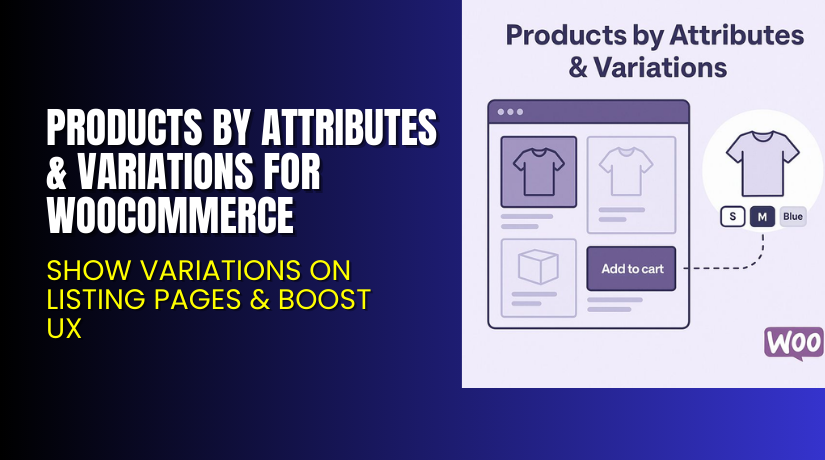
Products By Attributes & Variations for WooCommerce – Show Variations on Listing Pages & Boost UX
Table of Contents
- Introduction
- What is Products By Attributes & Variations for WooCommerce?
- Key Features of Products By Attributes & Variations
- How to Install and Configure the Plugin
- Pricing & Plans
- My Experience with the Plugin
- Who Should Use This Plugin?
- Final Verdict
- FAQ
Introduction
Managing WooCommerce variations is a challenge. By default, WooCommerce hides product variations on shop or category pages. Customers must visit each product page to view options like size, color, or type.
This adds unnecessary steps to the buying journey. The result? Lower engagement, slower checkouts, and fewer conversions.
Products By Attributes & Variations for WooCommerce by Addify solves this issue. It lets you display product variations and attributes directly on the shop, archive, or listing pages. This simplifies selection, reduces clicks, and improves the overall shopping experience.
In this guide, we’ll cover what the plugin does, its key features, how to install it, pricing plans, pros and cons, and who should use it.
Need help with setup? Use our Installation & Troubleshooting Services
What is Products By Attributes & Variations for WooCommerce?
Products By Attributes & Variations for WooCommerce is a plugin developed by Addify. It helps store owners showcase product variations as separate products or display attribute dropdowns right on the shop or category page.
This makes it easier for customers to:
- View available options
- Add items to cart directly
- Complete purchases without opening multiple pages
It works for both simple and variable products, and is fully customizable. You can:
- Choose which attributes to show
- Hide parent products
- Add quantity selectors
- Customize the layout and display
The plugin is WPML-compatible, translatable, and built to work with all major WooCommerce themes.
Official Resources:
Key Features of Products by Attributes & Variations
| Feature | Description | Why It Matters |
| Show Variations as Products | Display each variation as a separate product on listing pages | Helps customers see and buy without clicking into details |
| Attribute Dropdowns on Listings | Show attribute selectors directly on the shop page | Improves UX and reduces steps to checkout |
| Hide Parent Product | Hide parent products to reduce clutter | Keeps the catalog clean and focused |
| Add-to-Cart on Shop Page | Let users add variations to cart without visiting product page | Increases speed and ease of shopping |
| Variation Filtering | Choose specific variations to show | Offers better control over catalog display |
| Custom Layout Options | Use toggle or dropdown display modes | Fits different design styles |
| Quantity Selector Support | Add quantity boxes next to variation options | Supports bulk ordering from listings |
| Compatible with WPML | Fully translatable and multilingual support | Ideal for international stores |
| No Coding Required | Easy to set up from backend with no coding knowledge needed | Saves time and development costs |
How to Install and Configure the Plugin
Follow these steps to install the plugin:
- Purchase the plugin from Addify Store.
- Download the ZIP file from your Addify account.
- In WordPress, go to Plugins → Add New → Upload Plugin.
- Upload the ZIP file and click Install Now.
- Activate the plugin once installed.
- Visit the plugin settings area under WooCommerce to configure:
- Attribute display options
- Variation display rules
- Quantity selector
- Toggle/dropdown layout
- Visibility rules (hide parent products, include/exclude variations)
The plugin works well with all major WooCommerce-compatible themes. However, you may want to test it in staging before going live.
Need expert help? Try our Installation & Troubleshooting Services
Pricing & Plans
Addify offers two simple pricing plans with full access to all features.
| Plan | Price | Includes |
| 1-Year Plan | $69/year | 1 year of support + 1 year of updates |
| 2-Year Plan | $110 (Save 20%) | 2 years of support + 2 years of updates |
30-Day Money-Back Guarantee:
You can request a full refund within 30 days if the plugin doesn’t meet your expectations.
Buy Products By Attributes & Variations Plugin Now
Ready to improve your store’s usability?
→ Buy the Products By Attributes & Variations Plugin
This plugin streamlines shopping, boosts engagement, and shortens the buying journey. Plus, your purchase supports ongoing development and includes full support.


My Experience with the Plugin
We tested this plugin on a WooCommerce store selling apparel. Each product had size and color variations.
What I liked:
- Easy to install and configure
- Attribute dropdowns worked well across all themes tested
- Variations displayed clearly and looked like regular products
- Add-to-cart from the shop page was a major time-saver
- Hiding parent products simplified the catalog layout
What could improve:
- More layout styles would be useful
- Variation previews (images) could be more dynamic
- Parent product name on child variation listings would help SEO
Overall, it’s a solid plugin that delivers exactly what it promises.
Who Should Use This Plugin?
This plugin is perfect for:
- Clothing or fashion stores with multiple size/color variations
- Electronics stores offering storage or color options
- Wholesale stores that sell variation-based SKUs
- Any store that wants to improve mobile user flow
- Store owners who want fewer clicks to purchase
It’s especially useful if you manage a store with high SKU counts and lots of options per product.
Useful Resources
Use these links for setup help, documentation, and troubleshooting.
Final Verdict
If you want a smooth and intuitive way to showcase product variations, Products By Attributes & Variations for WooCommerce is an excellent investment.
You can display variations on the shop page, allow one-click add-to-cart, and even hide parent products. This enhances the shopping experience and encourages faster decisions.
Want help with setup or integration? Use our WooCommerce Installation & Troubleshooting Services.
FAQ
Q1. Can I show product variations as individual products?
Yes. You can show any or all variations as separate items on shop pages.
Q2. Will it work with any WooCommerce theme?
Yes. It supports all major themes like Astra, Flatsome, and OceanWP.
Q3. Can I show attribute selectors and Add to Cart on shop pages?
Yes. You can show dropdowns or toggle views along with quantity selectors.
Q4. Does this plugin need coding to customize?
No. You can use all features from the admin dashboard. No coding required.
Q5. Can I use both features at once?
Yes. You can display variations as separate products and also show attribute selectors together.



