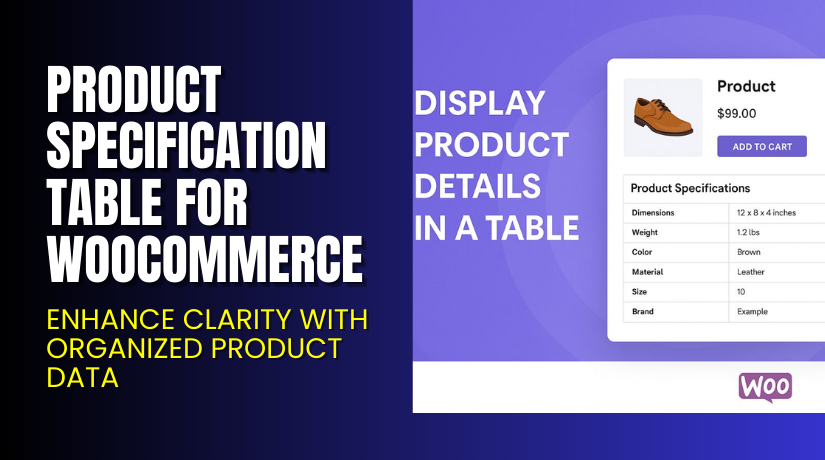
Product Specification Table for WooCommerce – Enhance Clarity with Organized Product Data
Table of Contents
- Introduction
- What is Product Specification Table for WooCommerce?
- Features of Product Specification Table for WooCommerce
- How to Install and Configure Product Specification Table for WooCommerce
- Product Specification Table for WooCommerce – Pricing & Plans
- My Experience with Product Specification Table for WooCommerce
- Who Should Use This Plugin?
- Final Verdict
- FAQ
Introduction
Running a WooCommerce store means managing dozens of extensions — and sometimes it’s hard to know which one truly helps your business grow. You may struggle with presenting detailed product data clearly. Perhaps your product pages look cluttered or lack consistency. Many customers leave without full confidence because they can’t easily view key specifications.
That hurts conversion and increases returns. For complex items — electronics, machinery, apparel with many variants — showing specs clearly matters a lot. You need a tool that organises product details into clean tables. The right plugin can make this easy, consistent and user-friendly.
In this article, we’ll explore Product Specification Table for WooCommerce, its features, installation process, pros & cons, pricing, and how it compares to alternatives.
👉 If you ever need help installing or troubleshooting any plugin or extension, please try our Installation & Troubleshooting Services.
What is Product Specification Table for WooCommerce?
Product Specification Table for WooCommerce is a WooCommerce extension designed to help store owners create and display detailed product specification tables on product pages. It’s developed by Flintop and is available via the official WooCommerce marketplace.
The plugin allows you to define groups, attributes, and tables, then link these tables to individual products or categories. This makes it easy to maintain consistent specification formats across similar products. For example, you could define a “Dimensions” group and attributes like height, width, and depth. Then link that group to a “Tablet Specs” table and apply it to all tablets. It supports multiple field types like text, select, radio, image, and hyperlink. You also get options like bulk update of tables, shortcodes for display, and hiding the default WooCommerce specification tab when needed.
With this plugin, you improve clarity for your customers, help them compare features easily, and reduce confusion. Overall, it’s a focused solution to present specifications in a professional way in your WooCommerce store.
Official Plugin Page: [https://woocommerce.com/products/product-specification-table-for-woocommerce/]
Support Page: [https://woocommerce.com/document/product-specification-table-for-woocommerce/]
Features of Product Specification Table for WooCommerce
| Feature | Description | Why It Matters |
| Attribute & Group Editor | Define attributes (text, select, radio, image, hyperlink) and group them. | Lets you organize specs clearly for different product types. |
| Multiple Tables & Bulk Assignment | Create many tables and assign them in bulk to products or categories. | Saves time when you have many items and ensures consistency. |
| Shortcode Support & Hide Default Tab | Use a shortcode to embed the table; optionally hide WooCommerce’s default spec tab. | Gives flexibility of placement and cleaner product pages. |
| Sortable Attributes & Groups | Rearrange attribute order, group order, and control visibility per product. | Helps highlight the most important specs first, improving UX. |
| Responsive & Translation Ready | Works with different languages and mobile layouts. | Ensures your store’s global reach and mobile friendly behaviour. |
How to Install and Configure Product Specification Table for WooCommerce
- Download the plugin from Product Specification Table for WooCommerce.
- Go to your WordPress Dashboard → Plugins → Add New → Upload Plugin.
- Select the ZIP file and click Install Now.
- After installation, click Activate Plugin.
- Open Settings → Product Specification Table to configure the basic options.
- Add custom fields and define their display order.
- Visit a product page to check if the table appears properly.
- Test compatibility with your current theme and other plugins.
💡 If you face any configuration or compatibility issues, you can try our Installation & Troubleshooting Services.
Product Specification Table for WooCommerce – Pricing & Plans
| 1 Year Plan | 2 Year Plan |
| $49 | $78.40 |
Subscription includes
|
Subscription includes
|
Buy Product Specification Table for WooCommerce Now
Purchase Here → Buy Product Specification Table for WooCommerce Premium Now
💡 Your purchase supports the development team and helps us create more tutorials and guides like this.


My Experience with Product Specification Table for WooCommerce
After testing the plugin on a live WooCommerce store, here’s what I found:
Pros
- Easy to install and configure without any coding knowledge.
- Tables look clean and professional on product pages.
- Responsive design ensures perfect display on all devices.
- Works smoothly with most WooCommerce-compatible themes.
- Excellent documentation and quick support response.
Cons
- Limited styling options in the free version.
- No import/export feature for bulk product specs.
- Premium version slightly costly for small stores.
Overall, the plugin delivers excellent performance and improves product clarity across the store.
Who Should Use This Plugin?
- WooCommerce store owners want to showcase product details neatly.
- Agencies managing multiple client stores with large product catalogs.
- Beginners who need an easy, no-code solution for product tables.
- Electronics, fashion, furniture, or automotive businesses require detailed specs.
- Store owners who want better conversion through clear product presentation.
Useful Resources
- Official Plugin Page
- Official Plugin Support Page
- Developer Documentation
- WooHelpDesk Installation & Troubleshooting Services
Final Verdict
If you want a reliable way to display detailed product information, Product Specification Table for WooCommerce is a solid choice. It enhances your product pages, helps customers make informed decisions, and maintains a professional look without requiring any code.
The setup is quick, and customization is simple. Whether you run a small store or manage hundreds of products, this plugin keeps your data organized and visually appealing.
👉 Buy Product Specification Table for WooCommerce Premium Now
💡 Need help installing or fixing it? Try our Installation & Troubleshooting Services.
FAQ
Q1. Is Product Specification Table for WooCommerce compatible with all WooCommerce themes?
Yes, it works with most standard WooCommerce themes. Always test before going live.
Q2. Can I use both free and premium versions together?
No, deactivate the free version before installing the premium one.
Q3. How do I get support?
Contact the official team via the Plugin Support Page.



