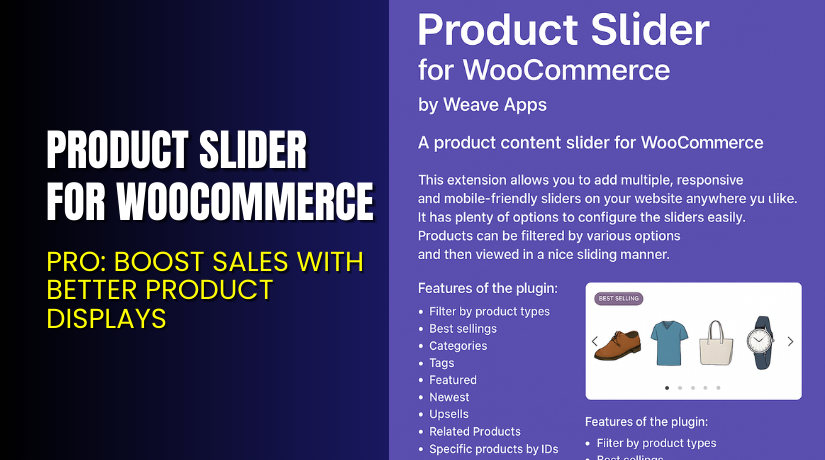
Product Slider for WooCommerce – Pro: Boost Sales with Better Product Displays
Table of Contents
- Introduction
- What is Product Slider for WooCommerce?
- Key Features of Product Slider for WooCommerce
- How to Install and Configure Product Slider for WooCommerce
- Pricing & Plans
- My Experience with Product Slider for WooCommerce
- Who Should Use This Plugin?
- Final Verdict
- FAQ
Introduction
Running a WooCommerce store requires more than just uploading products. You need to make those products stand out. But default WooCommerce layouts often look plain. They don’t help you showcase key items or seasonal promotions.
Many store owners struggle with low engagement and poor visual appeal. Shoppers lose interest quickly if they can’t find what they want fast. This can lead to high bounce rates and fewer conversions.
Product Slider for WooCommerce – Pro is a plugin that solves this problem. It lets you display products in responsive sliders. You can highlight featured products, latest arrivals, or items on sale — all in one attractive view.
In this article, we’ll explore what this plugin offers, how to install it, key features, pros and cons, pricing, and more.
If you need help installing or configuring this plugin, check out our Installation & Troubleshooting Services.
What is Product Slider for WooCommerce?
Product Slider for WooCommerce – Pro is a WordPress plugin built to help store owners display their products in a horizontal slider or carousel layout.
Instead of showing products in a static grid, this plugin creates sleek sliders. These can be added to any page, post, or widget area using shortcodes. It works on all modern themes and is fully responsive for mobile and tablet users.
This plugin is developed by WeaveApps, a company that specializes in WooCommerce extensions. The plugin is designed for simplicity — even beginners can set up sliders without coding.
It supports various layouts and filters:
- Show featured, sale, top-rated, or latest products
- Limit items by category or tag
- Add sliders via shortcode, widget, or template tag
- Official Plugin Page: Download Product Slider Pro
- Documentation: Installation Guide PDF
- Support Page: Contact WeaveApps
Key Features of Product Slider for WooCommerce
| Feature | Description | Why It Matters |
| Responsive Slider Layouts | Sliders adjust to screen size | Ensures smooth mobile shopping |
| Shortcode Integration | Add sliders anywhere using shortcodes | Gives full control over placement |
| Multiple Product Filters | Show by category, tag, status | Tailor product views to customer needs |
More features include:
- Custom number of items per slide
- Autoplay, pause, and navigation controls
- Support for unlimited sliders on one page
- Options to exclude out-of-stock items
- Works with all major page builders
This plugin offers both flexibility and performance for modern WooCommerce stores.
How to Install and Configure Product Slider for WooCommerce
Follow these steps to install the plugin on your site:
- Purchase and download the plugin from the official WeaveApps site.
- Log in to your WordPress admin dashboard.
- Navigate to Plugins → Add New → Upload Plugin.
- Choose the plugin ZIP file and click Install Now.
- Once installed, click Activate.
- Go to Settings → Woo Product Slider to configure your slider.
- Use the generated shortcode to add the slider to any page or post.
You can also place the slider inside a widget area or theme file using a PHP tag.
Need help during setup? Use our Installation & Troubleshooting Services.
Pricing & Plans
Product Slider for WooCommerce – Pro is a premium plugin. It has a one-time purchase price with no ongoing subscription.
| Plan | Price | Includes |
| Pro Version | $29 (One-Time) | Lifetime access + all features and updates |
This price includes:
- Lifetime license
- All plugin features
- Unlimited slider creation
- Free updates
- Support from the developer
There is no free version. However, $29 is a very affordable price for a visual upgrade plugin with lifetime value.
Official pricing: See Product Page
Buy Product Slider for WooCommerce – Pro Now
Want to enhance your product display and increase sales?


Purchase Here → Get Product Slider Pro for WooCommerce
Your purchase supports the plugin developer and allows me to create more helpful tutorials.
My Experience with Product Slider Pro
We tested Product Slider for WooCommerce – Pro on a live WooCommerce store. Here’s what we found:
Pros:
- Installation is quick and beginner-friendly
- Shortcode flexibility makes it easy to add sliders anywhere
- Sliders are responsive and mobile-friendly
- Works well with Elementor and other page builders
- Fast performance, even with 100+ products
Cons:
- No free version to try before buying
- Limited design customization without CSS
- No backend preview feature — must view on frontend
Still, for a one-time price, this plugin delivers excellent value and functionality.
Who Should Use This Plugin?
This plugin is ideal for:
- WooCommerce store owners who want to display products visually
- Marketers promoting new arrivals, bestsellers, or flash sales
- Website designers building conversion-optimized layouts
- Beginners looking for a slider without complex settings
- Developers needing shortcode-based integration
Useful Resources
- Product Slider Plugin Page
- PDF Installation Guide
- Developer Contact Page
- WooHelpDesk Setup & Fix Service
Final Verdict
If you want to improve how your WooCommerce store displays products, Product Slider for WooCommerce – Pro is a great investment. It’s easy to use, supports unlimited sliders, and makes your store look more professional.
At just $29 for lifetime use, it’s one of the most affordable ways to improve user experience and boost sales.
Try it today and see the difference in your store’s layout and engagement.
→ Get Product Slider for WooCommerce – Pro
Need help with installation or setup? Hire our expert team for a quick and smooth experience.
FAQ
Q1. Is Product Slider for WooCommerce compatible with all themes?
Yes, it works with most WordPress and WooCommerce themes.
Q2. Can I show only featured or sale products?
Yes. You can filter sliders by category, tag, sale status, and more.
Q3. Do I need coding skills to use the plugin?
No coding required. Just use shortcodes or widgets to display sliders.



