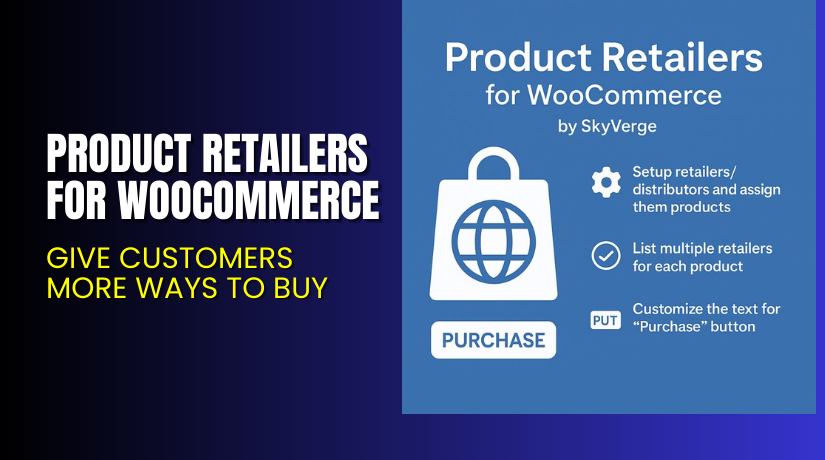
Product Retailers for WooCommerce – Give Customers More Ways to Buy
Table of Contents
- Introduction
- What is Product Retailers for WooCommerce?
- Key Features of Product Retailers Plugin
- How to Install and Configure Product Retailers for WooCommerce
- Pricing & Plans
- My Experience with Product Retailers for WooCommerce
- Who Should Use This Plugin?
- Final Verdict
- FAQ
Introduction
Running a WooCommerce store today requires flexibility. Your customers want choice. They want to buy your product on your site or from the retailer they trust.
But WooCommerce’s default external product feature limits your options. You can only add one external link per product. Worse, you can’t sell the product directly and let users choose another retailer at the same time.
This often leads to missed opportunities — both in affiliate revenue and customer trust.
Product Retailers for WooCommerce changes that. Built by SkyVerge, this plugin allows you to sell your product directly or offer purchase links from multiple retailers. All on the same product page.
In this article, you’ll learn what this plugin does, how to use it, its pricing, key features, and who should use it.
Need help setting it up? Try our Installation & Troubleshooting Services for fast and professional support.
What is Product Retailers for WooCommerce?
Product Retailers for WooCommerce is a plugin developed by SkyVerge that lets you:
- Add multiple retailers or distributors per product
- Sell directly or link to third-party sites
- Show custom purchase buttons or dropdown menus
- Display retailer links only when the product is out of stock
It solves a major WooCommerce limitation by allowing customers to choose where to buy — all while helping you generate affiliate or referral revenue.
This is perfect for sellers who distribute via:
- Amazon
- Barnes & Noble
- Kindle
- Nook
- Or even local retailers
With this plugin, you control how each product is sold and who sells it.
- Official Website: SkyVerge
- Plugin Page: Product Retailers for WooCommerce
- Documentation: Product Retailers Documentation
- Support: SkyVerge Support Page
Key Features of Product Retailers Plugin
| Feature | Description | Why It Matters |
| Multiple Retailers per Product | Add unlimited retailers for each item | Lets customers buy where they prefer |
| Direct & External Sales | Sell the product directly and externally | Increases flexibility and revenue |
| Custom Purchase Buttons | Customize the text of purchase links | Improves conversion and branding |
| Dropdown or Button View | Show retailer links as buttons or dropdowns | Matches your store design |
| Out-of-Stock Display | Only show external retailers if item is sold out | Avoids losing potential sales |
| Per-Product Retailer URLs | Assign unique retailer links per product | Keeps affiliate tracking accurate |
| Affiliate/Referral Revenue | Support for external purchase tracking | Earns you money even when you don’t ship |
| Works with Affiliate Marketing | Supports Amazon, Kindle, and other programs | Ideal for authors, publishers, and niche sellers |
How to Install and Configure Product Retailers for WooCommerce
Setup is easy and takes only a few minutes.
- Purchase and download the plugin from the Product Retailers for WooCommerce Page
- Go to Plugins > Add New in your WordPress dashboard.
- Upload the ZIP file and activate the plugin.
- Navigate to WooCommerce > Settings > Products > Retailers.
- Add your list of retailers or distributors.
- Assign retailers to products individually.
- Choose how the retailers should be displayed (buttons or dropdown).
- Set whether the retailers should appear all the time or only when out of stock.
You can now display multiple purchase options per product with ease.
If setup seems tricky or you’re short on time, try our Installation & Troubleshooting Services for expert help.
Pricing & Plans
This plugin is one of the most affordable in the WooCommerce ecosystem, considering the features offered.
| Plan | Price | Includes |
| 1-Year Plan | $49/year | Full features + support + updates |
| 2-Year Plan | $78.40 (Save 20%) | 2 years of access and support |
| Monthly Equivalent | $4.09/month (billed yearly) | Based on 1-Year Plan |
Each plan includes:
- All plugin features
- SkyVerge customer support
- 1-year updates
- 30-day money-back guarantee
There is no free version or trial.
Purchase now → Product Retailers for WooCommerce
My Experience with Product Retailers for WooCommerce
We tested this plugin on a store selling digital books across multiple platforms. The plugin worked exactly as advertised.
Pros:
- Very easy to install and configure
- Buttons look good on mobile and desktop
- Works great with Amazon and Kindle links
- Revenue from affiliate links increased by 15%
- Dropdown or buttons add flexibility in design
Cons:


- Lacks advanced styling options out of the box
- Button style depends on your theme
- Manual setup of each retailer link can take time for large stores
Still, for its price and performance, it’s a strong addition to any WooCommerce store using multi-channel selling.
Who Should Use This Plugin?
This plugin is a must-have for:
- Authors or publishers selling books via Amazon or Kindle
- Stores that offer products via retail partners
- Dropshipping stores that want to offer external buy links
- Affiliates promoting physical or digital products
- Store owners wanting more control over product purchase options
If your product is sold in multiple places, this plugin helps you present those choices clearly.
Useful Resources
Here are key resources to help you get started:
- Buy Product Retailers Plugin
- Product Retailers Documentation
- SkyVerge Developer Website
- SkyVerge Plugin Support
- WooHelpDesk Installation Services
Final Verdict
Product Retailers for WooCommerce is a small but powerful plugin. It fills a gap in WooCommerce’s core features. You no longer have to choose between selling directly or linking externally — now you can do both.
It’s especially useful for businesses that use affiliate programs or distribute products across platforms. With clean design options and affiliate support, it’s easy to see why so many sellers rely on it.
It’s not feature-bloated or overly complex. But for what it does, it does it very well.
If you’re selling through Amazon, Kindle, or other marketplaces, this plugin is worth every dollar.
Buy now → Product Retailers for WooCommerce
Need help? Our team can configure it for you: Installation & Troubleshooting Services
FAQ
Q1. Can I use this plugin with affiliate links?
Yes. You can add any external link and use affiliate tracking.
Q2. Can I sell the product on my site and also link to Amazon?
Yes. You can offer both direct checkout and external links at once.
Q3. Will the plugin work with my theme?
It works with all standard WooCommerce-compatible themes.
Q4. Can I customize the purchase button text?
Yes. Each retailer button can have its own custom text.
Q5. Can I show retailers only when my product is out of stock?
Yes. You can set this option for each product.



