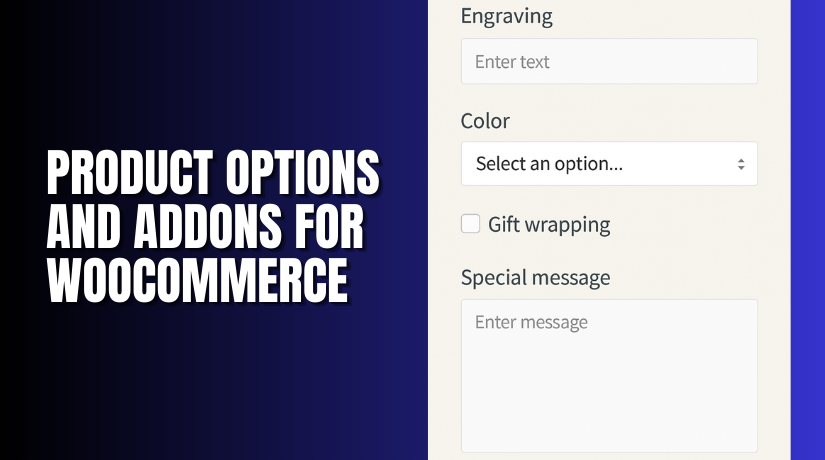
Product Options and Addons for WooCommerce
Table of Contents
- Introduction
- What is Product Options and Addons for WooCommerce?
- Key Features of Product Options and Addons
- How to Install and Configure Product Options and Addons
- Pricing & Plans
- My Experience with Product Options and Addons
- Who Should Use This Plugin?
- Final Verdict
- FAQ
Introduction
WooCommerce is a flexible platform, but many stores need more. Customers often request personalized products, custom notes, or extra fields. Default product pages simply don’t offer enough flexibility.
That’s where Product Options and Addons for WooCommerce by Addify comes in. It allows store owners to add custom fields and options. These include text inputs, checkboxes, file uploads, conditional logic, and more.
Whether you’re selling T-shirts, cakes, bookings, or wholesale goods, this plugin helps. It enables personalized shopping and improves customer satisfaction.
In this guide, we’ll explain what the plugin does, its top features, how to install it, pricing, pros and cons, and who should use it.
If you need help with setup, visit our Installation & Troubleshooting Services.
What is Product Options and Addons for WooCommerce?
Product Options and Addons for WooCommerce is a plugin developed by Addify. It lets you create extra fields on product pages. These can be global or specific to individual products.
You can use it for:
- Personal messages or instructions
- Color and size selection
- File uploads for printing
- Date and time pickers for bookings
- License uploads for B2B orders
- Custom pricing and quantities
The plugin is powerful yet easy to use. It works with simple and variable products. You can apply fields conditionally and assign them by product, category, or user role.
Plugin Page: Product Options and Addons by Addify
Documentation: Setup Guide & Manual
Support Contact: Get Help from Addify
Key Features of Product Options and Addons
|
Feature |
Description |
Why It Matters |
|
17 Field Types |
Add dropdowns, text, checkboxes, file uploads |
Covers every customization need |
|
Conditional Logic |
Show or hide fields based on selections |
Helps with dynamic product pages |
|
Global & Product-Level Addons |
Apply fields globally or per product |
Saves time on configuration |
|
Flexible Pricing |
Set fixed or percentage-based prices |
Allows upselling and price control |
|
Field Styling |
Customize colors, font, borders, and more |
Matches store branding |
|
File Uploads |
Let users upload designs or documents |
Essential for personalized products |
|
Variation-Based Fields |
Show fields only for specific variations |
Offers deeper customization |
|
Pre-selected Options |
Set default values for fields |
Speeds up checkout process |
|
Cart & Order Page Visibility |
Show selected options during checkout |
Improves transparency and trust |
How to Install and Configure Product Options and Addons
Installing the plugin is easy:


- Download the plugin from Addify’s website.
- Go to WordPress dashboard → Plugins → Add New.
- Upload the plugin ZIP file and click “Install Now.”
- After installation, activate the plugin.
- Navigate to WooCommerce → Product Addons.
To create a new add-on:
- Click “Add New Addon.”
- Choose the type of field (e.g., text, radio, dropdown).
- Set the label, tooltip, required status, and pricing.
- Apply it to specific products, categories, or all.
- Use global rules or define fields on individual product pages.
Need help configuring it? Follow the official documentation or use our Installation & Troubleshooting Services.
Pricing & Plans
Product Options and Addons is a premium plugin. Pricing is transparent and includes support and updates.
|
Plan |
Price |
Includes |
|
1-Year Plan |
$5.75/month (billed annually at $69) |
1 year support and updates |
|
2-Year Plan (Popular) |
$4.58/month (billed every 2 years at $110) |
2 years support and updates |
Both plans come with:
- Full plugin features
- Free updates during the license period
- 30-day money-back guarantee
There is no free version currently available.
Buy Product Options and Addons Now
Ready to enhance your product pages with flexible fields?
Buy Product Options and Addons by Addify
Your purchase helps fund ongoing development and provides you with priority support. It also allows us to create more detailed reviews and guides for you.
My Experience with Product Options and Addons
We tested the plugin on a WooCommerce demo store. It worked well with simple and variable products. The interface was user-friendly and offered many configuration options.
Pros:
- Supports a wide range of field types
- Works with conditional logic
- Easy to apply globally or to specific products
- Great for customized product workflows
- High compatibility with most themes
- No coding required
- Support is fast and helpful
Cons:
- Takes time to set up if you have many products
- Custom styles need basic CSS knowledge
- No native analytics or reporting
Still, the benefits far outweigh the downsides for most users.
Who Should Use This Plugin?
This plugin is ideal for:
- WooCommerce stores selling customized or personalized products
- Online gift shops, clothing brands, and print-on-demand services
- Service-based businesses needing booking fields
- Wholesale sellers needing license or file uploads
- Store owners who want to offer dynamic pricing
If your business needs custom product options, this plugin is worth the investment.
Useful Resources
Here are some useful links to help you get started:
Final Verdict
Product Options and Addons for WooCommerce is a reliable and flexible plugin. It gives your customers full control over what they want. Whether it’s a message on a gift or a booking date, you can add it.
The plugin works well out of the box. It’s ideal for store owners who want product customization without complex setup.
Pricing is fair. Support is responsive. The features are complete and beginner-friendly.
Get Product Options and Addons Now and improve your customer experience today.
Need help setting it up? Use our WooHelpDesk Installation & Troubleshooting Services.
FAQ
Q1. Does this plugin support conditional logic?
Yes. You can show or hide fields based on other selections.
Q2. Is it beginner-friendly?
Yes. It’s built for non-developers and works without coding.
Q3. Can I add fields to specific products only?
Yes. You can apply add-ons per product or use global rules.
Q4. Does it work with product variations?
Yes. You can show specific fields based on selected variations.
Q5. Can I see add-on details in the cart and order?
Yes. All selected options are shown on cart and order pages.
Q6. Is there a money-back guarantee?
Yes. A 30-day refund is available if you’re not satisfied.



