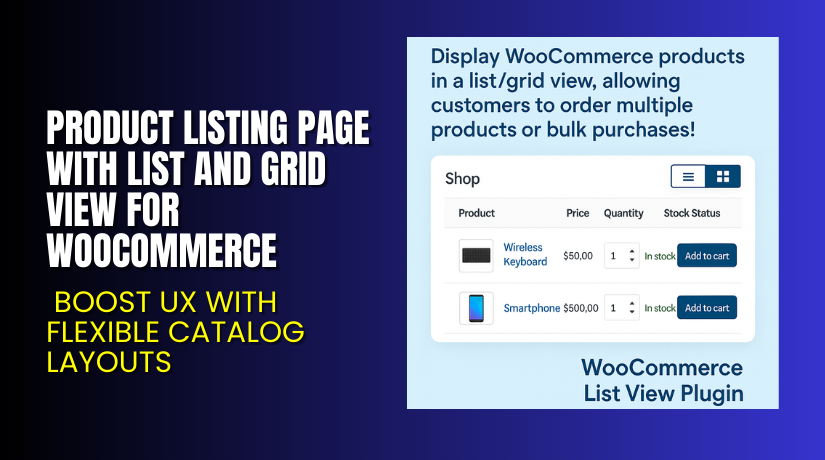
Product Listing Page with List and Grid View for WooCommerce – Boost UX with Flexible Catalog Layouts
Table of Contents
- Introduction
- What is Product Listing Page with List and Grid View for WooCommerce?
- Key Features of the Plugin
- How to Install and Configure the Plugin?
- Pricing & Plans
- My Experience with the Plugin
- Who Should Use This Plugin?
- Final Verdict
- FAQ
Introduction
Online shoppers love speed and simplicity. When a store has dozens or hundreds of products, it’s critical that users can find and purchase items with ease. The default WooCommerce shop page layout can feel restrictive and cluttered, especially for stores that sell bulk products or offer a wide variety.
That’s where the Product Listing Page with List and Grid View plugin from FME Addons comes in. It helps you create a modern, dynamic, and user-friendly product layout by letting your customers switch between list view and grid view.
In this article, we’ll explore the plugin’s features, setup process, pricing, and our personal experience using it on a live store.
Need help with setup or customization? Try our Installation & Troubleshooting Service.
What is Product Listing Page with List and Grid View for WooCommerce?
This plugin replaces the standard WooCommerce product layout with a flexible interface. It allows your users to toggle between grid and list views. You can display additional product data, support bulk purchases, and even use shortcodes to embed product tables anywhere on your site.
Developed by FME Addons, the plugin is compatible with:
- WooCommerce version 2.6.0 or higher
- WordPress version 4.6 or higher
Latest version: 1.1.8
Last update: August 4, 2025
Initial release: September 16, 2020
Plugin Page: WooCommerce Product List View
Documentation: Product Listing Plugin Guide
Support Portal: FME Addons Helpdesk
Key Features of the Plugin
| Feature | Description | Why It Matters |
| Toggle Between Views | Switch between grid and list layout using a toggle button | Gives users control over browsing preferences |
| Bulk Purchase Enabled | Add multiple items and quantities at once | Saves time and encourages larger orders |
| Category-Based Listings | Filter and show products by category in grid view | Improves navigation and discoverability |
| Shortcode Support | Embed listings or cart anywhere on the site using shortcodes | Great for landing pages or custom templates |
| AJAX Search Bar | Adds a top search bar to quickly find products | Improves product accessibility |
| Multiple Load Methods | Choose between scroll, “Load More” button, or pagination | Enhances browsing experience |
| Customizable Table Styles | Adjust font size, colors, and headings | Keeps design consistent with your store |
| Hide Out-of-Stock Items | Automatically exclude unavailable products from the list | Reduces frustration and clutter |
| Custom Headings for Tables | Display custom columns like SKU, weight, stock, etc. | Helps B2B and bulk buyers access more info easily |
| Create Listings Per Category | Generate custom listings per category via shortcode | Better organization and product grouping |
| Personalized “Load More” Button | Customize the button’s color, text, and font | Improves aesthetics and user engagement |
How to Install and Configure the Plugin?
Follow these steps to set it up correctly:
- Purchase and download the plugin from the FME Addons plugin page.
- From your WordPress Dashboard, go to Plugins → Add New → Upload Plugin.
- Upload the plugin ZIP file and click Install Now.
- After installation, click Activate.
- Navigate to WooCommerce → Settings → Product Listing Page.
- Configure key options:
- Set the default view (list or grid)
- Choose loading method (pagination, scroll, load more)
- Add shortcode to desired pages
- Customize font, button colors, and table layout
- Test your product listing page on desktop and mobile.
Need help with installation or layout design? Get professional help through our Installation & Troubleshooting Service.
Pricing & Plans
| Plan | Price (USD) | Includes |
| Premium (Annual) | $49.00 | All plugin features + 1-year free updates |
| Installation Add-on | $35.00 | Plugin installation and setup assistance |
Money-Back Guarantee: 30-day full refund, no questions asked.
Buy Product Listing Page Plugin Now
Purchase Here → Product Listing Plugin – FME Addons
By purchasing, you support plugin development and access future updates.
My Experience with the Plugin
We tested this plugin on a WooCommerce store that sells school supplies in bulk.


What We Liked:
- Easy toggle between list and grid
- Shortcode worked flawlessly on custom landing pages
- Customers loved the AJAX search
- Bulk add-to-cart feature improved average order size
- Fully mobile responsive
What Could Improve:
- No built-in analytics for product listing behavior
- Requires CSS tweaks for full theme integration
- Not fully compatible with some page builders like Elementor (smooth scroll issue)
Who Should Use This Plugin?
This plugin is great for:
- Wholesale or B2B WooCommerce stores
- Shops with large product catalogs
- Stores selling variations or multi-pack products
- Store owners who want clean product navigation
- Admins who want shortcode-powered layouts
Useful Resources
- Official Plugin Page – FME Addons
- Plugin Documentation – Setup and Options
- Support Center – Submit Ticket
- WooHelpDesk Installation & Troubleshooting Service
Final Verdict
Product Listing Page with List and Grid View for WooCommerce is a simple yet powerful plugin that drastically improves how your products are presented. Whether you’re running a standard store or a large-scale product catalog, the flexibility this plugin offers is invaluable.
With toggle buttons, category filtering, bulk purchase options, and shortcode support, it covers both usability and performance. Setup is simple, and customer support from FME Addons is fast and responsive.
If you’re looking for a smarter way to showcase your WooCommerce products, this plugin is worth every penny.
Buy It Now and give your customers a better shopping experience.
Need help with setup? Use our Installation & Troubleshooting Service.
FAQ
Q1. Can I display different listing styles per category?
Yes. You can use shortcodes to create custom layouts for each product category.
Q2. Can I hide out-of-stock items from the list?
Absolutely. The plugin has a setting to exclude out-of-stock products automatically.
Q3. Does it support mobile devices?
Yes, the plugin is fully responsive and works on all screen sizes.



