Product Documents for WooCommerce – Display Manuals, Guides, and More Professionally
Table of Contents
- Introduction
- What is Product Documents for WooCommerce?
- Key Features of Product Documents for WooCommerce
- How to Install and Configure Product Documents
- Pricing & Plans
- My Experience with Product Documents for WooCommerce
- Who Should Use This Plugin?
- Final Verdict
- FAQ
Introduction
Many WooCommerce store owners lose potential buyers due to lack of product information. When a user doesn’t know how something works or what it includes, they may delay or abandon the purchase.
If you’re selling technical items, digital goods, or items with instructions, the issue is even bigger. Customers want manuals, how-to videos, or warranty documents before buying.
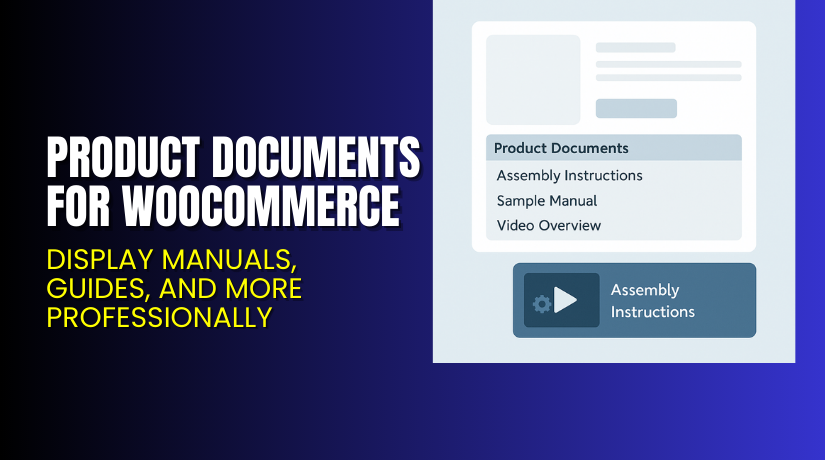
Product Documents for WooCommerce helps fix that. It allows you to easily attach files, URLs, or videos to your product pages.
The plugin provides clean, collapsible menus to organize documents. You can show them below product descriptions, in sidebars, or using shortcodes anywhere.
In this article, we’ll explore how this plugin works, how to set it up, pricing, features, and more.
Need help installing? Check out our Installation & Troubleshooting Services.
What is Product Documents for WooCommerce?
Product Documents for WooCommerce is a plugin developed by SkyVerge. It allows store owners to display documentation, specs, videos, or URLs on product pages.
This is helpful for:
- Product manuals
- Technical specifications
- Setup or assembly guides
- Warranty files
- Sample chapters (for books)
- How-to videos
- Manufacturer links
You can upload files or link to any page, such as YouTube, Dropbox, or a PDF viewer.
The display is clean and customizable. Documents appear in an accordion-style menu that can be placed under descriptions, in sidebars, or anywhere shortcodes are supported.
Supported File Types:
- PDFs
- Docs
- Images
- Videos (via link)
- Any external URL
This plugin is ideal for merchants who want to reduce support tickets, build customer trust, and increase conversions.
Plugin Developer: SkyVerge
Available Version: Premium only
Current Version: 1.15.3
Active Installs: 2,000+
Supports: WordPress 5.6+, WooCommerce 3.9.4+, PHP 7.4+
Helpful Resources:
Key Features of Product Documents for WooCommerce
| Feature | Description | Why It Matters |
| Attach Any File or URL | Upload PDFs or link to external sites | Share manuals, guides, videos |
| Accordion-Style Menus | Neat expandable menu layout for documents | Clean interface improves user experience |
| Custom Tab Names | Change menu and tab titles easily | Customize language for your audience |
| Shortcode Support | Place documents anywhere using shortcodes | Works in posts, pages, or widgets |
| Sidebar Widget | Show documents in product page sidebars | Flexible display for different themes |
| Centralized Content | Display all documents from one shortcode | Saves time when using shared files |
How to Install and Configure Product Documents
Installation and configuration is simple. You don’t need technical knowledge.
Step-by-step instructions:
- Buy the plugin from the official WooCommerce marketplace: Get Product Documents for WooCommerce
- Download the plugin ZIP file after your purchase.
- In your WordPress admin:
- Go to Plugins → Add New → Upload Plugin
- Upload the ZIP file and install it
- Click “Activate”
- On the product edit screen:
- Scroll to “Product Data”
- Click on the “Product Documents” tab
- Add document tabs (sections), then upload files or paste URLs
- Optionally, go to Appearance → Widgets and drag the Product Documents Widget into the sidebar.
- You can also use shortcodes to show documents anywhere:
- [product_documents product_id=”123″]
Need help with installation? Use our Plugin Setup Services.
Pricing & Plans
| Plan | Price | Includes |
| 1-Year Plan | $49/year | Plugin, 1 year of support, and updates |
| 2-Year Plan | $78.40 (20% off) | Plugin, 2 years of updates and support |
- Billed annually.
- 30-day money-back guarantee.
- All prices are in USD.
Buy directly from the official WooCommerce plugin page.
Buy Product Documents Plugin Now
Ready to improve product pages and reduce buyer hesitation?
Get the plugin here: Purchase Product Documents for WooCommerce
Your purchase supports the plugin developers and ensures access to future updates.


Need expert help with setup? Try our Product Documents Installation Service.
My Experience with Product Documents for WooCommerce
We used this plugin on a store selling technical equipment and eBooks.
It was installed in under 10 minutes. Adding manuals, images, and YouTube links was simple.
We placed the documents below the product descriptions and also in the sidebar using the widget. Customers responded positively. It reduced product return rates and support requests.
For eBooks, we added sample chapters as downloadable PDFs. Conversion rates increased as buyers could preview the content.
Pros:
- Very easy to use
- Clean front-end display
- Flexible placement (shortcode or widget)
- Helps increase customer confidence
- Reduces pre-sale questions
- Lightweight and well-coded
Cons:
- No drag-and-drop for file sorting
- Only basic styling options
- Shortcode usage may confuse non-tech users
Who Should Use This Plugin?
This plugin is ideal for:
- Stores selling electronic devices, hardware, or tools
- Merchants offering digital downloads or eBooks
- Brands sharing assembly guides or how-to videos
- Agencies managing multiple WooCommerce clients
- Anyone trying to reduce product-related support requests
Useful Resources
- Plugin Documentation
- SkyVerge Official Website
- Support Page
- Developer Contact
- WooHelpDesk Installation Service
Final Verdict
Product Documents for WooCommerce is a practical plugin that enhances user experience and builds trust. By giving users access to helpful documents, you reduce hesitation and improve sales.
It’s easy to install, beginner-friendly, and works well for any store needing to share guides or specs.
If you’re looking for a professional way to display manuals, videos, or warranties — this plugin is for you.
Buy Product Documents Plugin Now
Need it installed? Use our Professional Setup Service.
FAQ
Q1. What file types are supported?
You can upload PDFs, images, docs, or link to any external page or video.
Q2. Can I use this plugin on all products?
Yes. You can attach unique or shared documents to any product.
Q3. Does it support shortcode embedding?
Yes. Use shortcodes to display documents anywhere on your site.
Q4. Can I show documents in the sidebar?
Yes. Use the built-in widget to display document menus on sidebars.



