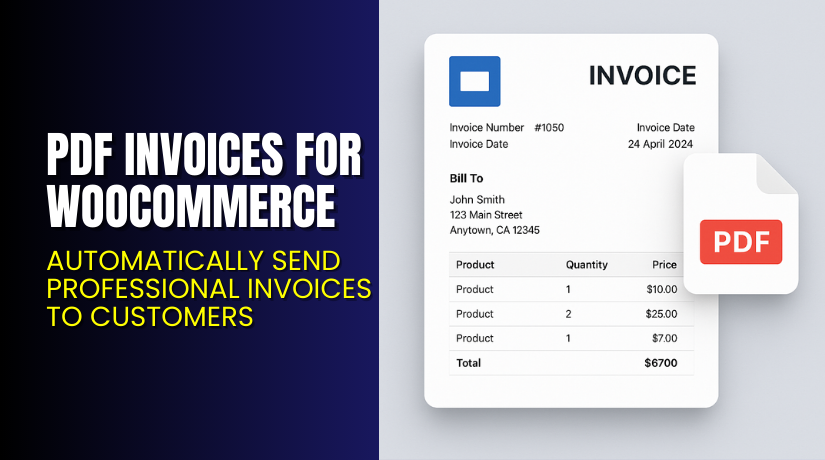
PDF Invoices for WooCommerce – Automatically Send Professional Invoices to Customers
Table of Contents
- Introduction
- What is PDF Invoices for WooCommerce?
- Key Features of PDF Invoices for WooCommerce
- How to Install and Configure PDF Invoices Plugin?
- Pricing & Plans
- My Experience with PDF Invoices Plugin
- Who Should Use This Plugin?
- Final Verdict
- FAQ
Introduction
Running a WooCommerce store involves more than just selling products. You also need to deliver clear invoices to customers. Manual invoicing is time-consuming and often prone to errors.
Customers today expect a professional invoice they can download and use. This is especially true for business buyers who need it for tax or accounting.
The PDF Invoices for WooCommerce plugin solves this. It automatically generates and attaches a PDF invoice to each completed order email.
In this article, we’ll explore what the plugin does, how to install it, key features, pricing, and who it’s ideal for.
If you ever need help setting it up or fixing issues, try our Installation & Troubleshooting Services.
What is PDF Invoices for WooCommerce?
PDF Invoices for WooCommerce is a plugin developed by Andrew Benbow. It automatically attaches a customisable PDF invoice to the customer’s completed order email.
Each invoice can include your company details, tax ID, and a unique invoice number. You can also resend or download invoices from your admin area.
It integrates seamlessly with WooCommerce and works for stores of all sizes. Customers can view or download past invoices from their account area.
The plugin is ideal for:
- E-commerce stores needing automated invoicing
- Businesses required to send tax-compliant receipts
- Store owners who want a branded, professional invoice
- Plugin Page: PDF Invoices for WooCommerce
- Official Documentation: PDF Invoice Setup Guide
- Support Contact: WooCommerce Help
Key Features of PDF Invoices for WooCommerce
| Feature | Description | Why It Matters |
| Auto PDF Generation | Creates invoice PDF when order completes | Saves manual work and avoids delays |
| Attach to Emails | Sends invoice with “Completed Order” email | Customer gets it instantly |
| Resend Invoices | Admins can resend or download from dashboard | Easy to manage customer requests |
| Customizable Template | Change layout, add logo, or hide fields | Reflects your brand and needs |
| Sequential Invoice Numbering | Adds legal invoice numbering automatically | Helps with tax records and compliance |
| Customer Access | Customers can download from account area | Improves post-sale experience |
| Admin Tools | Meta box on order screen for quick edits | Reduces backend complexity |
| Logo and Branding | Add your company logo to each invoice | Gives a professional look |
These features ensure your store stays professional and legally compliant, without spending time manually creating invoices.
How to Install and Configure PDF Invoices Plugin?
Follow these simple steps to install and configure:
- Purchase the plugin from the WooCommerce Marketplace.
- Download the ZIP file after purchase.
- In WordPress admin, go to Plugins → Add New → Upload Plugin.
- Upload the ZIP file and click Install Now.
- After installation, click Activate.
- Go to WooCommerce → Settings → Invoices tab.
- Configure basic options:
- Enable auto attachment to completed orders
- Choose invoice number format
- Add company details and logo
- Customize layout as needed
- Save changes and run test orders to verify setup.
If you face issues with formatting, number sequence, or template editing, try our Installation & Troubleshooting Services.
Pricing & Plans
The plugin follows WooCommerce’s official pricing structure.
| Plan | Price | Includes |
| 1 Year Plan | $79/year | Full features, updates, and support |
| Monthly Equivalent | $6.59/month | Billed annually |
- Pricing is in USD
- Includes 1 year of product updates
- Includes 1 year of official WooCommerce support
- 30-day money-back guarantee
Buy directly from WooCommerce – PDF Invoices Plugin.
Buy PDF Invoices Plugin Now
Generate invoices without lifting a finger. Send professional PDF invoices with every order.


Buy Here → Get PDF Invoices for WooCommerce
Purchasing from the official WooCommerce store includes support, updates, and compatibility assurance.
My Experience with PDF Invoices Plugin
We tested the plugin on a live WooCommerce store using WooCommerce 10.3.0.
Pros:
- Fast setup, works out of the box
- Invoices attach correctly to completed order emails
- Supports invoice numbering for accounting
- Customers can download old invoices easily
- Template is editable using filters
- Lightweight, doesn’t slow the site
Cons:
- Limited styling controls via GUI
- Some features require developer-level template changes
- Basic design may not fit all branding needs
- Support reviews are mixed (response delays reported)
Who Should Use This Plugin?
This plugin is ideal for:
- WooCommerce stores needing tax invoices for customers
- Business-to-business (B2B) stores with accounting requirements
- Store owners wanting automated invoice delivery
- Admins tired of creating invoices manually
- Shops selling to European or VAT-registered customers
Useful Resources
- PDF Invoices Plugin – Product Page
- Invoice Setup & Customization Guide
- WooCommerce Official Contact Page
- WooHelpDesk Plugin Setup Service
Final Verdict
If you’re looking for a simple, reliable way to send PDF invoices with orders, this plugin is a solid choice. It’s ideal for small to medium-sized WooCommerce stores that want to save time and stay compliant.
While the styling options could be improved, it handles core invoicing needs well. Support is available, though may be slower than expected. Overall, it’s worth the price for most store owners.
Get the Plugin Here → Purchase from WooCommerce
Need help setting it up? Try our Plugin Installation & Troubleshooting Services.
FAQ
Q1. Does the plugin work with custom order statuses?
It mainly works with “Completed Order” status but can be extended using filters.
Q2. Can customers download invoices for past orders?
Yes. Customers can view and download them from their account dashboard.
Q3. Is this plugin GDPR or tax compliant?
Yes. It provides fields for legal info like tax numbers and invoice IDs.



