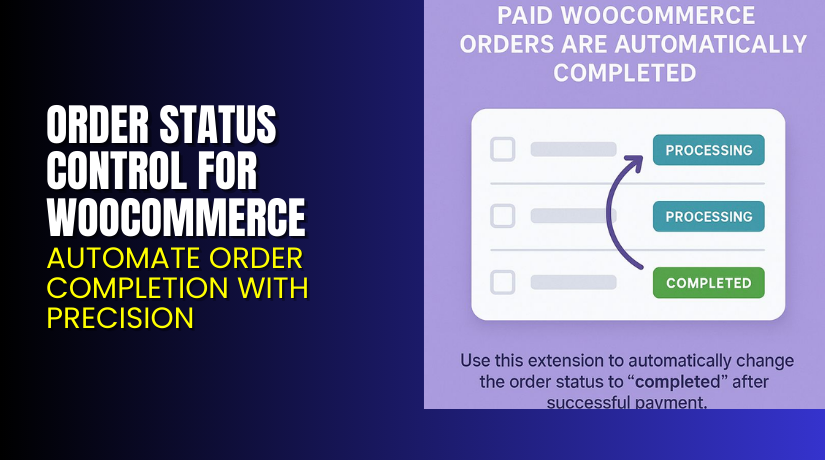
Order Status Control for WooCommerce – Automate Order Completion with Precision
Table of Contents
- Introduction
- What is Order Status Control for WooCommerce?
- Key Features of Order Status Control for WooCommerce
- How to Install and Configure Order Status Control for WooCommerce
- Pricing & Plans
- My Experience with Order Status Control Plugin
- Who Should Use This Plugin?
- Final Verdict
- FAQ
Introduction
Running a WooCommerce store involves managing orders efficiently. One of the common tasks store owners face is updating order statuses manually. This becomes tedious and time-consuming, especially when dealing with virtual or automatically fulfilled products.
By default, WooCommerce only auto-completes orders that are both virtual and downloadable. All other orders are set to “Processing” even after successful payment. You must manually mark them as “Completed” once the task is done.
If you run a store that delivers services or non-shippable items, this default behavior becomes a bottleneck. You may not need manual review for every order.
That’s where Order Status Control for WooCommerce comes in. This plugin gives you total control over how and when orders move to “Completed” status automatically.
In this review, we’ll break down its features, pricing, setup process, benefits, and limitations. If you ever need help setting it up, check out our WooCommerce Plugin Installation & Troubleshooting Services.
What is Order Status Control for WooCommerce?
Order Status Control for WooCommerce is a powerful plugin developed by SkyVerge. It allows store owners to automatically change order statuses to “Completed” after successful payment.
The plugin works by bypassing WooCommerce’s default behavior. Instead of manually changing statuses for every paid order, you can define clear rules.
You get three main settings:
- Automatically complete all paid orders
- Automatically complete only virtual orders
- Disable auto-complete for all orders
This gives you complete control over your fulfillment workflow. Whether you’re selling digital services or non-physical goods, the plugin removes manual effort.
The plugin works globally across your store. Once set, it ensures orders move through the correct flow without extra work.
You can monitor its behavior and make changes anytime via WooCommerce settings.
Plugin Developer: SkyVerge
Available Versions: Premium Only
Current Version: 1.16.1
Active Installs: 8,000+
More Info:
Key Features of Order Status Control for WooCommerce
| Feature | Description | Why It Matters |
| Auto-Complete All Orders | Automatically complete any paid order regardless of product type | Saves time on manual status updates |
| Auto-Complete Virtual Orders | Only complete orders that contain virtual products | Ideal for digital goods or services |
| Block Auto-Complete | Prevents WooCommerce from auto-completing even virtual-downloadable orders | Full control over order flow |
| Easy Settings Control | Access via WooCommerce > Settings > General | No technical skills required |
| Compatible with WooCommerce Flows | Integrates with existing order processes | Keeps your site stable |
| Quick Setup | Takes under 1 minute to configure | Saves admin time immediately |
How to Install and Configure Order Status Control for WooCommerce
Setting up the plugin is simple and requires no coding.
Step-by-Step Instructions:
- Purchase the plugin from WooCommerce Marketplace: Order Status Control Plugin
- Download the ZIP file from your WooCommerce account.
- In your WordPress admin panel:
- Go to Plugins → Add New → Upload Plugin
- Upload the ZIP file
- Click “Install Now” and then “Activate”
- Navigate to:
WooCommerce → Settings → General - Scroll down to Order Status Control.
- Choose one of the three settings:
- All Orders: All paid orders are marked as “Completed”
- Virtual Orders: Only virtual products are auto-completed
- None: Disables auto-completion for all orders
- Click “Save Changes” and you’re done.
If you’re facing compatibility or setup issues, use our Installation & Troubleshooting Services.
Pricing & Plans
| Plan | Price | Includes |
| 1-Year Plan | $29/year | Plugin, updates, and 1-year support |
| 2-Year Plan | $46.40 (20% off) | Plugin, updates, and 2-year support |
- 30-day money-back guarantee included.
- Prices are in USD.
- No free version is available.
You can buy it securely from the official WooCommerce plugin page.
Buy Order Status Control Plugin Now
Ready to automate your WooCommerce order management?
Purchase the plugin from the official site: Get Order Status Control for WooCommerce
Buying from the original developer supports future plugin improvements. It also ensures you receive timely updates and support.


Need help with configuration? Get our professional WooHelpDesk Plugin Installation Service.
My Experience with Order Status Control Plugin
We installed the plugin on a service-based WooCommerce store. Setup took less than five minutes. No technical issues were encountered.
We configured it to auto-complete all virtual product orders. The results were immediate.
Orders with successful payments were instantly marked as “Completed.” No manual intervention was required.
This helped us:
- Speed up order fulfillment
- Reduce admin overhead
- Eliminate customer confusion over order statuses
Pros:
- Simple to use
- Lightweight and fast
- Saves admin time
- Great for virtual or automated services
- Works as advertised
Cons:
- Limited to three settings only
- No rule-based logic for mixed product types
- Some users report bugs on older WooCommerce versions
Who Should Use This Plugin?
This plugin is perfect for:
- Store owners selling digital products or services
- Agencies managing high-volume order stores
- Site owners tired of manually completing orders
- Developers who want lean and clean WooCommerce setups
If you sell courses, licenses, or any non-physical goods, this plugin is ideal.
Useful Resources
- Official Plugin Documentation
- Developer Website – SkyVerge
- Support & Help Page
- Contact Developer
- WooHelpDesk Plugin Services
Final Verdict
Order Status Control for WooCommerce is a must-have for digital stores. It removes unnecessary steps from the order workflow and saves time.
If your business doesn’t need order processing between payment and delivery, this plugin automates the flow beautifully.
It’s easy to install, has minimal settings, and gets the job done.
Purchase it from the official WooCommerce Marketplace: Buy Order Status Control for WooCommerce
Need assistance with setup? Use our WooHelpDesk Installation & Support Services.
FAQ
Q1. Can this plugin auto-complete all types of orders?
Yes, if you choose the “All Orders” setting, it auto-completes every paid order.
Q2. Can I disable all auto-completion?
Yes, choose the “None” setting to block all automatic completions.
Q3. Is it compatible with my theme?
It works with most standard WooCommerce-compatible themes. Test before going live.



