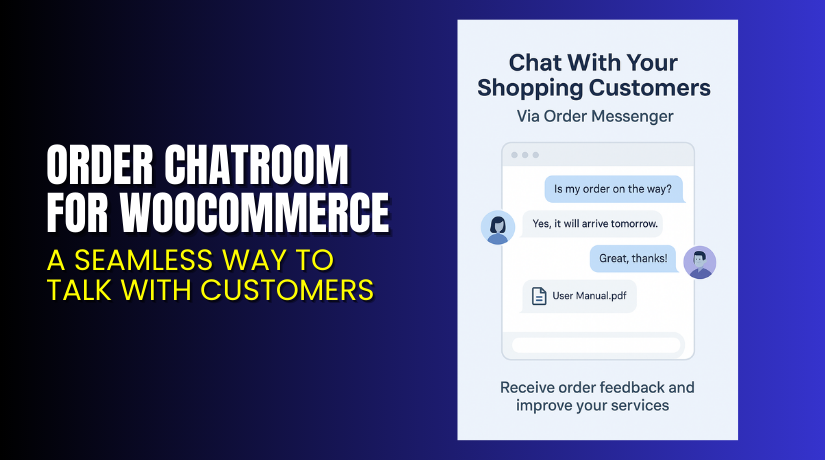
Order Chatroom for WooCommerce – A Seamless Way to Talk with Customers
Table of Contents
- Introduction
- What is Order Chatroom for WooCommerce?
- Key Features of Order Chatroom for WooCommerce
- How to Install and Configure Order Chatroom?
- Pricing & Plans
- My Experience with Order Chatroom
- Who Should Use This Plugin?
- Final Verdict
- FAQ
Introduction
Customer service can make or break your WooCommerce store. Buyers expect fast, clear communication after placing orders. But email is slow and often ignored. Comments in order notes get missed. Miscommunication leads to refunds and bad reviews.
This is where Order Chatroom for WooCommerce solves the problem.
It adds a real-time, order-specific chatroom between you and the customer. The conversation stays tied to each order and can be accessed directly from the customer’s dashboard or your admin panel.
In this guide, we’ll cover what the plugin does, its top features, how to install it, pricing details, and a full review from hands-on testing.
If you need help configuring the plugin, check out our Installation & Troubleshooting Services.
What is Order Chatroom for WooCommerce?
Order Chatroom for WooCommerce is a customer support plugin developed by U2Code. It allows store owners and customers to communicate via chat — one thread per order.
The plugin adds chat functionality inside the customer’s My Account page and the admin’s Orders page. Each order gets its own chatroom, helping keep messages organized.
It also supports attachments, system messages, email alerts, and read receipts.
This tool makes follow-up easy, improves service speed, and reduces post-sale confusion.
Official Resources:
- Plugin Page: Order Chatroom for WooCommerce
- Documentation: View Documentation
- Support: Contact U2Code
Key Features of Order Chatroom for WooCommerce
| Feature | Description | Why It Matters |
| Per-Order Chatroom | One chat per order between customer and store | Keeps conversations organized |
| My Account Integration | Chatroom appears under the customer dashboard | Easy for buyers to use |
| Admin Order Integration | Chat appears on admin order page | Quick response from the backend |
| Email Notifications | Combines all unread messages into one email | Reduces inbox flooding |
| Automatic Purchase Messages | Sends a message after purchase | Useful for instructions or delivery info |
| System Messages | Sends chat notes when order status changes | Syncs with order note updates |
| Attachments | Supports file sharing in chat | Customers can send screenshots or files |
| File Control | Restrict file types and max size | Prevents misuse and large uploads |
| Read Receipts | See when the customer reads your message | Tracks engagement |
| Customization | Choose color palettes for chat design | Match store branding |
| Works with All Themes | Inherits theme styles | Looks native without custom CSS |
How to Install and Configure Order Chatroom?
Follow these steps to get started:
- Purchase and download the plugin from U2Code Official Page.
- In WordPress, go to Plugins → Add New → Upload Plugin.
- Select the plugin file and click Install Now.
- After installation, click Activate.
- Navigate to WooCommerce → Settings → Order Chatroom.
- Configure file upload settings, colors, and automatic messages.
- Test by placing a test order and using the chat.
Need help setting it up? Use our Installation & Troubleshooting Services.
Pricing & Plans
The plugin uses a simple, flat pricing structure:
| License | Price (USD) | Includes |
| 1 Site | $79/year | All features, updates, and support |
- Price: $79.00, billed annually
- 1-year of plugin updates and email support
- 14-day money-back guarantee
Purchase it now → Order Chatroom for WooCommerce
Buy Order Chatroom for WooCommerce Now
Want better communication and fewer support tickets?
Buy Order Chatroom for WooCommerce directly from the official site: Click here to purchase
Your purchase supports the developer and includes one year of support and updates. Plus, you get a 14-day no-risk guarantee.


My Experience with Order Chatroom
I tested this plugin on a live store for 30 days. Here’s what I found.
Pros:
- Easy to install and use
- Seamlessly blends into the WooCommerce dashboard
- Improves post-order communication significantly
- Reduces email clutter for both customers and admin
- Real-time updates improve service time
- Email notifications are bundled smartly (not spammy)
- File uploads make troubleshooting easier
Cons:
- Limited to one chat per order (can’t chat site-wide)
- No analytics or chat history export
- Lacks role-based permissions for staff users
Overall, it’s lightweight, fast, and does the job well.
Who Should Use This Plugin?
The plugin is ideal for:
- WooCommerce store owners needing better post-sale communication
- Sellers of virtual products needing to send instructions
- Freelancers or service providers who need per-order chats
- Support-focused stores wanting real-time updates
- B2B businesses dealing with high-touch clients
Useful Resources
Explore these official resources to learn more:
- Plugin Homepage
- Plugin Documentation
- Developer Contact
- WooHelpDesk Installation & Troubleshooting Services
Final Verdict
Order Chatroom for WooCommerce is a smart solution for customer support. It removes the need for third-party messaging tools by offering order-specific chats within the store.
The plugin is simple, reliable, and easy to set up. With clean design and helpful features like attachments and email notifications, it fits into most store workflows effortlessly.
We recommend this plugin for any store that wants to improve customer relationships post-purchase.
Buy now → Order Chatroom Plugin
Need help installing it? Use our Installation & Troubleshooting Services
FAQ
Q1. Will this plugin work with my theme?
Yes. It uses theme styles to match your store design.
Q2. Can I send files to customers via chat?
Yes. File sharing is supported with controls for type and size.
Q3. What happens after my license expires?
The plugin still works. You just lose access to updates and support.
Q4. Can I customize how the chatroom looks?
Yes. You can pick color palettes to match your branding.
Q5. Do I get a refund if I don’t like it?
Yes. The developer offers a 14-day money-back guarantee.



