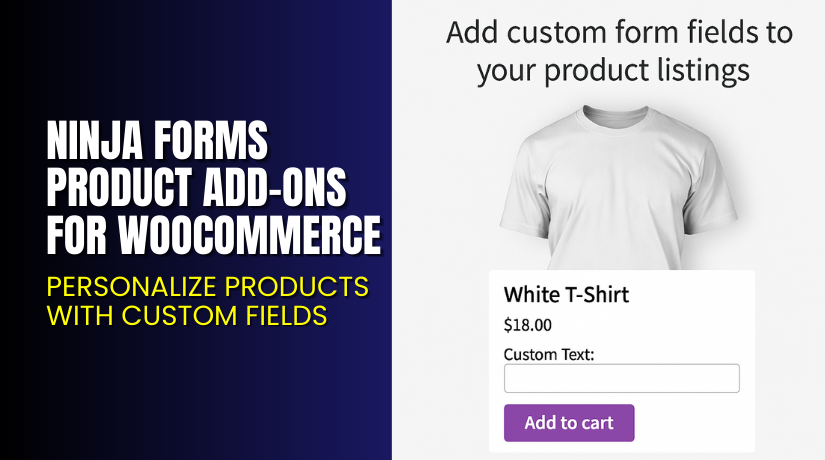
Ninja Forms Product Add-ons for WooCommerce – Personalize Products with Custom Fields
Table of Contents
- Introduction
- What is Ninja Forms Product Add-ons for WooCommerce?
- Key Features of Ninja Forms Product Add-ons
- How to Install and Configure Ninja Forms Product Add-ons?
- Pricing & Plans
- My Experience with Ninja Forms Product Add-ons
- Who Should Use This Plugin?
- Final Verdict
- FAQ
Introduction
Selling personalized products on WooCommerce can be tricky. Most product pages offer basic options. But what if you need to collect custom text, file uploads, or customer preferences? Most store owners rely on plugins that don’t fit perfectly or lack flexibility.
Ninja Forms Product Add-ons for WooCommerce solves this problem. It lets you add fully customizable forms to any product. From text input to file uploads, it covers all custom field needs. And it’s powered by the popular Ninja Forms builder.
In this article, we’ll explore what the plugin does, how it works, how to install it, pricing, and who it’s ideal for.
Need help installing or configuring it? Try our Installation & Troubleshooting Services.
What is Ninja Forms Product Add-ons for WooCommerce?
Ninja Forms Product Add-ons is a WooCommerce extension that connects your product pages with Ninja Forms, the drag-and-drop form builder. This means you can place forms on any product and collect custom input from customers before they check out.
Whether you’re:
- Taking custom T-shirt text
- Collecting photo uploads for gifts
- Gathering customer instructions
- Offering personalized services
…this plugin lets you do it easily.
It’s developed by Atomic Web Strategy and works with the latest WordPress and WooCommerce versions. Ninja Forms itself is free, and this extension builds on that to unlock product-level form integration.
Key Info:
- Plugin Page: Ninja Forms Product Add-ons for WooCommerce
- Official Website: atomicwebstrategy.com.au
- Documentation: Official Docs
- Plugin Contact: Contact Developer
Key Features of Ninja Forms Product Add-ons
| Feature | Description | Why It Matters |
| Add Forms to Products | Display forms on WooCommerce product pages | Collects user input easily |
| Charge Extra Per Field | Assign a cost to fields like uploads or choices | Increase revenue through customization |
| Preserve Field Data | Save input with each order line item | Useful for fulfillment and record-keeping |
| Drag-and-Drop Interface | Uses Ninja Forms editor | No coding needed |
| Supports All Ninja Form Fields | Text, dropdown, date picker, uploads, and more | Flexible for any product type |
| Integrates Seamlessly | Connects with standard WooCommerce workflows | Reliable and compatible |
You can even reuse form templates across multiple products, saving time and effort.
How to Install and Configure Ninja Forms Product Add-ons?
This plugin requires both:
- WooCommerce
- Ninja Forms (free version)
Installation:
- Purchase the plugin from the WooCommerce Marketplace.
- Download the ZIP file from your account.
- Go to WordPress → Plugins → Add New → Upload Plugin.
- Upload the ZIP and click Install Now.
- Activate the plugin.
- Make sure Ninja Forms is installed and active.
Configuration:
- Go to Ninja Forms in your dashboard.
- Create a new form using the drag-and-drop builder.
- Add fields like text, checkboxes, file upload, or dropdown.
- Save and publish the form.
Assign Form to Product:
- Edit any WooCommerce product.
- Scroll to the Product data section.
- Under Ninja Forms Add-on, select the form you created.
- Optionally, enable fees for specific fields.
- Save the product.
Now your customers will see the form directly on the product page.
Need help during setup? Try our WooCommerce Ninja Forms Plugin Setup Services.
Pricing & Plans
| Plan | Price | What’s Included |
| Premium | $99/year | All features, updates, and support |
| Monthly Equivalent | $8.25 | Billed annually |
Each license includes:
- Full plugin features
- Ongoing updates
- Developer support
- 30-day money-back guarantee
There’s no free version of this add-on. Ninja Forms itself is free, but this integration requires the paid extension.
Buy Ninja Forms Product Add-ons Plugin Now
Ready to personalize your product pages and boost conversions?
Buy Ninja Forms Product Add-ons Plugin – $99/year
This plugin is a must-have for stores offering personalization, customization, or user-generated content.


My Experience with Ninja Forms Product Add-ons
We tested this plugin on a store that sells personalized mugs and photo frames. The setup process was smooth and took less than 15 minutes.
We added:
- A text input field for custom messages
- A file upload for customer images
- A dropdown for packaging preferences
Customers could easily input all data and proceed to checkout without confusion. The form data was saved on the order and visible to store admins.
Pros:
- Drag-and-drop simplicity
- Works with free Ninja Forms
- Adds professional feel to product pages
- Allows upselling with custom fees
- Data is tied to each order
Cons:
- No conditional logic unless using Ninja Forms paid add-ons
- Requires two plugins (Ninja Forms + this add-on)
- Styling relies on theme compatibility
Who Should Use This Plugin?
This plugin is perfect for:
- Print-on-demand stores
- Photographers collecting event details
- Coaches and consultants selling services
- Custom gift stores offering personalization
- Agencies building WooCommerce sites with client-specific needs
If you sell products that require customer input, this plugin will improve your workflow and customer experience.
Useful Resources
Here are official resources and support links:
- Atomic Web Strategy – Developer Website
- Official Plugin Documentation
- Plugin Support Contact
- WooHelpDesk Setup & Troubleshooting Services
These links provide everything you need—from setup help to advanced customization.
Final Verdict
The Ninja Forms Product Add-ons plugin bridges a huge gap in WooCommerce: flexible product-level form customization.
It’s perfect for any store that needs customer input. Whether it’s a gift message, photo upload, or custom service request, this plugin makes it easy and professional.
It’s reasonably priced, feature-rich, and easy to use—even for beginners.
Need help getting started? Use our Installation Services.
FAQ
Q1. Do I need Ninja Forms to use this plugin?
Yes, you must have the Ninja Forms plugin installed and active.
Q2. Can I add fees for specific fields?
Yes, you can assign fees to certain fields like file uploads or checkboxes.
Q3. Does it support conditional logic?
Only if you use premium Ninja Forms extensions that enable it.
Q4. Will the form data be saved with the order?
Yes. Customer input is preserved per order line item.
Q5. Is this plugin compatible with my theme?
It works with most WooCommerce themes. Always test on staging first.



