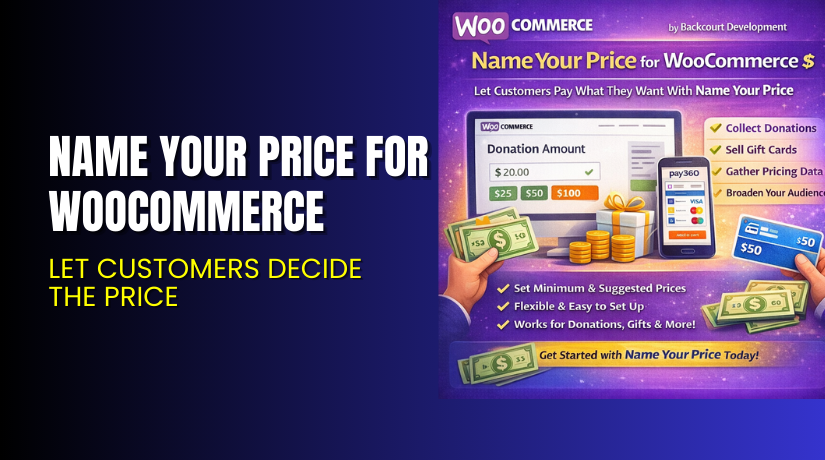
Name Your Price for WooCommerce – Let Customers Decide the Price
Table of Contents
- Introduction
- What is Name Your Price for WooCommerce?
- Key Features of Name Your Price
- How to Install and Configure Name Your Price?
- Pricing & Plans
- My Experience with Name Your Price
- Who Should Use This Plugin?
- Final Verdict
- FAQ
Introduction
Running a WooCommerce store often means balancing flexibility and control. Many store owners struggle with setting fixed prices for products. This limits their ability to accept donations, custom payments, or reach broader audiences.
Name Your Price for WooCommerce solves this problem. It gives power to your customers. They can set the price they want to pay. This model helps collect donations, accept custom bill payments, and sell flexible-priced products like gift cards or digital services.
This plugin is ideal for businesses looking to offer pay-what-you-want models. It is also great for non-profits or agencies looking to collect recurring donations.
In this detailed guide, we’ll cover what Name Your Price does, how to install and configure it, its pricing, key features, and real-world use cases.
If you ever need help installing or troubleshooting this plugin, please try our Installation & Troubleshooting Services.
What is Name Your Price for WooCommerce?
Name Your Price is a flexible pricing plugin built for WooCommerce stores. It is developed by Backcourt Development and available through the official WooCommerce Marketplace.
The plugin lets customers enter the amount they want to pay for a product. You can set a minimum, maximum, and even a suggested price. This makes it perfect for use cases like:
- Donations
- Gift cards
- Pay-what-you-want pricing
- Custom invoice payments
It supports many product types including Simple, Variable, Subscription, Bundles, and more.
You can use the plugin for both one-time and recurring payments. With integration support for other WooCommerce plugins, the possibilities are endless.
Official Plugin Page: Name Your Price Plugin
Documentation: Name Your Price Docs
Support Page: Get Support
Key Features of Name Your Price
| Feature | Description | Why It Matters |
| Custom Price Input | Customers can define the amount they want to pay. | Offers flexibility and increases engagement. |
| Minimum & Suggested Price | Set price limits or guide customers with a suggested price. | Helps ensure revenue while encouraging freedom. |
| Donation Collection | Accept custom donations directly on your site. | Ideal for non-profits and charities. |
| Subscription Support | Works with WooCommerce Subscriptions for recurring payments. | Great for monthly donor support or membership plans. |
| Works With Various Product Types | Supports Simple, Variable, Subscription, Bundles, and more. | Enhances compatibility across all your products. |
| Plugin Integrations | Compatible with popular WooCommerce extensions. | Reduces conflicts and expands functionality. |
| Accessibility Improvements | Fully accessible with screen readers in v3.0. | Inclusive experience for all users. |
| Easy Setup | Quick configuration with checkboxes and fields. | Saves time during implementation. |
| Data Collection | Analyze how much users are willing to pay. | Supports strategic product pricing decisions. |
How to Install and Configure Name Your Price?
Follow these steps to install and configure the plugin on your WooCommerce site:
- Download the plugin from the official WooCommerce page.
- In your WordPress dashboard, go to Plugins → Add New → Upload Plugin.
- Upload the plugin ZIP file and click Install Now.
- After installation, click Activate Plugin.
- Go to Products → Edit Product and check the Name Your Price box.
- Set your Minimum, Maximum, and Suggested price.
- Save your settings and test your product page.
Need help? Try our Installation & Troubleshooting Services.
Pricing & Plans
| Plan | Price | Includes |
| 1-Year Plan | $59 | Full features, plugin updates, and support |
- Pricing is billed annually.
- You get updates, access to all features, and premium support.
- WooCommerce offers a 30-day money-back guarantee.
Buy directly from the WooCommerce Plugin Page.
Buy Name Your Price Now
Buy Name Your Price Premium directly from WooCommerce’s official website and unlock full features.
Buy Here → Get Name Your Price for WooCommerce
Your purchase supports the plugin developers and helps us keep creating useful guides like this.


My Experience with Name Your Price
We tested the plugin on a live WooCommerce store setup. Here’s what we found:
Pros
- Very easy to install and configure
- Smooth user experience on front-end
- Works great with Subscriptions and Gift Cards
- Lightweight and does not slow down the site
- Great documentation and support
Cons
- Requires manual testing for some theme compatibility
- No advanced pricing rules like percentage-based discounts
- Styling is limited unless you use custom CSS
Still, overall it performs well across a wide range of use cases.
Who Should Use This Plugin?
Name Your Price is great for many types of store owners:
- WooCommerce store owners accepting donations
- Stores offering gift cards and subscriptions
- Agencies needing to collect custom payments
- Beginners looking for easy pricing control
- Non-profits seeking flexible donation forms
Useful Resources
Here are some helpful links to learn more or get help:
- Official Plugin Page
- Plugin Documentation
- Get Plugin Support
- WooHelpDesk Installation & Troubleshooting Services
Final Verdict
Name Your Price for WooCommerce is a simple yet powerful tool. It allows you to offer dynamic pricing, boost conversions, and improve flexibility.
If you run a WooCommerce store and want customers to choose what they pay—or you need donation or custom invoice features—this plugin is a perfect fit.
Buy the plugin today to unlock its full potential.
Get Name Your Price Plugin → Buy from WooCommerce
Need installation help? Visit WooHelpDesk Services
FAQ
Q1. Is Name Your Price compatible with all WooCommerce themes?
Yes, it works with most standard WooCommerce themes. Always test before going live.
Q2. Can I use both free and premium versions?
No free version is available. You must purchase the premium plan.
Q3. How do I get support?
You can contact the plugin developers via the official support page.



