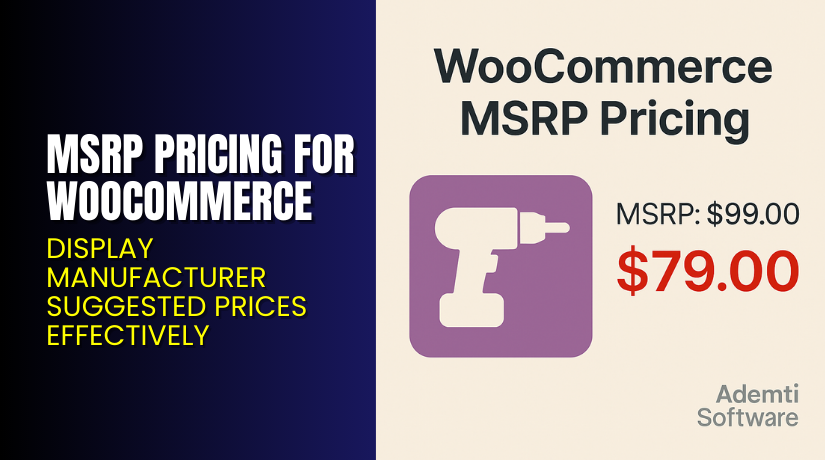
MSRP Pricing for WooCommerce – Display Manufacturer Suggested Prices Effectively
Table of Contents
- Introduction
- What is MSRP Pricing for WooCommerce?
- Key Features of MSRP Pricing for WooCommerce
- How to Install and Configure MSRP Pricing Plugin?
- Pricing & Plans
- My Experience with MSRP Pricing
- Who Should Use This Plugin?
- Final Verdict
- FAQ
Introduction
One common issue faced by WooCommerce store owners is pricing transparency. Customers often want to know how much they’re saving. But WooCommerce does not support Manufacturer’s Suggested Retail Price (MSRP) out of the box.
When you want to show both the regular retail price and your sale price, you usually have to customize your theme or use code snippets. This can be time-consuming and risky.
That’s where the MSRP Pricing for WooCommerce plugin helps.
It allows you to add MSRP (also called list price or RRP) to any product. Customers can compare the original price with your discounted price instantly. This increases trust and improves your store’s professionalism.
In this article, we’ll explore what the plugin does, how to install it, pricing details, pros and cons, and who should use it.
Need help setting it up? Try our Installation & Troubleshooting Services.
What is MSRP Pricing for WooCommerce?
MSRP Pricing for WooCommerce is a simple yet powerful plugin that lets you display the Manufacturer’s Suggested Retail Price on your product pages.
It is developed by Ademti Software, known for their lightweight and functional WooCommerce tools. The plugin is officially recognized and trusted by many store owners.
MSRP Pricing works by letting you:
- Add a separate MSRP field for each product or variation.
- Show MSRP alongside regular and sale prices.
- Choose where MSRP appears (product page, catalog, cart, etc.).
- Add custom styling for MSRP values.
- Improve product pricing transparency.
The plugin requires no coding knowledge and integrates directly into the WooCommerce product editor. It’s fully compatible with variable and simple products.
- Plugin Page: MSRP Pricing Plugin
- Official Documentation: MSRP Pricing Docs
- Contact Support: Ademti Contact Page
Key Features of MSRP Pricing for WooCommerce
| Feature | Description | Why It Matters |
| MSRP Field in Product Editor | Easily add MSRP per product or variation. | Saves time with no coding required. |
| Display MSRP on Frontend | Show MSRP on product pages and catalogs. | Builds trust and boosts conversions. |
| Hide or Show MSRP | Display MSRP only on sale or all the time. | Gives control over what users see. |
| Customizable Text & Styling | Change label, color, or position of MSRP. | Matches your store’s branding. |
| Shortcodes Support | Use shortcodes to place MSRP anywhere. | Offers full design flexibility. |
| Works with Variable Products | Add MSRP to each variation. | Ideal for stores with size/color options. |
| Multilingual Ready | Compatible with popular translation plugins. | Useful for global stores. |
How to Install and Configure MSRP Pricing Plugin?
Here’s how you can install and set up the plugin:
- Purchase the plugin from WooCommerce Marketplace.
- Download the plugin ZIP file from your account.
- Go to your WordPress Dashboard → Plugins → Add New.
- Upload the ZIP and click Install Now.
- After installation, click Activate Plugin.
- Go to any product and scroll to the MSRP field under pricing.
- Enter the MSRP and update the product.
To customize the display:
- Navigate to WooCommerce → Settings → MSRP.
- Configure where MSRP appears (catalog, cart, checkout).
- Customize label text and styling.
Refer to the official setup guide for more details.
If you need help with installation or troubleshooting, try our Installation & Troubleshooting Services.
Pricing & Plans
MSRP Pricing for WooCommerce is available in one plan:
| Plan | Price | Includes |
| 1-Year License | $49/year | Updates, support, and 30-day guarantee |
Details:
- Price: $49 billed annually
- Monthly equivalent: $4.09
- 30-day money-back guarantee
- Includes product updates and premium support
- Discounts up to 40% may apply at checkout
Buy MSRP Pricing Plugin Now
Start showing retail vs. sale prices today.
Buy MSRP Pricing Plugin from Ademti Software


This purchase supports plugin development and helps us create helpful tutorials.
My Experience with MSRP Pricing
We tested this plugin on a WooCommerce store with 200+ products. It worked flawlessly.
Setup took less than 10 minutes. Adding MSRP to both simple and variable products was smooth.
Pros:
- Very lightweight and fast
- Works with all product types
- Clean UI and intuitive settings
- Adds professional touch to pricing display
- Excellent documentation
Cons:
- No bulk import tool for MSRP
- Does not support dynamic pricing or discounts
- Styling may need adjustment on some themes
Overall, it’s a reliable and efficient plugin for pricing transparency.
Who Should Use This Plugin?
This plugin is ideal for:
- Retailers selling branded products with known MSRP
- Discount stores highlighting savings
- Stores offering sale prices during promotions
- Vendors who want to display MSRP and sale prices side-by-side
- Businesses in regulated industries that require MSRP
If you want your store to look more professional and trustworthy, this plugin helps.
Useful Resources
Final Verdict
MSRP Pricing for WooCommerce is a must-have plugin for store owners who want to show both suggested retail price and sale price clearly.
It boosts customer trust, enhances transparency, and improves conversion rates. The plugin is easy to install, lightweight, and backed by good support.
For $49 per year, it offers excellent value — especially if you sell discounted products.
Need help installing it? Try our Installation & Troubleshooting Services.
FAQ
Q1. Can I use MSRP with variable products?
Yes. You can set an MSRP for each variation separately.
Q2. Will it show MSRP in the cart?
Yes. You can choose to show MSRP in the catalog, cart, or checkout.
Q3. Is the plugin compatible with translation plugins?
Yes. It works with popular plugins like WPML and Loco Translate.



