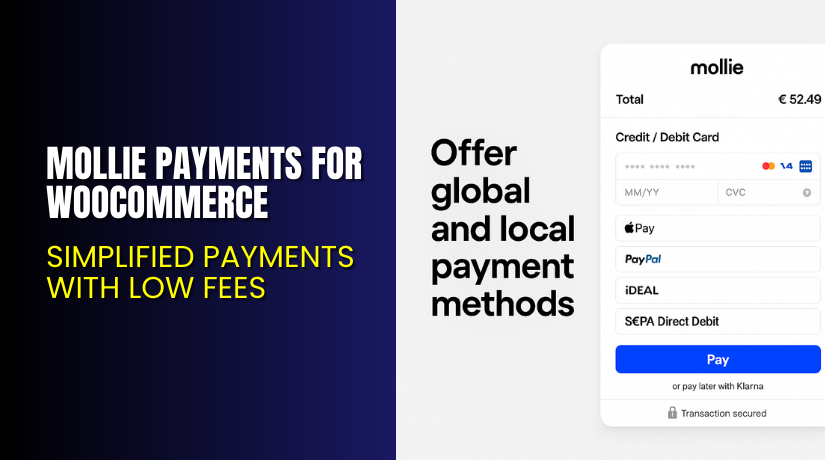
Mollie Payments for WooCommerce – Simplified Payments with Low Fees
Table of Contents
- Introduction
- What is Mollie Payments for WooCommerce?
- Key Features of Mollie Payments for WooCommerce
- How to Install and Configure Mollie Payments for WooCommerce
- Pricing & Plans
- My Experience with Mollie Payments for WooCommerce
- Who Should Use This Plugin?
- Final Verdict
- FAQ
Introduction
Running a WooCommerce store means managing multiple systems—from inventory to payment processing. Payments are a core part of your business, yet many store owners struggle with high transaction fees, poor user experience, or lack of local payment options.
Mollie Payments for WooCommerce is a plugin that aims to fix those issues. It integrates seamlessly into your WooCommerce store and supports a wide range of payment methods with competitive fees.
In this article, you’ll learn what Mollie Payments offers, how to install it, its key features, pricing, pros and cons, and why it might be the right solution for your WooCommerce store.
If you ever need help installing or troubleshooting this plugin, please try our Installation & Troubleshooting Services.
What is Mollie Payments for WooCommerce?
Mollie Payments for WooCommerce is a powerful payment integration plugin designed to simplify how you accept online payments in your WooCommerce store.
It’s developed by Mollie, a leading European payment service provider. The plugin connects your store to the Mollie platform and allows you to accept major global and local payment methods like Visa, Mastercard, PayPal, Klarna, iDEAL, Apple Pay, and many others.
Mollie is known for its transparent pricing, no lock-in contracts, and support for over 25 payment methods. The plugin is free to use and requires only a Mollie merchant account.
- Official Plugin Page: Visit Mollie for WooCommerce
- Support Page: Mollie Help Center
- Documentation: Getting Started with Mollie
Key Features of Mollie Payments for WooCommerce
| Feature | Description | Why It Matters |
| Multi-Currency Support | Accept payments in over 20 currencies. | Expand your business globally without extra work. |
| Wide Range of Payment Methods | Visa, Mastercard, Klarna, PayPal, Apple Pay, and more. | Helps increase conversions by offering local payment options. |
| Blended Transparent Pricing | One fixed rate per transaction. | No hidden fees or complex pricing. |
Other useful features include:
- Easy refund processing directly from WooCommerce.
- Built-in support for subscriptions and recurring payments.
- No monthly or setup fees for online transactions.
- Developer-friendly with API and webhooks.
How to Install and Configure Mollie Payments for WooCommerce
Follow these steps to install and activate the plugin:
- Download the plugin from Mollie for WooCommerce.
- Log in to your WordPress dashboard.
- Go to Plugins → Add New → Upload Plugin.
- Choose the plugin file and click Install Now.
- Activate the plugin after installation.
- Navigate to WooCommerce → Settings → Payments.
- Select Mollie and configure your API keys and payment methods.
Test thoroughly before going live. Make sure it’s compatible with your theme and any other WooCommerce extensions.
Need help setting it up? Try our Installation & Troubleshooting Services.
Pricing & Plans
Mollie follows a Pay-as-You-Go model for online payments. You only pay per transaction — no setup costs or monthly fees required for most services.
| Plan | Price | Includes |
| Free | €0/month | Online payment features with per-transaction pricing |
| Pro (In-Person Payments) | €20/month | Lower in-person transaction fees + 1 hardware terminal license |
| Volume Plan | Custom | For businesses processing over €100,000/month |
Key Online Payment Fees (EUR)
- Visa / Mastercard (EEA Consumer Cards): 1.80% + €0.25
- Visa / Mastercard (EEA Commercial Cards): 2.90% + €0.25
- Non-EEA Cards: 3.25% + €0.25
- American Express: 2.90% + €0.25
- Apple Pay: Same fee as the card used
- SEPA Direct Debit: €0.35
- SEPA Bank Transfer: €0.25
In-Person Payments – Pay-as-You-Go Plan (no monthly fee)
- Domestic Debit & Credit Cards: 1.20%
- Other Consumer Cards: 1.80%
- American Express: 2.10%
- All Commercial Cards: 2.90%
In-Person Payments – Pro Plan (€20/month)
- Domestic Debit & Credit Cards: 0.85% + €0.10
- Other Consumer Cards: 1.50% + €0.10
- American Express: 1.80% + €0.10
- All Commercial Cards: 2.50% + €0.10
For full and most updated fee list: View Mollie Pricing
Buy Mollie Payments Now
Ready to start accepting payments with Mollie?


Purchase Here → Get Mollie Payments for WooCommerce
Your purchase supports the Mollie development team and helps me create more content like this.
My Experience with Mollie Payments
After testing Mollie Payments on a real WooCommerce store, here’s what I found:
Pros
- Fast and easy setup process.
- Clean and intuitive checkout.
- Supports local and international payments.
- No monthly costs for online transactions.
- Transparent pricing model.
- Strong developer documentation.
Cons
- U.S. merchants have limited support.
- Some payment methods (like Klarna) require approval.
- Few design customization options in the free plugin.
Who Should Use This Plugin?
- WooCommerce store owners wanting low fees and many payment options.
- Agencies managing international WordPress clients.
- Beginners looking for a reliable, easy-to-use payment solution.
- Developers who need strong API access and control.
Useful Resources
- Mollie for WooCommerce – Official Plugin Page
- Official Plugin Support Page
- Getting Started Documentation
- WooHelpDesk Installation & Troubleshooting Services
Final Verdict
Mollie Payments for WooCommerce is a great option for anyone looking to simplify their store’s checkout. It offers transparent pricing, broad payment method support, and seamless integration with WooCommerce.
For European merchants in particular, it’s a powerful alternative to Stripe or PayPal.
Use the link below to get started with Mollie and unlock premium support today.
→ Get Mollie Payments for WooCommerce
Need help with setup? Try our Installation & Troubleshooting Services
FAQ
Q1. Is Mollie Payments for WooCommerce compatible with all WooCommerce themes?
Yes, it works with most standard WooCommerce themes. Always test before going live.
Q2. Can I use both free and premium versions?
There is only one version for WooCommerce. You only pay transaction fees.
Q3. How do I get support?
Contact the official team via the Mollie Support Page



