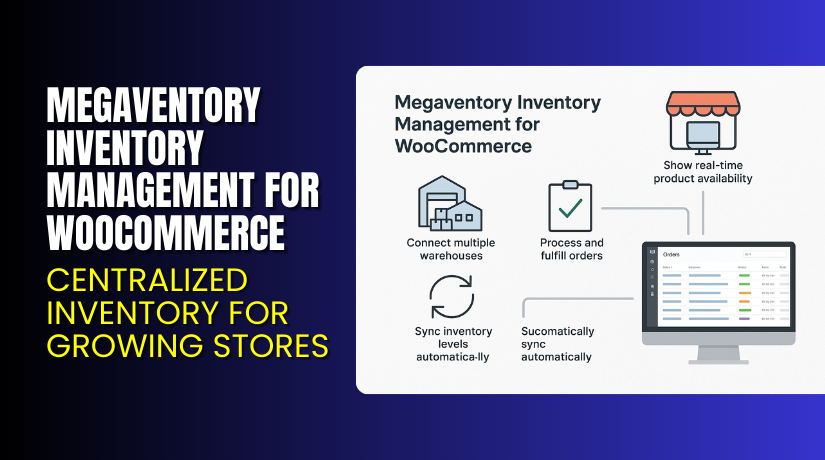
Megaventory Inventory Management for WooCommerce – Centralized Inventory for Growing Stores
Table of Contents
- Introduction
- What is Megaventory Inventory Management for WooCommerce?
- Key Features of Megaventory for WooCommerce
- How to Install and Configure Megaventory with WooCommerce
- Pricing & Plans
- My Experience with Megaventory for WooCommerce
- Who Should Use This Plugin?
- Final Verdict
- FAQ
Introduction
Running a WooCommerce store with multiple products and warehouses gets complicated. Inventory tracking becomes a headache. Overselling, stock mismatches, and late deliveries frustrate customers and eat into profits.
Store owners often rely on spreadsheets or basic tools that don’t scale. As sales grow, so does the need for a robust inventory system that connects online orders, stock levels, suppliers, and shipping — all in one place.
That’s where Megaventory Inventory Management for WooCommerce comes in. It provides an all-in-one platform that tracks inventory across multiple locations, products, and users — in real-time.
In this article, we explore Megaventory’s features, setup process, pricing, pros and cons, and why it could be a game-changer for your WooCommerce business.
Need help with setup or troubleshooting? Try our Installation & Troubleshooting Services.
What is Megaventory Inventory Management for WooCommerce?
Megaventory is a cloud-based inventory and order management solution that integrates seamlessly with WooCommerce. It supports complex supply chain needs like stock control, order fulfillment, and purchase management.
It helps WooCommerce store owners manage:
- Inventory across warehouses and retail locations
- Orders (sales, returns, dropshipping)
- Invoices, supplier orders, and production
- Team permissions and access control
- Real-time sync with WooCommerce orders and products
This solution is ideal for multi-channel retailers, manufacturers, and distributors. Whether you run a small store or a mid-sized warehouse operation, Megaventory scales with you.
It’s developed and maintained by Megaventory Inc, a company with global clients and years of SaaS experience in inventory systems.
- Official Plugin Page: Visit Megaventory
- Documentation: WooCommerce Integration Guide
Key Features of Megaventory for WooCommerce
| Feature | Description | Why It Matters |
| Multi-Warehouse Support | Manage inventory across 20+ locations | Helps centralize stock control and avoid over/under-selling |
| Real-Time WooCommerce Sync | Orders and products auto-sync | Reduces manual work and errors |
| User Access Control | Set custom permissions for staff | Keeps sensitive data safe and roles clear |
Other advanced features include:
- 50,000 transactions/month (invoices, returns, etc.)
- 20,000 products, 20,000 clients support
- Supplier purchase order management
- Consignment and serial number tracking
- API and app integration support
These tools are essential for businesses that have moved past basic stock management and need structured inventory flows.
How to Install and Configure Megaventory with WooCommerce
Here’s how to connect Megaventory with your WooCommerce store:
- Create an account on Megaventory’s website.
- Install the Megaventory plugin from the WordPress admin panel.
- Go to Plugins → Add New, search for Megaventory, and install.
- Activate the plugin and go to Megaventory → Settings.
- Enter your API credentials from the Megaventory dashboard.
- Sync your WooCommerce products with Megaventory inventory data.
- Configure default warehouse, pricing tiers, and tax settings.
Detailed configuration help is available here: Megaventory WooCommerce Docs
Before launching, test the sync between your products and orders. Ensure all warehouses are mapped properly.
If you hit issues during setup, use our Installation & Troubleshooting Services.
Pricing & Plans
Megaventory uses a transparent monthly pricing model, with plans designed for growing businesses.
Pro Plan – $135/month
Includes:
- 5 users (as low as $27/user)
- 50,000 monthly transactions
- 20 locations, 20k products, 20k clients
- 2 hours of onboarding training
- API access and all integrations
- Support for 1 company account
Add-ons:
- $45/month for each extra user (up to 35 users)
- $45/month for each extra 25k transactions (up to 200k/month)
Enterprise Plan – Custom Pricing
Ideal for larger businesses or those with special needs. Includes:
- Custom user limits
- More locations, clients, and transactions
- Personalized training and implementation
Contact the team for custom pricing: Contact Megaventory


Buy Megaventory Now
Ready to streamline your inventory and order management?
Start with Megaventory → Visit Megaventory Pricing & Plans
Your subscription supports the developers and helps keep your operations smooth and accurate.
My Experience with Megaventory for WooCommerce
We tested Megaventory on a WooCommerce store with 5,000+ products. Here’s what stood out:
Pros:
- Very stable and reliable sync between WooCommerce and Megaventory
- Flexible user access — different roles for warehouse and sales teams
- Excellent multi-location inventory visibility
- Can handle high transaction volumes with ease
- Detailed documentation and quick support response
Cons:
- Requires time to learn — not plug-and-play
- No free plan — only a trial available
- Initial setup can feel overwhelming for new users
Still, for serious eCommerce operations, it’s one of the best inventory tools available.
Who Should Use This Plugin?
Megaventory is ideal for:
- WooCommerce stores managing stock across multiple locations
- Brands selling both online and offline
- Manufacturers who assemble or produce products
- Wholesalers who deal with large purchase and sales orders
- Businesses outgrowing spreadsheets or basic inventory tools
Useful Resources
- Megaventory Official Site
- WooCommerce Integration Documentation
- WooHelpDesk Megaventory Setup Services
Final Verdict
If your WooCommerce store needs better inventory control, Megaventory is the right tool. It brings structure to your supply chain and syncs with WooCommerce in real-time. With features like multi-warehouse support, access roles, and API integration, it’s designed for growing businesses.
It may take time to set up, but the payoff in reduced errors and smoother operations is well worth it.
Start with the Pro plan or contact Megaventory for a custom solution.
→ Get Started with Megaventory Now
Need expert help to integrate it? Try our Installation Services
FAQ
Q1. Is Megaventory suitable for small stores?
Yes, but it’s most useful when you manage multiple locations or high order volume.
Q2. Can I try Megaventory before buying?
Yes, they offer a free trial with full feature access.
Q3. Does Megaventory support barcode scanning?
Yes. It supports barcode-based product management.



