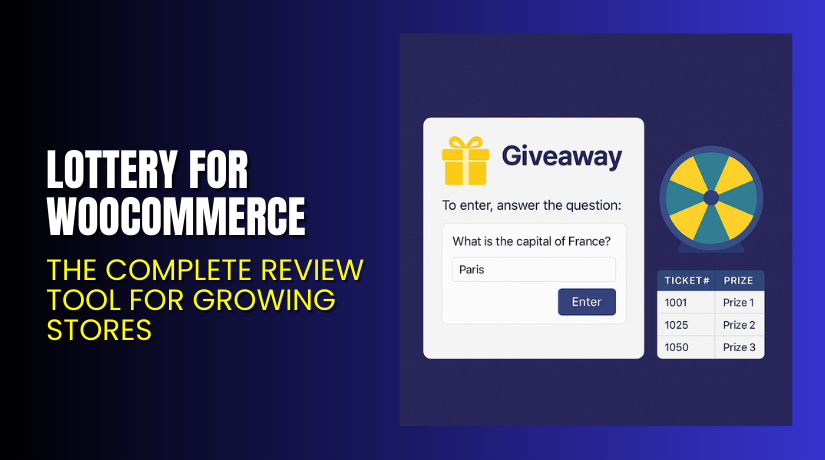
Lottery for WooCommerce – Boost Sales with Engaging Prize Contests
Table of Contents
- Introduction
- What is Lottery for WooCommerce?
- Features of Lottery for WooCommerce
- How to Install and Configure Lottery for WooCommerce
- Lottery for WooCommerce – Pricing & Plans
- My Experience with Lottery for WooCommerce
- Who Should Use This Plugin?
- Final Verdict
- FAQ Section
Introduction
Running a WooCommerce store is never simple today. Store owners handle orders, products, customers, reports, and many tasks daily. Each task requires time, focus, and the right plugin support. Many store owners search for the perfect extension that helps them increase user engagement and boost sales. But choosing the right plugin often becomes difficult because many tools offer similar features but fail to deliver real results.
One common issue store owners face is low customer engagement. Many customers browse products but never take action. They do not feel excited to buy or participate in anything special. This reduces sales and affects overall growth. Another problem is poor user interaction during campaigns. Store owners want fun activities like contests or lucky draws but do not have a clean way to manage them.
Lottery for WooCommerce helps solve these problems with a clean and simple system. It adds lottery and raffle features to your store without complex setup. It helps you create engaging prize events that attract more customers. This plugin turns simple stores into exciting shopping spaces with active participation.
In this article, we will explore Lottery for WooCommerce, its features, installation steps, pricing, pros, cons, and more.
👉If you ever need help installing or troubleshooting any plugin, please try our Installation & Troubleshooting Services.
What is Lottery for WooCommerce?
Lottery for WooCommerce is a powerful plugin that allows store owners to create and manage lottery events inside their WooCommerce store. The plugin helps you run prize contests, lucky draws, and ticket-based events with ease. It gives you full control over lottery rules, ticket limits, pricing, time settings, and winner selection. This plugin adds a new way to increase user interest and encourage more activity on your store.
The plugin is created by Flintop, a company known for building clean and helpful WooCommerce tools. Lottery for WooCommerce is designed for both small and large stores. It is simple, fast, and works well with most modern WordPress themes. You can add multiple lotteries, set custom winning rules, and show countdown timers for better engagement.
Lottery for WooCommerce helps you attract more users, increase sales, and build excitement around your products through fun and interactive lottery events.
Features of Lottery for WooCommerce
| Feature | Description | Why It Matters |
| Easy Lottery Creation | You can create unlimited lottery events with simple steps. | Helps store owners launch events quickly. |
| Custom Ticket Settings | Set ticket price, ticket limits, and purchase rules. | Gives full control and improves sales planning. |
| Countdown Timers | Display start and end timers for each lottery. | Creates urgency and increases engagement. |
| Automatic Winner Selection | Select winners automatically after the lottery ends. | Saves time and avoids manual work. |
| Email Notifications | Send emails to participants and winners instantly. | Helps users stay updated and improves trust. |
| Frontend Display Options | Show lottery details clearly on product pages. | Gives users a clean view and boosts participation. |
| Multi-Lottery Support | Run multiple lottery events at the same time. | Perfect for large stores running many campaigns. |
These features help store owners offer fun events that drive more traffic and increase engagement.
How to Install and Configure Lottery for WooCommerce
- Download the plugin from the link.
- Open your WordPress Dashboard → Plugins → Add New → Upload Plugin.
- Select the ZIP file and start the installation.
- Click Activate after the installation completes.
- Go to WooCommerce → Lottery Settings to configure basic options.
- Add a new product and select Lottery Product Type.
- Set ticket price, ticket limit, timer, and winner rules.
- Save changes and run a test event to check compatibility.
- Check that the lottery displays correctly on your theme.
- Always test with other plugins to avoid conflicts.
💡 If you face any configuration or compatibility issues, try our Installation & Troubleshooting Services.
Lottery for WooCommerce – Pricing & Plans
| 1 Year Plan | 2 Year Plan |
| $129 | $206.40 |
The subscription includes
|
The subscription includes
|
Buy Lottery for WooCommerce Now


Purchase Here → Buy Lottery for WooCommerce Premium
💡 Your purchase supports the development team and helps me create more tutorials like this.
My Experience with Lottery for WooCommerce
Pros
- Easy to install and configure.
- Clean interface with simple settings.
- Works smoothly with most WooCommerce themes.
- Automatic winner selection saves time.
- Strong customer support from the Flintop team.
- Lightweight and fast with no heavy scripts.
- Helps increase user engagement.
Cons
- Styling options are limited in the free version.
- Some advanced features require a premium upgrade.
- No built-in email template customization.
- Requires careful testing with custom themes.
Who Should Use This Plugin?
This plugin is ideal for:
- WooCommerce store owners wanting higher user engagement.
- Agencies managing multiple WooCommerce clients.
- Beginners who want a simple but powerful lottery system.
- Stores running promotions, giveaways, or festival events.
- Business owners who want fun activities without coding.
Useful Resources
- Official Plugin Page
- Official Support Page
- Developer Documentation
- WooHelpDesk Installation & Troubleshooting Services
Final Verdict
If you want a smooth, simple, and engaging reward system, Lottery for WooCommerce is a great choice. It offers strong features without adding extra load to your site. The plugin also helps increase engagement and conversions. Store owners who want a fun experience for customers will enjoy using this tool.
👉 Buy Lottery for WooCommerce Premium Now
💡 Need help installing or fixing it? Try our Installation & Troubleshooting Services.
FAQ Section
Q1. Is Lottery for WooCommerce compatible with all WooCommerce themes?
Yes, it works with most themes. Always test before going live.
Q2. Can I use both free and premium versions?
No, you must deactivate the free version before using the premium.
Q3. How do I get support?
You can contact the team through the official support page at Flintop.



