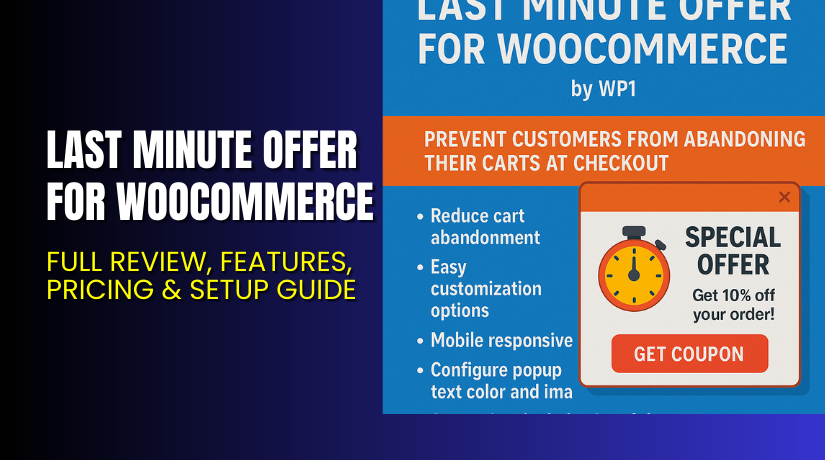
Last Minute Offer for WooCommerce – Full Review, Features, Pricing & Setup Guide
Table of Contents
- Introduction
- What is Last Minute Offer for WooCommerce?
- Features of Last Minute Offer for WooCommerce
- How to Install and Configure Last Minute Offer for WooCommerce
- Last Minute Offer for WooCommerce – Pricing & Plans
- My Experience with Last Minute Offer for WooCommerce
- Who Should Use This Plugin?
- Final Verdict
- FAQ
Introduction
Running a WooCommerce store means you face many daily tasks. You manage products, orders, customers, and marketing work. You also use many plugins to run your store smoothly. But choosing the right plugin is not always simple. Many plugins promise growth, but only a few actually help increase sales. One common issue store owners face is abandoned carts. Many customers reach the checkout page and then leave without buying anything. This hurts revenue and reduces conversions.
Another problem is low average order value. Store owners want customers to spend more but do not always know how to encourage it. Discounts help, but they must appear at the right time. Showing offers too early reduces profit. Showing them too late does not help at all. This is where a smart offer tool becomes useful. A tool that shows a targeted discount right before checkout can change user behavior.
In this article, we explore the Last Minute Offer for WooCommerce. We explain what it does, its features, setup steps, pricing, pros and cons, and who should use it. This guide helps you decide if this plugin is right for your store.
👉 If you ever need help installing or troubleshooting any plugin or extension, please try our Installation & Troubleshooting Services.
What is Last Minute Offer for WooCommerce?
Last Minute Offer for WooCommerce is a simple but powerful plugin that shows a special offer during checkout. It encourages customers to complete their order by giving them a final discount or deal at the right moment. This plugin uses smart timing to reduce cart abandonment and increase order value. It works smoothly inside the WooCommerce checkout flow without slowing your site.
The plugin is designed to help store owners show a small discount, a limited-time offer, or a product upsell at the last step of checkout. Many users leave the site when they see the final total. This plugin helps stop them by offering a last-minute deal. This small action can bring more conversions and more revenue.
The plugin is developed by WooCommerce and follows high coding standards. It works well with most themes and extensions. You get a clean interface and simple settings. The plugin does not require technical skills. You can set it up in minutes.
It is available as a Premium plugin on the WooCommerce marketplace.
Official Plugin Page:
Support Page:
Features of Last Minute Offer for WooCommerce
| Feature | Description | Why It Matters |
| Timed Offer Display | Shows a special offer during checkout. | Helps stop customers from leaving. |
| Custom Discount Control | Add fixed or percentage-based discounts. | Gives store owners full control. |
| Upsell Product Support | Offer handpicked products at checkout. | Increases average order value. |
| Simple Settings Panel | Easy options for setup and control. | Saves time for store owners. |
| Mobile-friendly Layout | Works perfectly on mobile screens. | Improves user experience. |
| Analytics and Tracking | Shows offer performance data. | Helps plan future marketing steps. |
How to Install and Configure Last Minute Offer for WooCommerce
- Download the plugin from the official WooCommerce site:
Buy Last Minute Offer for WooCommerce Premium Now - Go to WordPress Dashboard → Plugins → Add New → Upload Plugin.
- Choose the ZIP file and click Install Now.
- Activate the plugin once the installation finishes.
- Go to WooCommerce → Settings → Last Minute Offer.
- Set your discount type, offer timing, and design layout.
- Add a test product to ensure everything works well.
- Check compatibility with caching plugins or checkout customizers.
💡 If you face any configuration or compatibility issues, you can try our Installation & Troubleshooting Services.
Last Minute Offer for WooCommerce – Pricing & Plans
| 1 Year Plan | 2 Year Plan |
| $46.40 | $29 |
Subscription includes
|
Subscription includes
|
Buy Last Minute Offer for WooCommerce Now
Purchase Here → Buy Last Minute Offer Premium Now


💡 Your purchase supports the development team and helps me create more tutorials like this.
My Experience with Last Minute Offer for WooCommerce
After testing the plugin on a live WooCommerce store, here is what I found:
Pros
- Very easy to set up and manage.
- Clean and simple settings panel.
- Works nicely on mobile devices.
- Great for reducing cart abandonment.
- Helps increase conversions quickly.
- Stable and lightweight plugin.
- Good support from the developer team.
Cons
- No free version with advanced features.
- Limited design styling options.
- Works only for WooCommerce stores.
- May require testing with some checkout plugins.
Who Should Use This Plugin?
This plugin is ideal for:
- WooCommerce store owners want more conversions.
- Businesses with high cart abandonment.
- Shop owners need checkout-based offers.
- Agencies managing multiple WooCommerce sites.
- Beginners who want simple tools without a complex setup.
If your customers leave before purchase, this plugin is a strong choice.
Useful Resources
- Official Plugin Page:
- Official Plugin Support Page:
- Developer Documentation:
- WooHelpDesk Installation & Troubleshooting Services:
Final Verdict
Last Minute Offer for WooCommerce is a smart plugin for stores that need better conversions. It works at the right moment and encourages customers to complete their purchase. It is simple, stable, and useful for beginners and advanced store owners. If you want a tool that increases your sales without a heavy setup, this plugin is worth trying.
👉 Buy Last Minute Offer for WooCommerce Premium Now
💡 Need help installing or fixing it? Try our Installation & Troubleshooting Services.
FAQ
Q1. Is Last Minute Offer for WooCommerce compatible with all WooCommerce themes?
Yes, it works with most standard WooCommerce themes. Always test before going live.
Q2. Can I use both free and premium versions?
You must deactivate the free version before installing the premium version.
Q3. How do I get support?
Contact the official team using the Plugin Support Page.



