Kirana for WooCommerce – The Ultimate Dokan Multi-Vendor Marketplace Theme
Table of Contents
- Introduction
- What is Kirana for WooCommerce?
- Features of Kirana for WooCommerce
- How to Install and Configure Kirana for WooCommerce
- Kirana for WooCommerce Pricing & Plans
- My Experience with Kirana for WooCommerce
- Who Should Use This Theme?
- Final Verdict
- FAQ
Introduction
Running a WooCommerce store can be overwhelming. Store owners often juggle many plugins to manage products, sales, and design. This leads to confusion about which plugin truly improves performance and customer experience. Managing layouts, product visuals, and user navigation often becomes time-consuming without the right theme or tool.
That’s where Kirana for WooCommerce helps. It simplifies your store setup with a clean, modern design built for WooCommerce. You don’t need coding knowledge to create an engaging online store. Kirana ensures your website looks professional, loads fast, and delivers a great shopping experience.
In this article, we’ll explore everything about Kirana for WooCommerce — its features, setup guide, pricing, and overall benefits. You’ll also learn whether it’s the right fit for your business and how it compares to other WooCommerce themes.
👉 If you ever need help installing or troubleshooting any plugin or extension, please try our Installation & Troubleshooting Services.
What is Kirana for WooCommerce?
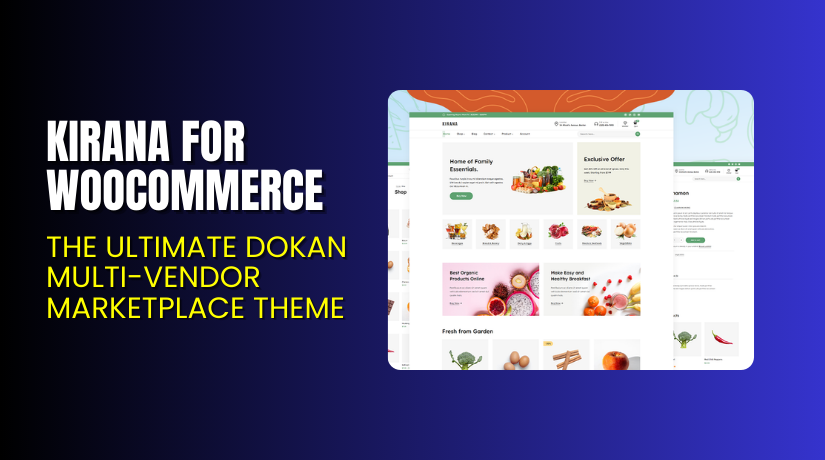
Kirana for WooCommerce is a modern, lightweight WordPress theme designed for online stores. It helps you build a professional-looking eCommerce site without complex setup or coding. Created by WooCommerce, this theme ensures seamless integration with all WooCommerce extensions and payment gateways.
It’s ideal for small businesses, local shops, and fashion boutiques looking for a beautiful and responsive layout. Kirana offers an elegant homepage, customizable product grids, and multiple header options. The design is mobile-friendly and SEO-optimized, ensuring your store performs well on all devices.
Official Plugin Page: https://themegrill.com/wordpress-themes/
Support Page: https://themegrill.com/support/
Features of Kirana for WooCommerce
| Feature | Description | Why It Matters |
| Modern Design | A clean, elegant layout that fits all industries. | Helps you attract and retain customers. |
| WooCommerce Ready | Fully compatible with all WooCommerce extensions. | Makes store management smooth and efficient. |
| Customizable Sections | Easily edit colors, fonts, and layouts in Customizer. | Saves time and maintains brand consistency. |
| Responsive Layout | Works perfectly on desktops, tablets, and mobiles. | Improves user experience and SEO ranking. |
| Fast Loading Speed | Built with lightweight code and optimized design. | Reduces bounce rates and boosts conversions. |
How to Install and Configure Kirana for WooCommerce
- Download the theme from Kirana for WooCommerce.
- Go to your WordPress Dashboard → Appearance → Themes → Add New → Upload Theme.
- Upload the ZIP file and click Activate.
- Navigate to Appearance → Customize to configure homepage, menus, and colors.
- Test your store layout to ensure it works with your products and plugins.
💡 If you face any configuration or compatibility issues, try our Installation & Troubleshooting Services.
Kirana for WooCommerce Pricing & Plans
| Single Theme Plan (Yearly) | All Theme Plan (Yearly) | Themegrill Agency (Yearly) |
| $55 | $103 | $599 |
| Unlimited Site License
Support & Updates
All Feature
|
Unlimited Site License
Support & Updates
Premium Themes for Every Niche
|
Unlimited Site License 
|
Buy Kirana for WooCommerce Now
Purchase Here: BUY NOW
💡 Your purchase supports the WooCommerce team and helps us write more detailed reviews and tutorials.
My Experience with Kirana for WooCommerce
Pros
- Easy to install and configure.
- Clean, modern design that fits any niche.
- Compatible with major WooCommerce extensions.
- Lightweight and fast.
- Excellent documentation and support.
Cons
- Limited free version customization.
- Lacks advanced header layout options.
- Some design elements require premium upgrade.
Who Should Use This Theme?
- WooCommerce store owners wanting a modern, elegant layout.
- Small businesses and boutique stores.
- Agencies designing multiple client websites.
- Beginners looking for a fast, simple setup.
Useful Resources
- Official Plugin Page
- Official Plugin Support Page
- WooCommerce Developer Docs
- WooHelpDesk Installation & Troubleshooting Services
Final Verdict
If you want a clean, reliable, and responsive WooCommerce theme, Kirana for WooCommerce is a smart choice. It balances beauty and performance, ensuring your store looks professional and runs smoothly.
👉 Buy Kirana Premium Now
💡 Need help installing or fixing it? Try our Installation & Troubleshooting Services.
FAQ
Q1. Is Kirana compatible with all WooCommerce themes?
Yes, it works with most WooCommerce extensions. Always test before going live.
Q2. Can I use both free and premium versions?
No. You must deactivate the free version before installing premium.
Q3. How do I get support?
You can contact the WooCommerce team via their Support Page.