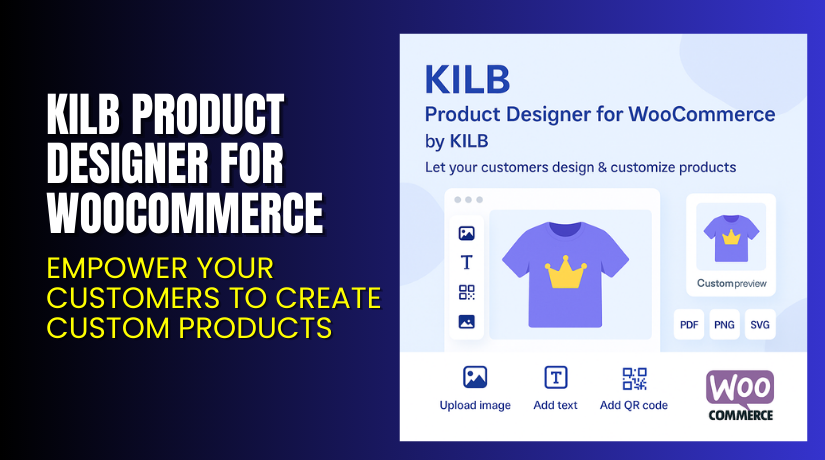
KILB Product Designer for WooCommerce – Empower Your Customers to Create Custom Products
Table of Contents
- Introduction
- What is KILB Product Designer for WooCommerce?
- Key Features of KILB Product Designer
- How to Install and Configure the Plugin?
- Pricing & Plans
- My Experience with KILB Product Designer
- Who Should Use This Plugin?
- Final Verdict
- FAQ
Introduction
Running a WooCommerce store in 2025 means more competition and higher customer expectations. Store owners are looking for ways to stand out.
One major challenge is product differentiation. Most stores offer similar items with minor variations. Shoppers are now looking for customization.
The solution? Give your customers the tools to create their own designs. This is exactly what the KILB Product Designer for WooCommerce provides.
In this article, we’ll cover:
- What this plugin does
- Key features
- How to install it
- Pros and cons
- Pricing
- Target users
- Resource links for support and help
Need professional help? Try our Installation & Troubleshooting Services for KILB Product Designer.
What is KILB Product Designer for WooCommerce?
KILB Product Designer for WooCommerce is a plugin that allows users to design products before checkout.
It’s developed by KILB, a company focused on customization tools. This plugin enables customers to personalize:
- T-shirts
- Banners
- Posters
- Mugs and cups
- And many more product types
Users can upload their own images, add custom text, select fonts, insert QR codes, and even choose from a library of predefined assets.
The plugin displays a preview of the product before the customer adds it to the cart. Once ordered, store owners can view and download the final design in multiple formats.
Official Plugin Page: KILB Product Designer on WooCommerce
Documentation: Setup & Usage Docs
Support Page: Get Support
Key Features of KILB Product Designer
| Feature | Description | Why It Matters |
| Multi-format Export | Exports customer designs in JPG, PNG, PDF, SVG, and JSON | Helps in printing, packaging, and development |
| Fully Customizable Area | Configure product size, design zone, colors, and layout | Fits a wide range of products and variants |
| Image & Font Uploads | Customers upload images or choose from your library | Increases design flexibility |
| Real-Time Preview | Shows product mockup before adding to cart | Reduces design errors and returns |
| Translation Support | Comes with English & German; add more via JSON files | Great for international stores |
| Built-in Pixabay Integration | Customers can access Pixabay via your API key | Adds thousands of design options |
| High Performance | Built using Vue.js with minimal CSS and JS | Ensures fast loading and responsiveness |
| Mobile Responsive | Works perfectly on all screen sizes | Enhances user experience across devices |
| No External Dependencies | No cloud services, tracking, or external fonts | 100% GDPR compliant |
| Developer-Ready | Extend via JavaScript and CSS using fabricJS | Ideal for custom projects and agencies |
This plugin offers full control over both design and customer experience.
How to Install and Configure the Plugin?
Installing KILB Product Designer is easy if you follow these steps:
- Purchase the plugin from the official WooCommerce store.
- Download the plugin ZIP file after purchase.
- Go to your WordPress dashboard → Plugins → Add New → Upload Plugin.
- Upload the ZIP file and click Install Now.
- Activate the plugin.
- Go to WooCommerce > Product Designer settings.
- Configure design areas, export options, and upload libraries.
- Assign design settings to your product listings.
The official documentation covers every step in detail.
Need expert help? Use our Installation Services for a fast setup.
Pricing & Plans
Here is the current pricing based on the official WooCommerce page:
| Plan | Price | Includes |
| 1-Year Plan | $299/year | Full plugin features, updates, support |
| Monthly Equivalent | $24.92 | Billed annually |
| Discounts | Up to 40% off | Automatically applied at checkout during sales |
Each license includes:
- 1-year of updates
- 1-year of customer support
- 30-day money-back guarantee
Visit the KILB Product Designer plugin page to purchase and check active discount offers.
Buy KILB Product Designer Now
Ready to let your customers design their own products?
Purchase it here: Buy KILB Product Designer for WooCommerce
This purchase supports future development and keeps your store ahead of competitors.
Need help configuring it? Use our setup services.


My Experience with KILB Product Designer
We tested the plugin on a WooCommerce test site using a custom T-shirt product.
What we liked:
- Installation was quick and easy.
- Vue.js made the UI fast and responsive.
- No third-party scripts or fonts loaded — clean and GDPR-compliant.
- Design export in vector formats worked well for print-ready designs.
- Mobile design editor worked flawlessly on phones and tablets.
- It’s highly configurable even for complex product types.
What we didn’t like:
- No built-in drag-and-drop product templates.
- Advanced customization requires JavaScript or CSS skills.
- Initial setup can be overwhelming without documentation.
Overall, this plugin is powerful and suitable for advanced store needs.
Who Should Use This Plugin?
KILB Product Designer is ideal for:
- Stores selling custom apparel, mugs, or banners
- Print-on-demand businesses
- Agencies building personalized product sites
- Store owners wanting customer engagement tools
- Retailers offering photo gifts or branded merchandise
- WooCommerce sites targeting creative or gifting markets
Useful Resources
Use these links for everything from setup to expert support:
- Official Plugin Page
- Plugin Documentation
- WooHelpDesk Installation Service
- KILB Developer Documentation
- Support Contact
Bookmark this page to return for quick help anytime.
Final Verdict
If you’re looking to add full product customization to your WooCommerce store, KILB Product Designer is one of the most complete solutions available.
It combines performance, flexibility, and a great user interface. Plus, it respects privacy and runs fully on your server.
Shoppers get the freedom to create unique designs, and you get export-ready files for production.
Whether you’re in apparel, printing, or gifts — this tool will increase:
- Customer engagement
- Time spent on site
- Conversion rates
- Revenue per customer
Buy it here: KILB Product Designer for WooCommerce
Need assistance? Use our setup and support service for a hassle-free launch.
FAQ
Q1. Can customers design on both front and back of a product?
Yes. You can create multiple design areas like front, back, sleeves, etc.
Q2. Is the plugin responsive on mobile?
Yes. The design tool works seamlessly on phones, tablets, and desktops.
Q3. What file formats are available for design export?
Designs can be exported as PDF, PNG, JPG, SVG, WebP, and JSON.
Q4. Does it require any external services or cloud storage?
No. Everything runs locally on your server. It’s GDPR-compliant.
Q5. Can I translate the plugin into my own language?
Yes. You can add new translations using simple JSON files



