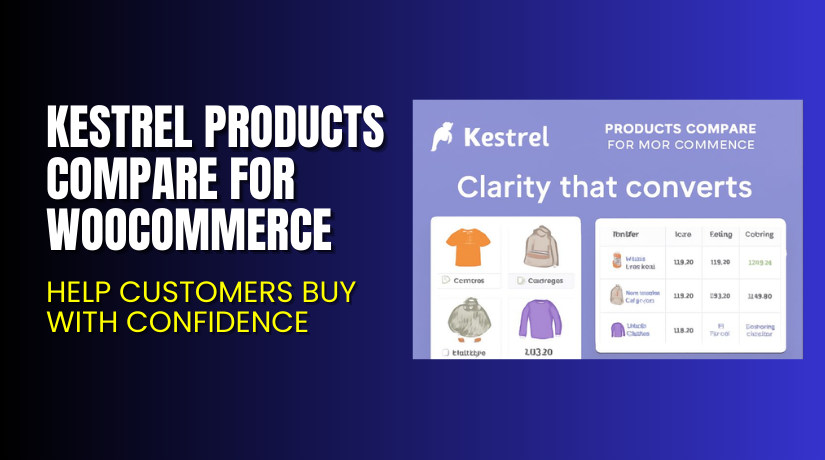
Kestrel Products Compare for WooCommerce – Help Customers Buy with Confidence
Table of Contents
- Introduction
- What is Kestrel Products Compare for WooCommerce?
- Key Features of Products Compare for WooCommerce
- How to Install and Configure Kestrel Products Compare Plugin?
- Pricing & Plans
- My Experience with Kestrel Products Compare for WooCommerce
- Who Should Use This Plugin?
- Final Verdict
- FAQ
Introduction
Running a WooCommerce store means helping customers make quick and confident decisions. But when your store has many similar products, shoppers often get confused. This leads to cart abandonment or decision delays.
Most WooCommerce themes don’t have built-in comparison tools. Customers either open multiple tabs or rely on memory. That’s not ideal.
Kestrel Products Compare for WooCommerce solves this problem. It adds a clean, side-by-side product comparison tool to your store. With just a few clicks, shoppers can compare features, specs, prices, and more.
This guide covers everything about the plugin. You’ll learn what it does, key features, setup process, pricing, pros and cons, and helpful resources.
Need help installing it? Try our Installation & Troubleshooting Services.
What is Kestrel Products Compare for WooCommerce?
Kestrel Products Compare for WooCommerce is a comparison plugin that lets users view products side by side. It displays product attributes in easy-to-read tables. This helps buyers choose the right item faster.
Developed by Kestrel, the plugin fits stores selling:
- Electronics
- Clothing
- Furniture
- Accessories
- Health and beauty products
The plugin uses WooCommerce product data. You can choose which attributes appear in comparison tables. It works well with both physical and digital products.
The layout is responsive and clean. Customers can add products to a compare list from archive or single product pages. They can then open the comparison table with one click.
Official Plugin Page: Kestrel Products Compare for WooCommerce
Support Page: Kestrel Support
Key Features of Products Compare for WooCommerce
| Feature | Description | Why It Matters |
| Side-by-side comparison | View multiple products in a single table | Helps users make faster buying decisions |
| Custom attribute control | Choose which features to display | Keep comparisons clean and relevant |
| Add from any product page | Add to compare list from shop or single pages | Increases feature visibility |
| Responsive design | Works well on phones and tablets | Mobile shoppers stay engaged |
| Clean table layout | Highlights similarities and differences clearly | Reduces user confusion |
| Lightweight code | Doesn’t slow down your site | Keeps performance optimized |
More Benefits:
- Users can remove products from the table easily
- Shortcodes available for table placement
- Integrates well with most WooCommerce themes
- Requires no coding knowledge
How to Install and Configure Kestrel Products Compare Plugin?
Setting up the plugin is simple and takes only a few minutes.
- Purchase the plugin from the official product page.
- Download the ZIP file after payment.
- Go to your WordPress Dashboard → Plugins → Add New → Upload Plugin.
- Upload the ZIP file and click Install Now.
- Activate the plugin.
- Navigate to WooCommerce → Settings → Products Compare.
- Choose which attributes will show in the comparison table.
- Customize the table appearance and behavior as needed.
- Save changes and test on a product page.
Need help with setup? Use our Installation & Troubleshooting Services
Pricing & Plans
| Plan | Price | Includes |
| Annual License | $59/year | Full features, updates, and 1 year premium support |
There’s no free version. You get full access with the annual license.
Buy directly from the developer: Buy Kestrel Products Compare Plugin
Buy Kestrel Products Compare for WooCommerce Now
Purchase here: Get the Products Compare Plugin
Your license includes:
- All plugin features
- 1 year of updates
- Developer support for setup and bugs
Need professional help? Use our Installation & Troubleshooting Services


My Experience with Kestrel Products Compare for WooCommerce
We tested this plugin on a WooCommerce store selling mobile accessories. The goal was to help users choose between similar chargers and cases.
After installation, customers could click “Compare” on any product. The comparison table was fast and clear. It showed price, dimensions, and material side by side. This reduced return rates and improved sales.
Pros:
- Easy to install and use
- Clean, responsive design
- Works with custom attributes
- Improves customer decision-making
- Boosts conversions on product-heavy sites
Cons:
- No drag-and-drop feature in the table
- Limited styling controls without custom CSS
- Only compares published products (not drafts or out-of-stock)
Overall, the plugin delivered strong value with a simple interface.
Who Should Use This Plugin?
This plugin is best suited for:
- Stores selling similar products with small differences
- Electronics and tech shops
- Clothing and fashion stores
- Furniture and home decor brands
- Any WooCommerce store with large catalogs
It’s especially helpful for:
- Customers needing to compare specs
- Stores with competitive pricing
- Shoppers deciding between features or sizes
Useful Resources
- Official Plugin Page
- Official Support Page
- Plugin Documentation
- Contact Developer
- WooHelpDesk Setup Services
Final Verdict
Kestrel Products Compare for WooCommerce is a must-have tool for stores with overlapping product types. It removes the guesswork for customers. Instead of browsing multiple pages, they get a clean comparison table with all the data they need.
This improves their shopping experience, builds trust, and increases your store’s credibility.
If your store sells similar items or many product variations, this plugin will pay for itself quickly.
Buy it now: Get Kestrel Products Compare Plugin. Need help? Try our Installation & Troubleshooting Services
FAQ
Q1. Can I choose which attributes appear in the comparison?
Yes, you can select specific attributes from the settings panel.
Q2. Does it work on mobile devices?
Yes, the comparison table is fully responsive and mobile-friendly.
Q3. Can customers compare more than two products?
Yes, they can compare multiple products side by side.
Q4. Does the plugin slow down my site?
No, it is lightweight and optimized for performance.
Q5. Will it work with my current theme?
Yes, it works with most WooCommerce-compatible themes. Always test first.



