Is the Amelia Booking Plugin Free? Complete Pricing Guide
Table of Contents
- Introduction
- What is Amelia?
- What are Key Features, Pros and Cons of Amelia Plugin?
- Why Choose Amelia Plugin?
- Is the Amelia Booking Plugin Free?
- Amelia Free vs Premium: Complete Comparison Table (Annual Plan)
- When You Should Upgrade to Premium?
- Final Verdict
Introduction
Running a service business means managing appointments constantly. Clients call to book. You check availability. You confirm times. You send reminders. The chaos never ends.
Booking plugins promise to fix this chaos. They automate scheduling. They send reminders. They accept payments. But they cost money.
Amelia is one of the most popular booking plugins for WordPress. Its sleek interface and powerful features attract business owners worldwide. But the first question everyone asks is simple.
Is the Amelia booking plugin free?
The answer is both yes and no. Amelia offers a free version called Amelia Lite. It also has four premium paid tiers. Understanding what you get for free versus what costs money determines if this plugin fits your business.
This guide answers every question about Amelia pricing. You will learn exactly what the free version includes. You will understand the premium features locked behind paywalls. You will see pricing for every tier.
By the end, you will know whether Amelia Lite meets your needs or if you need to upgrade.
What is Amelia?
Amelia is a comprehensive WordPress booking plugin designed to automate appointments and events for service-based businesses. It replaces chaotic manual scheduling with a centralized, professional booking system.
The plugin handles both appointment booking and event scheduling. Clients can book services directly through your website. They choose available time slots. They receive automatic confirmations. They get reminders before appointments.
Behind the scenes, Amelia gives administrators complete control. You manage employees, services, pricing, and availability from one dashboard. The calendar view shows all appointments at a glance.
Who Uses Amelia?
Amelia serves diverse industries. Beauty and spa salons use it for client bookings. Barbershops manage haircut appointments. Yoga instructors schedule classes. Doctors and healthcare providers handle patient visits. Gyms and personal trainers book sessions. Photographers schedule shoots. Coaches and consultants manage client calls.
The plugin adapts to virtually any business where clients book time with service providers.
Amelia Lite vs Premium
The plugin exists in two forms. Amelia Lite is the free version available on WordPress.org. It offers essential booking functionality with significant limitations.
Premium versions unlock the plugin’s full potential. They add team scheduling, online payments, calendar sync, and advanced features.
This freemium model lets you test the system before investing money. You see how it works. You decide if it fits your business. Then you upgrade when ready.
What are Key Features, Pros and Cons of Amelia Plugin?
Understanding Amelia’s features helps you evaluate its value. The plugin packs impressive functionality, but it also has drawbacks.
Key Features of Amelia
- Backend Calendar View: A centralized visual calendar shows all appointments at once. Powerful search and filtering let you sort by date, employee, customer, or status.
- Services and Categories Management: Create, edit, and organize services into logical categories. Configure duration, price, capacity, buffer times, and group settings for each service.
- Employee Management: Manage employee profiles, define working hours, assign specific services, and set different pricing per employee. Add special days off easily.
- Customer Management: The centralized database automatically saves client data with each booking. Import customer lists. View complete appointment history. Communicate directly through notifications.
- Financial Overview: Dedicated dashboard shows KPIs, charts, and revenue summaries. Filter payments by date, customer, employee, or status. Export reports as CSV files.
- Front-End Customer Panel: Customers log in to a branded private area. They view, reschedule, or cancel bookings without contacting you. They update profile details themselves.
- Recurring Appointments: Customers set up appointments to recur daily, weekly, or monthly. They choose how many times or until a specific date.
- Payment Integrations: Connect with PayPal, Stripe, Mollie, WooCommerce, Square, and Razorpay. Accept deposits or full payments online.
- Calendar Synchronization: Two-way sync with Google Calendar and Outlook prevents double-booking. Appointments update automatically across all calendars.
- Notification System: Automated emails and SMS confirm appointments, send reminders, and follow up. Templates are fully customizable.
- Customization Options: Change colors, fonts, and layout to match your brand. No coding required.
Pros of Amelia Plugin
- Comprehensive Feature Set: Amelia includes features that competitors charge extra for. Everything comes in one package without add-ons.
- Sleek Modern Interface: The dashboard looks professional and polished. Users consistently praise the clean design.
- Fast Performance: Developers prioritized loading times. Pages load quickly even with many appointments.
- Excellent Customer Support: Users frequently praise responsive, helpful support teams. Developers actively solve problems.
- Flexible and Adaptable: Works across industries from salons to medical clinics. Customizable to fit specific needs.
- Mobile Responsive: Everything works perfectly on phones and tablets. Customers book easily from any device.
- Regular Updates: The active development team releases monthly updates with new features and fixes.
- Good Value for Money: Compared to competitors, Amelia offers strong features at reasonable prices.
Cons of Amelia Plugin
- Steep Learning Curve: The initial setup confuses new users. Finding where to start takes time. Understanding the workflow requires clicking through menus.
- No Chained Bookings: You cannot force clients to book a consultation before a follow-up. Each booking stands alone.
- No Built-In Live Chat: Customers cannot message you from their dashboard. You need separate chat plugins.
- Complex Setup Time: With so many options, adjusting work hours, service times, and details takes significant time.
- Free Version Limitations: The Lite version restricts critical features. Only one employee. Limited payments. No calendar sync.
- GDPR Compliance Requires Custom Fields: Privacy features are not built-in by default. You must create custom fields.
- Occasional Technical Issues: Some users report bugs with specific integrations like Square. Support resolves them but issues happen.
- Requires WordPress Knowledge: Users need familiarity with WordPress. Beginners may struggle.
Download Link: Booking for Appointments and Events Calendar – Amelia
Why Choose Amelia Plugin?
With many booking plugins available, why choose Amelia? Several factors make it stand out from competitors.
- All-in-One Solution: Amelia handles both appointments and events in one plugin. You do not need separate tools for different booking types. The unified system simplifies management.
- Enterprise-Level Performance: Despite its reasonable price, Amelia performs like enterprise software. Fast loading times, smooth interfaces, and robust features rival expensive solutions.
- Beautiful Customer Experience: The booking forms look professional. Customers navigate easily. The interface matches your brand colors and fonts. First impressions matter, and Amelia delivers.
- Powerful Admin Controls: You manage everything from WordPress. No logging into third-party sites. The backend calendar gives complete visibility. Filters find appointments instantly.
- Customer Empowerment: The customer panel reduces your workload. Clients reschedule themselves. They cancel when needed. They update their own information. You handle fewer manual requests.
- Payment Flexibility: Accept payments through multiple gateways. Take deposits to reduce no-shows. Offer refunds when necessary. The payment system integrates seamlessly.
- Calendar Sync Prevents Overbooking: Two-way Google Calendar sync ensures your schedule stays accurate everywhere. No more double-booked appointments.
- Active Development: The team releases monthly updates. New features appear regularly. Bugs get fixed quickly. The plugin improves constantly.
- Strong User Reviews: Users consistently rate Amelia highly. They praise features, support, and ease of use. The plugin maintains excellent ratings across review platforms.
- Great Value: Compared to alternatives, Amelia offers more features at lower prices. You get everything included without paying for add-ons.
Is the Amelia Booking Plugin Free?
This is the core question every potential user asks. The answer requires understanding Amelia’s two-tier approach.


Amelia Lite: The Free Version
Yes, Amelia offers a completely free version called Amelia Lite. It is available directly from the WordPress.org plugin directory . Anyone can download and install it without paying anything.
The free version provides essential booking functionality. You can create services. You can set up a step-by-step booking wizard. You can accept on-site payments. You can send basic email notifications .
What Amelia Lite Includes?
- Configurable company settings
- Backend calendar view showing appointments
- Appointment management from WordPress admin
- Provider details and working schedule configuration
- Dashboard with key business numbers
- Email notifications for approved and pending appointments
Limitations of the Free Version
- Only One Employee. The free version limits you to setting only 1 employee. This makes it unusable for any business with multiple staff members.
- Limited Payment Options. Only Square payment integration is available. PayPal, Stripe, Mollie, WooCommerce, and other gateways require premium versions.
- No Google Calendar Sync. Two-way synchronization with Google Calendar is not included.
- Limited Notification Types. Only Approved and Pending email notifications work. Other notification types are locked.
- No Coupons. Discount coupons for promotions are not available.
- No Group Services. Group appointment functionality is missing.
- No Locations. Multi-location management is not included.
- Limited Views. Only a step-by-step booking wizard works. Catalog view and search view require premium.
- No Export Options. Cannot export data from the free version.
- Basic Customization Only. Advanced design options are locked.
- No Premium Support. Access to priority support requires a paid license.
Premium Paid Versions
For businesses needing more, Amelia offers four paid tiers. Each adds features and capabilities.
- Starter Plan: Priced at Rs 4,555 per year for a single domain. Unlocks many core features missing from the free version. Includes unlimited appointments, events, and employee management. Supports Square payments.
- Standard Plan: Priced at Rs 8,275 per year for a single domain. Adds multi-location management, SMS notifications, Google Calendar sync, and multiple payment gateways including PayPal, Stripe, Mollie, and WooCommerce.
- Pro Plan: Priced at Rs 18,503 per year for up to three domains. Adds packages feature, WhatsApp integration, cart functionality, refunds, Stripe Connect, and resources management.
- Elite Plan: Priced at Rs 31,519 per year for unlimited domains. Adds everything plus REST API endpoints for custom development.
All paid plans are available as yearly subscriptions or lifetime licenses. Lifetime licenses include lifetime support and monthly updates .
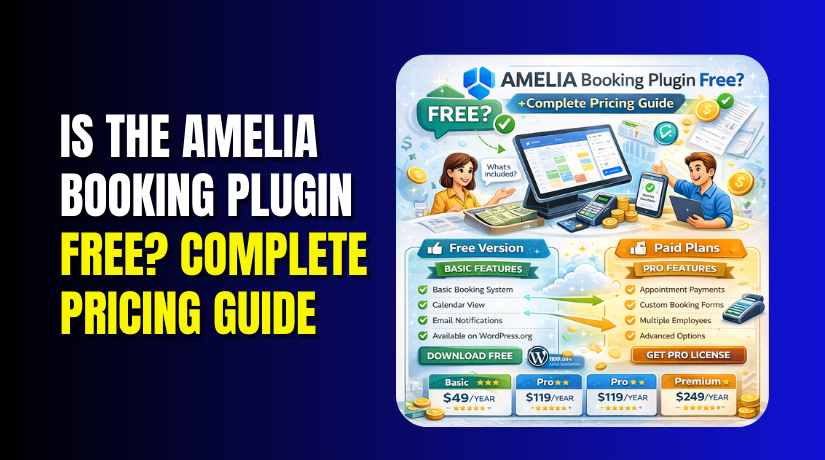
Amelia Free vs Premium: Complete Comparison Table (Annual Plan)
| Feature | Amelia Lite (Free) | Starter (Rs 4,555/yr) | Standard (Rs 8,275/yr) | Pro (Rs 18,503/yr) | Elite (Rs 31,519/yr) |
| Employees | 1 only | Unlimited | Unlimited | Unlimited | Unlimited |
| Appointments | Unlimited | Unlimited | Unlimited | Unlimited | Unlimited |
| Events | Limited | Unlimited | Unlimited | Unlimited | Unlimited |
| Services | Unlimited | Unlimited | Unlimited | Unlimited | Unlimited |
| Locations | No | No | Yes | Yes | Yes |
| Payment Gateways | Square only | Square | Square, PayPal, Stripe, Mollie, WooCommerce | All + Refunds, Stripe Connect | All |
| Google Calendar Sync | No | No | Yes | Yes | Yes |
| Outlook Calendar Sync | No | No | Yes | Yes | Yes |
| SMS Notifications | No | No | Yes | Yes | Yes |
| Email Notifications | Basic only | All types | All types | All types | All types |
| Custom Notifications | No | No | Yes | Yes | Yes |
| Recurring Appointments | No | No | Yes | Yes | Yes |
| Packages Feature | No | No | No | Yes | Yes |
| WhatsApp Integration | No | No | No | Yes | Yes |
| Cart Functionality | No | No | No | Yes | Yes |
| Resources Management | No | No | No | Yes | Yes |
| REST API | No | No | No | No | Yes |
| Custom Fields | Limited | Yes | Yes | Yes | Yes |
| Coupons | No | Yes | Yes | Yes | Yes |
| Group Services | No | Yes | Yes | Yes | Yes |
| Catalog View | No | Yes | Yes | Yes | Yes |
| Search View | No | Yes | Yes | Yes | Yes |
| Export Functionality | No | Yes | Yes | Yes | Yes |
| Multi-language Support | No | No | Yes | Yes | Yes |
| Customizable Design | Limited | Yes | Yes | Yes | Yes |
| Premium Support | No | Yes | Yes | Yes | Yes |
| Domains | 1 | 1 | 1 | 5 | Unlimited |
When You Should Upgrade to Premium?
Certain situations make upgrading essential.
- You Have Multiple Employees: Any business with more than one staff member must upgrade. The single employee cap in Lite makes team scheduling impossible.
- You Need Online Payments: If you want customers to pay online, upgrade. Lite only supports Square. Premium adds PayPal, Stripe, Mollie, and WooCommerce.
- You Use Google Calendar: Business owners who rely on Google Calendar need Standard plan or higher. Two-way sync prevents scheduling disasters.
- You Want SMS Reminders: SMS notifications reduce no-shows significantly. This feature requires a Standard plan or higher.
- You Offer Recurring Appointments: Clients who book weekly sessions need recurring appointments. This requires a Standard plan or higher.
- You Sell Service Packages: Package deals attract more business. The pro plan includes packages.
- You Run Multiple Locations: Multi-location management starts at Standard plan.
- You Want Branded Customer Experience: Full customization options require premium. Match booking forms exactly to your brand.
- You Need Reliable Support: Premium users get priority support. Issues resolve faster.
- Your Business Grows: Start with Lite. When your business expands beyond one person, upgrade. The plugin scales with you.
Final Verdict
Is the Amelia booking plugin free? Yes and no.
Amelia Lite is genuinely free. You can download it today from WordPress.org. Install it. Configure it. Start taking bookings. No credit card required.
But free comes with strings attached. The Lite version severely limits functionality. Only one employee works. Only Square payments integrate. No Google Calendar sync exists. Many features remain locked.
These limitations reflect a thoughtful freemium strategy. The free version lets you test the system. You see the interface. You understand the workflow. You decide if the plugin fits your business.
For solopreneurs working alone, the free version may suffice. A single yoga instructor can manage their schedule. One personal trainer can accept bookings. An independent consultant can organize clients.
But most businesses need more. Multiple employees require a premium. Online payments demand a premium. Calendar sync requires premium. These features cost money.
The paid plans offer excellent value. Starting at $49 per year, you unlock unlimited employees. You access multiple payment gateways. You enable calendar synchronization. You receive premium support.
Compared to alternatives, Amelia delivers strong features at competitive prices. The Standard plan at $99 annually includes capabilities competitors charge much more for.
User reviews consistently praise the plugin. They highlight the sleek interface, powerful features, and responsive support. Negative experiences exist but appear less common .
The developers actively maintain the plugin. Monthly updates add features and fix bugs. The product improves constantly.
Your choice depends on your business. Start with Amelia Lite. Test thoroughly. Understand the limitations. If they block your growth, upgrade confidently.
The free version serves as a perfect introduction. The paid versions deliver professional results. Either way, Amelia provides a modern, efficient booking system for WordPress users worldwide.
Yes, Amelia has a free version. But most businesses will need the premium plans to access full functionality. Have questions before starting with WooCommerce & WordPress? Get support here at WooHelpDesk.