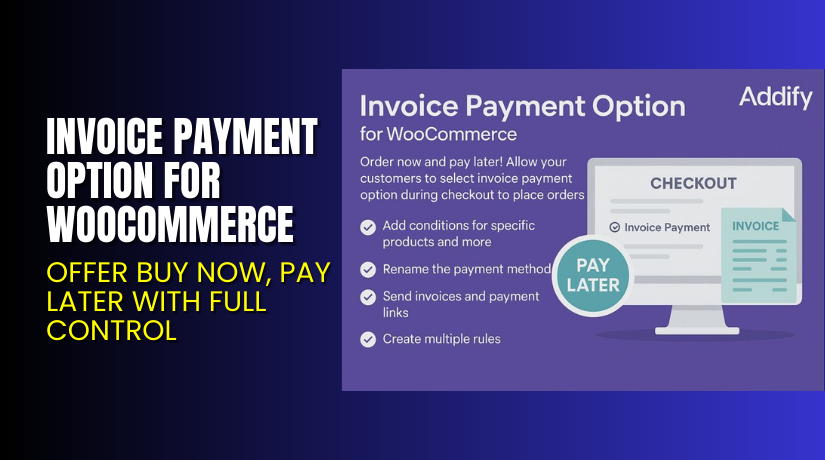
Invoice Payment Option for WooCommerce – Offer Buy Now, Pay Later with Full Control
Table of Contents
- Introduction
- What is Invoice Payment Option for WooCommerce?
- Key Features of Invoice Payment Option
- How to Install and Configure Invoice Payment Option
- Pricing & Plans
- My Experience with Invoice Payment Option
- Who Should Use This Plugin?
- Final Verdict
- FAQ Section
Introduction
Running a WooCommerce store that caters to wholesale or B2B buyers often demands flexibility in payment options. Many customers expect to buy now and pay later, especially when placing large or recurring orders.
By default, WooCommerce doesn’t support invoice payments. It lacks the built-in tools to allow deferred payments, PDF invoicing, or customer-level restrictions. This creates a challenge for store owners who need to serve both retail and wholesale customers effectively.
Enter the Invoice Payment Option for WooCommerce by Addify. This powerful plugin adds an “Invoice Payment” method to your checkout. It enables you to set detailed rules for when and how the invoice option appears — based on user roles, location, product types, and more.
In this guide, we’ll cover what this plugin does, its features, how to install and configure it, pricing, pros and cons, and whether it’s right for your business.
If you need help setting it up, check our Installation & Troubleshooting Services.
What is Invoice Payment Option for WooCommerce?
Invoice Payment Option for WooCommerce is a plugin developed by Addify. It lets store owners add a custom “Pay by Invoice” method at checkout. You can restrict it to specific users, products, shipping methods, or cart totals.
It’s especially useful for:
- B2B and wholesale sellers
- Businesses with returning customers
- Merchants offering bulk orders or credit terms
This plugin adds:
- A new payment method
- Conditional logic to show or hide invoice payment
- Custom PDF invoices attached to emails
- Separate email templates for admins and customers
It works with most WooCommerce themes and is fully translatable and WPML-compatible.
Official Resources:
Key Features of Invoice Payment Option
| Feature | Description | Why It Matters |
| Invoice Payment Method | Adds a “Pay by Invoice” option at checkout. | Gives customers flexibility to pay after ordering. |
| Rule-Based Visibility | Show or hide the payment method using multiple conditions. | Ensures control over who sees invoice options. |
| Conditional Rules | Conditions include: user role, cart amount, product tags, and shipping method. | Customizes the experience for different users. |
| Country and Zip Filters | Apply invoice payment only in selected countries, cities, or zip codes. | Ideal for local, regional, or B2B selling. |
| Attach PDF Invoices | Automatically attach PDF invoice files with order emails. | Provides professional documentation. |
| Email Templates for Orders | Send separate emails for admins and customers. | Keeps both parties informed with tailored emails. |
| PDF Styling | Customize the header, footer, colors, and invoice text. | Matches your brand’s look and feel. |
| Enable for Virtual Products | Activate invoice option for digital product sales too. | Expands plugin usage for digital services. |
| Set Default Order Status | Assign a custom status for invoice-based orders. | Helps manage post-order workflow. |
How to Install and Configure Invoice Payment Option
Follow these steps to install the plugin:
- Buy the plugin from Addify Store.
- Download the ZIP file from your account area.
- Go to WordPress Dashboard → Plugins → Add New → Upload Plugin.
- Upload the ZIP and click Install Now.
- After installation, click Activate Plugin.
- Navigate to WooCommerce → Settings → Payments.
- Locate the Invoice Payment Method and click Manage.
- Configure:
- Title and description
- Order status
- Conditional rules
- Email settings
- PDF template
If you’re unsure how to set rules or PDF templates, check the official documentation or use our Installation & Troubleshooting Services.
Pricing & Plans
The plugin is available in two affordable paid plans with a 30-day money-back guarantee.
| Plan | Price | Includes |
| 1-Year Plan | $59/year | 1-year support + 1-year updates |
| 2-Year Plan | $94 (save 20%) | 2-year support + 2-year updates |
There is no free version of this plugin. Each license supports one site.
Both plans include:
- Full access to plugin features
- Priority updates
- Email support from Addify
- Unlimited rule configurations
Buy Invoice Payment Option Now
Want to allow “Pay by Invoice” on your WooCommerce checkout?


→ Buy Invoice Payment Option for WooCommerce – Premium
Every purchase helps fund plugin development and ensures your store stays flexible and scalable. Plus, you get access to fast support.
My Experience with Invoice Payment Option
We tested the plugin on a client’s wholesale WooCommerce store. The results were impressive.
Pros:
- Seamless WooCommerce integration
- Clear rule settings for payment visibility
- Customizable PDF templates
- Easy for both admins and customers to understand
- Helpful documentation and fast support
- Supports digital and physical products
Cons:
- No drag-and-drop PDF builder
- Lacks multi-currency invoice support (for now)
- Could improve styling flexibility for emails
Who Should Use This Plugin?
This plugin is ideal for:
- Wholesale or B2B WooCommerce stores
- Stores offering bulk purchases or net payment terms
- Agencies building custom eCommerce setups
- Merchants dealing with schools, institutions, or vendors
- Anyone needing flexible payment logic without custom code
Useful Resources
These links provide full access to setup instructions, updates, and troubleshooting.
Final Verdict
Invoice Payment Option for WooCommerce is a game-changing tool for businesses that want to offer flexible payment solutions. It allows your customers to check out now and pay later — all under conditions you define.
You can apply restrictions based on user type, location, product types, and more. The included PDF and email features make it a complete solution for B2B workflows.
→ Buy Invoice Payment Option Now
Need help setting it up? Use our Installation & Troubleshooting Services.
FAQ Section
Q1. Can I limit invoice payments to certain countries or users?
Yes. You can control access by country, state, city, zip, user roles, and specific users.
Q2. Does it support sending PDF invoices automatically?
Yes. You can attach custom-designed PDFs to both admin and customer emails.
Q3. Will it work with all themes and WooCommerce versions?
It works with WooCommerce 3.5.0+ and most standard themes. Always test first.



