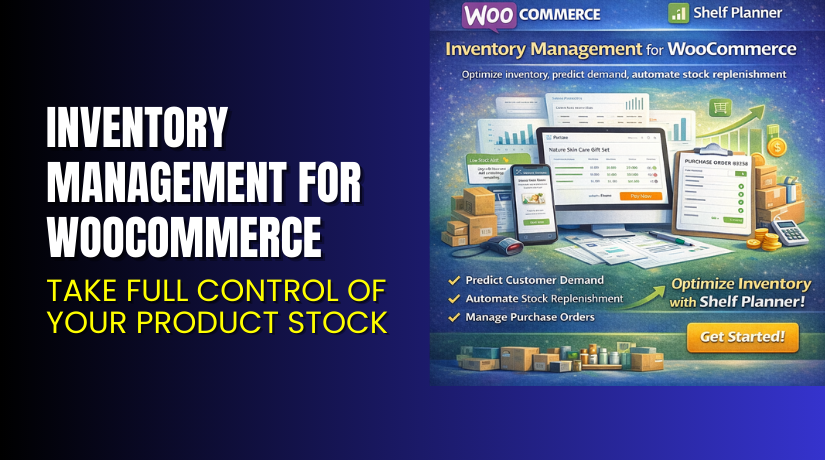
Inventory Management for WooCommerce – Take Full Control of Your Product Stock
Table of Contents
- Introduction
- What is Inventory Management for WooCommerce?
- Key Features of the Plugin
- How to Install and Use the Plugin?
- Pricing & Plan
- My Experience with Inventory Management Plugin
- Who Should Use This Plugin?
- Final Verdict
- FAQ
Introduction
Running a WooCommerce store comes with its fair share of challenges. One of the biggest? Inventory management. From tracking stock levels to forecasting demand — things can get out of control fast. Manual spreadsheets and basic stock tools aren’t built for scaling.
Many store owners either overstock or go out of stock. Both scenarios hurt sales and profit. That’s where a smart inventory management solution becomes essential.
Inventory Management for WooCommerce, developed by Shelf Planner, is designed to help WooCommerce stores manage stock efficiently and profitably.
In this guide, we’ll cover what the plugin does, its features, pricing, pros and cons, and how to get started — even with help from our Installation & Troubleshooting Services.
What is Inventory Management for WooCommerce?
Inventory Management for WooCommerce is a powerful plugin that connects seamlessly to your WooCommerce store. It offers real-time inventory insights, demand forecasting, and stock optimization using predictive analytics.
Instead of guessing what to restock, when, and how much, this plugin calculates everything based on sales history and lead times. It helps businesses avoid overstocking, understocking, and out-of-stock losses.
It is developed by ShelfPlanner, a company focused on making inventory smarter for online retailers.
The plugin works great for single-product stores, large catalogs, and multi-location inventory setups.
Plugin Page: Shelf Planner Inventory Plugin
Documentation: Inventory Plugin Documentation
Support Page: Contact Shelf Planner
Key Features of the Plugin
| Feature | Description | Why It Matters |
| Demand Forecasting | Uses AI to predict future sales demand | Reduces stockouts and dead stock |
| Automatic Reorder Suggestions | Recommends when and how much to reorder | Saves time and increases stock accuracy |
| Real-Time Inventory Sync | Updates stock across platforms instantly | Avoids overselling or underselling |
| Supplier Management | Track suppliers and their lead times | Helps plan purchasing efficiently |
| Multi-Warehouse Support | Manage stock across different locations | Perfect for multi-channel or large operations |
| Inventory KPIs Dashboard | Visualize trends, sales, and stock health | Make informed inventory decisions |
How to Install and Use the Plugin?
Setting up Inventory Management for WooCommerce is straightforward. You don’t need any coding knowledge to get started.
Step-by-step guide:
- Purchase and download the plugin from the official Shelf Planner page.
- In your WordPress dashboard, go to Plugins → Add New.
- Upload the ZIP file and click Install Now.
- After activation, go to WooCommerce → Shelf Planner settings.
- Connect your store’s product data and enable forecasting options.
- Configure lead times, suppliers, and order rules.
- Monitor the dashboard and let the plugin handle reorder suggestions.
Pro Tip: If setup feels overwhelming, try our Inventory Management Plugin Setup Service.
Pricing & Plan
The plugin is offered as an annual plan with all features included.
| Plan | Price | Includes |
| 1-Year License | $149/year | All features, support, and updates |
- Annual cost: $149 USD
- Billed annually, or about $12.42/month
- Access to full inventory dashboard
- Regular updates and customer support
- Discount of up to 40% applied at checkout
- 30-day money-back guarantee
Get the plugin here → Inventory Management Plugin Purchase
My Experience with Inventory Management Plugin
We tested this plugin on a WooCommerce store with 400+ products across multiple categories. The goal was to automate restocks and improve forecasting.
Pros:
- Clean and modern interface
- Accurate demand prediction based on sales trends
- Inventory KPIs were insightful and easy to understand
- Great for seasonal inventory planning
- Integrated supplier tracking saved hours every month
- Worked well even with large catalogs
Cons:


- Slight learning curve during initial setup
- Advanced features require historical sales data
- No mobile app for on-the-go stock access
Who Should Use This Plugin?
This plugin is ideal for WooCommerce stores that:
- Sell physical products and track stock
- Manage large inventories or multiple warehouses
- Deal with frequent stockouts or overstocks
- Want to improve order planning and reduce losses
- Need a smarter alternative to spreadsheets
Recommended for:
- Retailers and wholesalers
- Subscription box businesses
- Store managers and fulfillment teams
- Agencies managing inventory-heavy stores
Useful Resources
To help you make the most of this plugin:
Final Verdict
Managing inventory manually is time-consuming and risky. Stockouts lead to lost sales. Overstocking ties up cash and warehouse space. Neither is ideal.
Inventory Management for WooCommerce by Shelf Planner provides a smart solution. It helps you forecast, reorder, and optimize inventory with data-backed confidence. It’s perfect for WooCommerce stores looking to scale operations while improving efficiency.
With its AI-powered engine, clean interface, and strong reporting features, this plugin is a game-changer for inventory-led businesses.
At just $149/year, it delivers excellent value for growth-focused stores.
Buy it now from the official Shelf Planner plugin page
Need help installing it? Use our WooHelpDesk Installation Service.
FAQ
Q1. Can I use this plugin for multiple warehouses?
Yes, the plugin supports multi-location inventory management.
Q2. Does it work with variable products?
Yes, it fully supports variations and individual stock levels.
Q3. Do I need to code anything to use this plugin?
No, it’s designed for store managers and business owners — no coding required.
Q4. How accurate is the forecasting?
Forecasting improves as more sales data is available. Results were accurate after 30 days of use.
Q5. Can I track suppliers and lead times?
Yes, the plugin includes supplier management and custom lead time settings.



