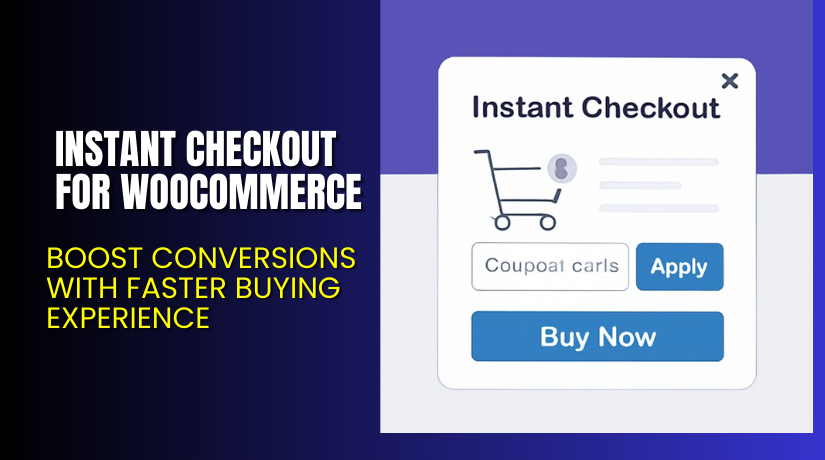
Instant Checkout for WooCommerce – Boost Conversions with Faster Buying Experience
Table of Contents
- Introduction
- What is Instant Checkout for WooCommerce?
- Features of Instant Checkout for WooCommerce
- How to Install and Configure Instant Checkout for WooCommerce
- Instant Checkout for WooCommerce – Pricing & Plans
- My Experience with Instant Checkout for WooCommerce
- Who Should Use This Plugin?
- Final Verdict
- FAQ
Introduction
Running a WooCommerce store means balancing performance, design, and user experience. Store owners often lose potential sales due to lengthy checkout processes. Cart abandonment becomes a common issue when customers must navigate multiple pages just to make a purchase.
The modern buyer wants instant results. If your store still uses the default multi-step checkout, you’re leaving money on the table. You need a system that helps your customer complete the purchase with minimal friction.
That’s where Instant Checkout for WooCommerce comes in. It simplifies the process by offering a side cart, one-click checkout buttons, and a streamlined shopping experience. Whether you sell one product or manage multiple categories, this plugin enhances speed and boosts conversions.
In this article, we’ll explore Instant Checkout for WooCommerce, its features, how to install it, pricing, our real-world experience, and who should use it.
Need help with setup? Try our Installation & Troubleshooting Services.
What is Instant Checkout for WooCommerce?
Instant Checkout for WooCommerce is a plugin designed to streamline the WooCommerce checkout experience. Built by WPExperts, it helps store owners reduce friction in the buying process.
This plugin eliminates the need to visit a separate cart page. Instead, customers can use a side cart or pop-up to checkout instantly from the product page. The idea is simple — let users buy faster and more confidently.
You can also skip the cart page completely, use customizable “Buy Now” buttons, and show checkout modals instead of the standard WooCommerce checkout.
Whether you are a beginner or agency, this plugin works out of the box.
- Official Plugin Page: Instant Checkout for WooCommerce
- Support Page: WPExperts Support
- Official Documentation: Plugin Documentation
Key Features of Instant Checkout for WooCommerce
| Feature | Description | Why It Matters |
| One-Click “Buy Now” Button | Add a button that takes users directly to checkout | Reduces steps and increases conversions |
| Side Cart & Popup Cart | Enable customers to edit their cart without leaving the page | Smooth shopping experience |
| One-Page Checkout | Users complete purchases from the product page | Prevents cart abandonment |
| Cross-Selling Options | Shows relevant products in the cart or popup | Boosts average order value |
| Custom Styling Options | Change button colors, layout, and placement | Matches your store’s branding |
| Quick View for Products | View product variations without opening product page | Improves UX and speeds up buying decisions |
| Cart Icon Customization | Modify and reposition the cart icon easily | Helps users keep track of their cart |
| Free Shipping Progress Bar | Display how close users are to free shipping | Encourages larger orders |
| Cart Animation | Visual feedback when adding to cart | Better user interaction |
| Checkout Replacement | Replace default checkout with modern pop-up | Makes checkout feel fast and modern |
How to Install and Configure Instant Checkout for WooCommerce
Here’s how to install the plugin:
- Purchase the plugin from WPExperts.io
- Download the plugin ZIP file after purchase
- In your WordPress dashboard, go to Plugins → Add New → Upload Plugin
- Select the ZIP file and install it
- After installation, click Activate
- Navigate to Settings → Instant Checkout
- Configure features like side cart, Buy Now button, and styling options
- Test it with your theme and other plugins
Need expert help? Use our Installation & Troubleshooting Services.
Pricing & Plans
Here’s the latest pricing for Instant Checkout for WooCommerce, billed annually:
| Plan | Price | Sites | Includes |
| Basic | $49.99/year | 1 Site | All core features, updates, priority support |
| Pro | $99.99/year (33% Off) | 3 Sites | Everything in Basic, license for 3 websites |
| Agency | $149.99/year | 100 Sites | All features + use on up to 100 websites |
- All plans include Auto-Renewal
- Comes with 14-day Money-Back Guarantee
- Get regular updates and access to future improvements
Buy Instant Checkout for WooCommerce Now
Ready to offer your customers a faster checkout experience?
✅ Buy Instant Checkout for WooCommerce Premium Now
Your purchase supports the developers and helps fund more tutorials like this.
My Experience with Instant Checkout for WooCommerce
We tested this plugin on a live WooCommerce store with 50+ products.
Pros


- Easy to install and configure
- Works with most themes
- Side cart and one-click checkout are very smooth
- Reduces cart abandonment rates
- Lightweight and fast performance
- Strong documentation and support
Cons
- Styling options can feel basic without CSS tweaks
- Popup checkout may not suit every niche
- Limited analytics inside the plugin dashboard
Overall, the pros outweigh the cons by a large margin.
Who Should Use This Plugin?
- WooCommerce store owners wanting faster conversions
- Agencies managing multiple client websites
- Beginners needing a ready-to-use checkout upgrade
- Stores selling digital or impulse-buy products
- Website owners who want to skip the cart step entirely
If any of the above sounds like you, this plugin is a great fit.
Useful Resources
- Official Plugin Page
- Official Plugin Documentation
- Support & Contact Page
- WooHelpDesk Installation Services
Final Verdict
If you run a WooCommerce store, checkout speed can make or break a sale. Instant Checkout for WooCommerce helps remove unnecessary steps and gives your users a modern, fast shopping experience.
With features like side carts, pop-ups, one-page checkout, and styling controls, it’s a powerful upgrade over the default WooCommerce setup.
For the price, it offers excellent value — especially if you manage multiple stores.
✅ Buy Instant Checkout for WooCommerce Now
Need help with installation or setup? Try our Installation & Troubleshooting Services.
FAQ
Q1. Is Instant Checkout for WooCommerce compatible with all WooCommerce themes?
Yes, it works with most standard WooCommerce themes. Always test before going live.
Q2. Can I use both free and premium versions?
No. You’ll need to deactivate the free version before using premium.
Q3. How do I get support?
You can contact the official support team here.
Q4. Is this plugin mobile responsive?
Yes, it’s optimized for mobile and works well on all screen sizes.
Q5. Can I replace my existing WooCommerce checkout page?
Yes, you can use pop-up or sliding checkout instead.
Q6. Does it work with product variations?
Yes. Users can select variations from the shop page directly.



